Open in behold from Argo CD
Argo CD can add links to its Application and project views from configuration
alone (its deep links).
One entry in argocd-cm gives each Application that carries a behold URL an
“Open in behold” link. There is nothing to install in Argo CD.
The configuration
Section titled “The configuration”Add this to the argocd-cm ConfigMap:
data: application.links: | - title: Open in behold url: '{{ index .app.metadata.annotations "behold.intentius.io/url" }}' description: Open this Application in behold icon.class: fa-solid fa-eye if: app.metadata.annotations["behold.intentius.io/url"] != nil project.links: | - title: Open in behold url: '{{ index .project.metadata.annotations "behold.intentius.io/url" }}' description: Open this project in behold icon.class: fa-solid fa-eye if: project.metadata.annotations["behold.intentius.io/url"] != nilArgo CD reads argocd-cm as it changes, so an edited link shows up without
restarting argocd-server.
The annotation
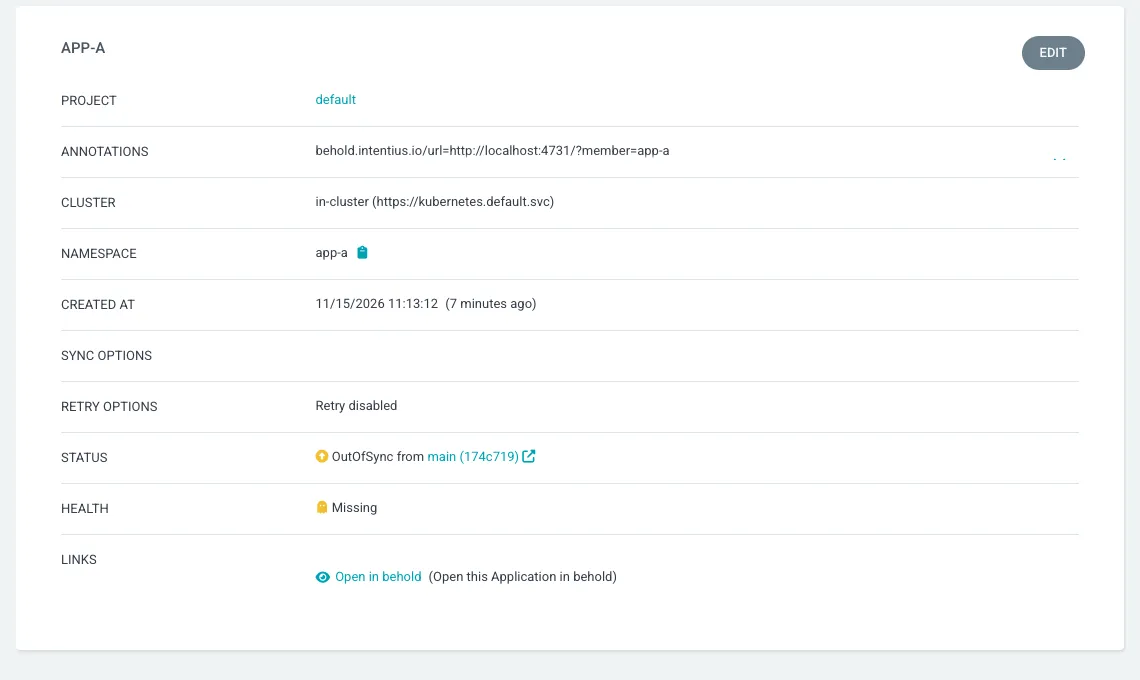
Section titled “The annotation”An Application gets the link when it carries behold.intentius.io/url, whose
value is the behold URL to open:
apiVersion: argoproj.io/v1alpha1kind: Applicationmetadata: name: app-a namespace: argocd annotations: behold.intentius.io/url: 'https://behold.example.com/?member=app-a'The link is in the Links row of the Application’s Details, on the Summary tab.
An Application without the annotation shows no link. The same annotation on an
AppProject gives that project’s page the link, through project.links.
To open a member, use ?member=<name>, the name the member has in the served
chant.workspace.json (for the example estate, app-a, app-b and
control-plane). node=<member>/<id> brings one card forward, and zoom,
env and lens choose how the graph is drawn. The view keys are listed in
web/view-url.js (VIEW_KEYS) and behold settles them against what it serves:
a member it does not know is dropped and the estate opens whole. A URL with
no query opens the estate as behold would open it.
What the link variables allow
Section titled “What the link variables allow”Argo CD gives each location its own variables. application.links offers
app (also application) and cluster, and project.links offers project.
A link in application.links that names project fails to evaluate: Argo CD
logs the error and returns no links for that Application, including the
valid ones. So the project level default is the project.links entry above,
which shows on the project page. An Application’s own link comes from its own
annotation.
An annotation key with dots or a slash is written differently in the two
places. In url, a Go template, use index with the quoted key:
{{ index .app.metadata.annotations "behold.intentius.io/url" }}. In if, an
expression, use brackets: app.metadata.annotations["behold.intentius.io/url"] != nil.
Both forms are what the Argo CD documentation shows for labels, and both work
on an annotation key.
What the target must be
Section titled “What the target must be”The link goes to a behold the person clicking can reach. Two shapes work:
- A shared
behold serve, started with--hostand--allow-hostfor the name people reach it by (seebehold serve --help). Add--publicfor a read-only view. - A published static export. It opens the same
?member=and?zoom=links against the views it captured.
A published export of a private repository is visible to everyone who can reach the host it is published to. Put it behind the same access control as the repository, or share the served form instead.