
Get your first plan note
 Optional: hand this page to your coding agentThe steps work by hand too.
Show the whole prompt
Read https://intentius.io/terragucci/getting-started/ and https://intentius.io/terragucci/getting-started/agents/.
Set up terragucci in this repository.
Run `npx terragucci init --dry-run --json` and show me the findings before writing anything.
Then run `npx terragucci init` and open a pull request with the files it wrote, package.json and package-lock.json only.
Do not create secrets.
Never apply, approve (a pull request review or `terragucci approve`), override a policy denial (`terragucci override`), use `--mode apply`, or merge; never touch `.chant/allowed_signers` or `chant/lifecycle`.CI does this: everything runs as jobs in your CI and lands in your git and your bucket. No account, no sign-in, no platform.
| You get | Where it is shown |
|---|---|
| No server to host | What runs where |
| GitHub, GitLab or Forgejo | Per forge |
| Object storage on AWS, GCP or Azure, for state and reports | Credentials, Keep reports in a bucket |
| Tracing and metrics | Send traces and metrics |
| Rich lifecycles | Architecture |
| Gated waves | Waves and approvals |
| Aggregated plan output | Plan grouping |
| Module publishing and pinned rollouts | Publish your modules, roll out a version |
Result
Section titled “Result”A pull request with one plan note that groups the roots a change reaches and names every destroy.
Prerequisites
Section titled “Prerequisites”| You need | Why |
|---|---|
| a repo of Terraform or OpenTofu roots, or a Terragrunt, Atmos, Terramate or CDK Terrain repo, on GitHub, GitLab or Forgejo | terragucci reads the roots and the forge from the repo |
| Node.js 22 or later, on your machine only | init is an npm package; the pipeline runs in terragucci’s CI image |
| a way for CI to read your state and providers | the plan job runs plan; see Environment variables and credentials |
| push access to the repo | you commit the generated pipeline |
-
Install terragucci from the root of the repo.
Terminal window npm i -D @intentius/terragucci -
Preview what it finds. This writes nothing.
Terminal window npx terragucci init --dry-runfound 15 roots in 2 layers, tofu 1.13.1 (tofu on the path), forge github (the origin remote (github.com))would write .github/workflows/terragucci.ymlno terragucci.yml needed (defaults fit)dry run: nothing was writtenFound Means If wrong roots directories with a backend, cloudblock, choudoufuliveblock or provider; in a Terragrunt repo, the unitsterragrunt findlists--jsonsays whylayers dependency order, the waves binary tofuorterraformand its version; Terragrunt runs it underneath--binaryforge the originremote--forgeIf you have a
terragucci.yml, runnpx terragucci config checkfirst. It names the approval mode and any unknown key, with the keys it accepts. The example’s output:$ npx terragucci config check terragucci.yml: ok approval: sealed (identity.gates in chant.workspace.json here, with no approval key) note: set approval: sealed in terragucci.yml to keep sealed approvals, or approval: ledger and run terragucci init to drop the gates$ npx terragucci init --dry-run found 15 roots in 2 layers, tofu 1.13.1 (terragucci.yml), forge forgejo (.forgejo/workflows) unchanged .forgejo/workflows/terragucci.yml unchanged chant.workspace.json using terragucci.yml note: approval: sealed counts only approvals sealed by a key .chant/allowed_signers lists, and there is none yet; terragucci init --signer <your principal> writes it from git config user.signingkey dry run: nothing was written$ echo 'gates: always' >> terragucci.yml && npx terragucci config check terragucci.yml: 1 problem(s) config.gates is not a setting (settings: roots, binary, version, forge, url, gate, approval, apply, locks, waves, drift, comments, gitlab, runtime, reports, token_env, env, telemetry, tips, modules, oidc, parallelism, terragrunt, atmos, policy, respond, agent, decide, audit_region, dashboards, synth, steps, image, notify, cost, rollouts, atlantis_comments, generate, review, own_jobs, ephemeral, runner, pass) -
Write the pipeline.
Terminal window npx terragucci initfound 15 roots in 2 layers, tofu 1.13.1 (tofu on the path), forge github (the origin remote (github.com))wrote .github/workflows/terragucci.ymlno terragucci.yml needed (defaults fit)found 15 roots in 2 layers, tofu 1.13.1 (tofu on the path), forge gitlab (the origin remote (gitlab.com))wrote .gitlab/terragucci.ymlwrote .gitlab-ci.ymlno terragucci.yml needed (defaults fit)The jobs go in
.gitlab/terragucci.yml. A.gitlab-ci.ymlyou already have keeps its jobs and gains aninclude:of that file; add terragucci to a repo has the cases.found 15 roots in 2 layers, tofu 1.13.1 (tofu on the path), forge forgejo (the origin remote (codeberg.org))wrote .forgejo/workflows/terragucci.ymlno terragucci.yml needed (defaults fit)The defaults need no
terragucci.yml; terragucci.yml keys lists every key. -
Give the pipeline a token.
The jobs use the run’s
github.token, so there is nothing to add.Add
GITLAB_TOKENunder Settings, CI/CD, Variables: a masked project access token with theapiscope.terragucci.ymlPlan job Plan note GITLAB_TOKENno gitlabkey (the default)holds the token, so a merge request’s code can use it as the project’s bot posted by the plan job at once a masked variable gitlab: { token: protected }, withcomments:setholds no token posted by the comments schedule’s job a masked and protected variable, on a protected default branch Each run brings its own token, so no secret is needed.
Cloud roles over OIDC and the required status are in Add terragucci to a repo.
-
Commit and open a pull request.
Terminal window git switch -c add-terraguccigit statusgit add -Agit commit -m "Add terragucci"git push -u origin add-terraguccigit statusshould list the pipeline filesinitwrote and the two package files. Putnode_modulesin.gitignore. Open the pull request, then change a line in one root, since a change that touches no root has nothing to plan. -
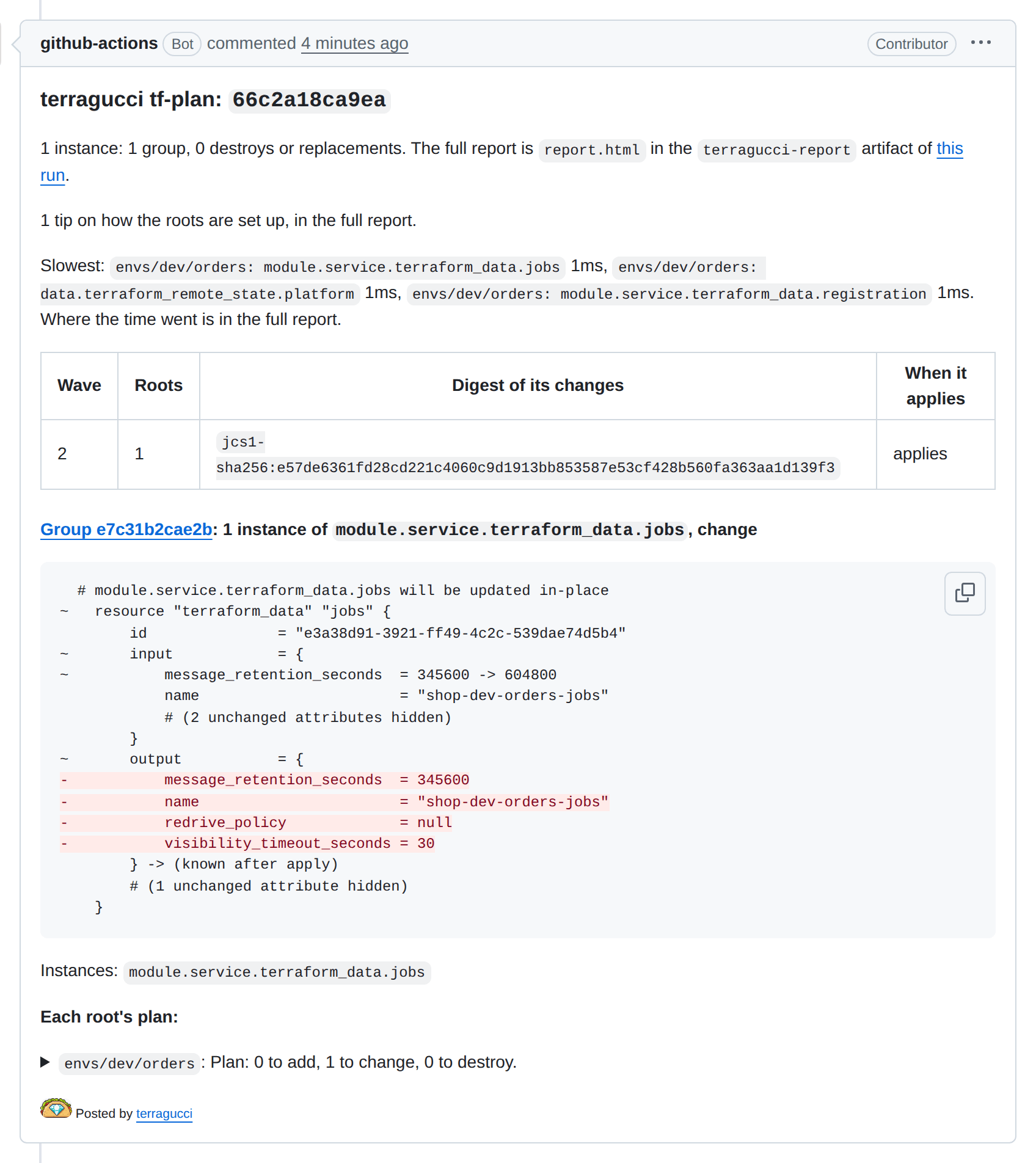
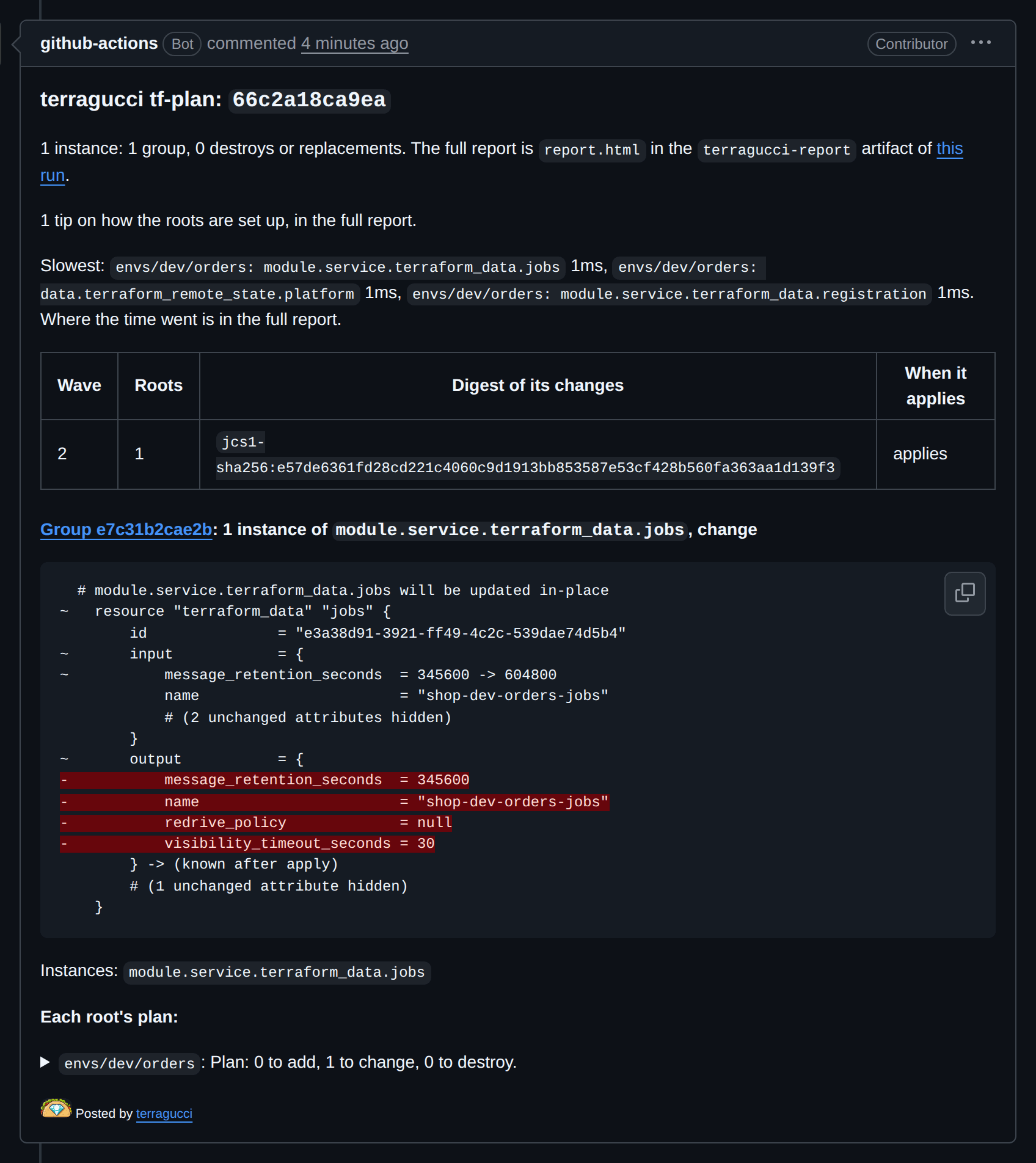
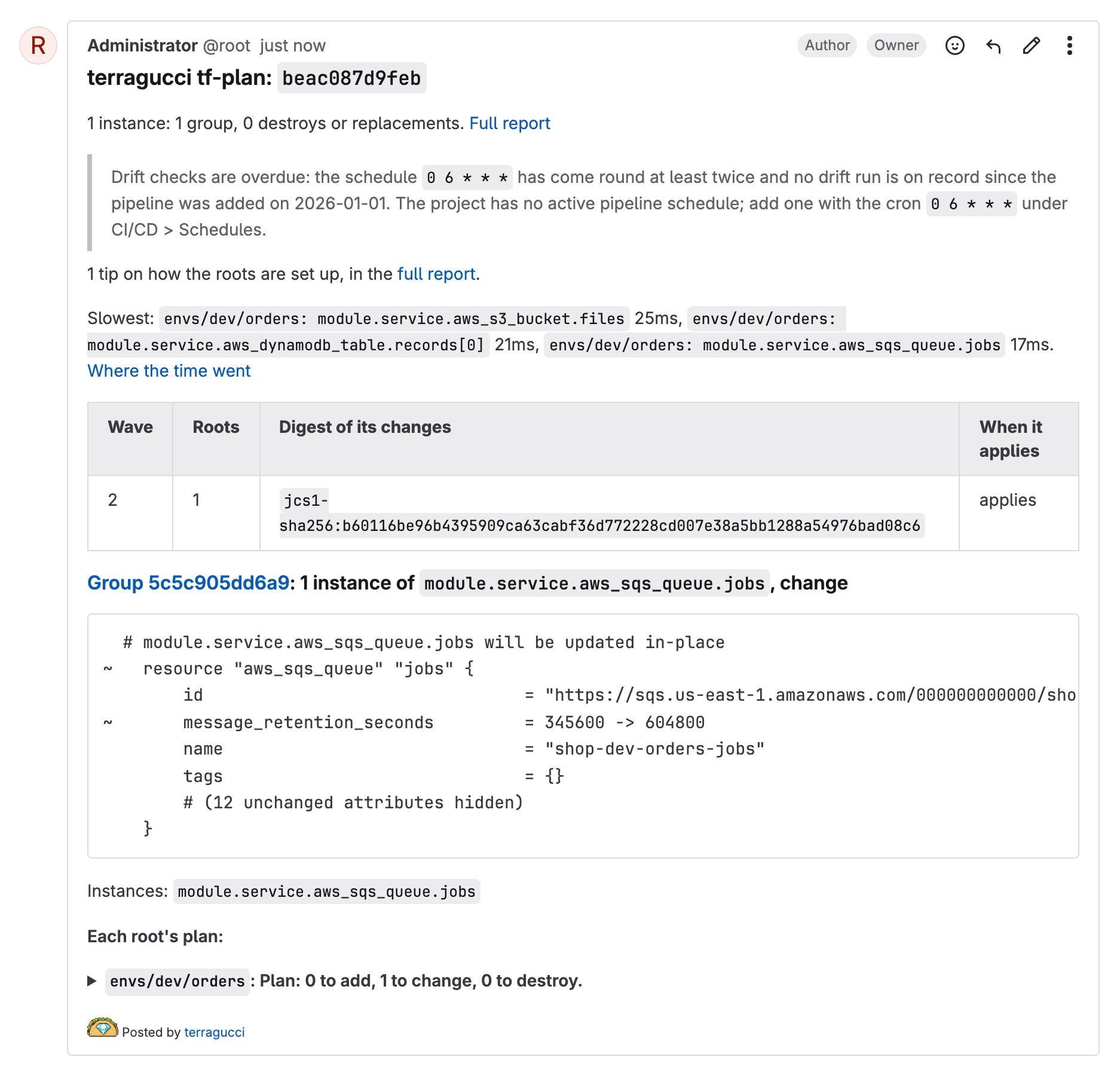
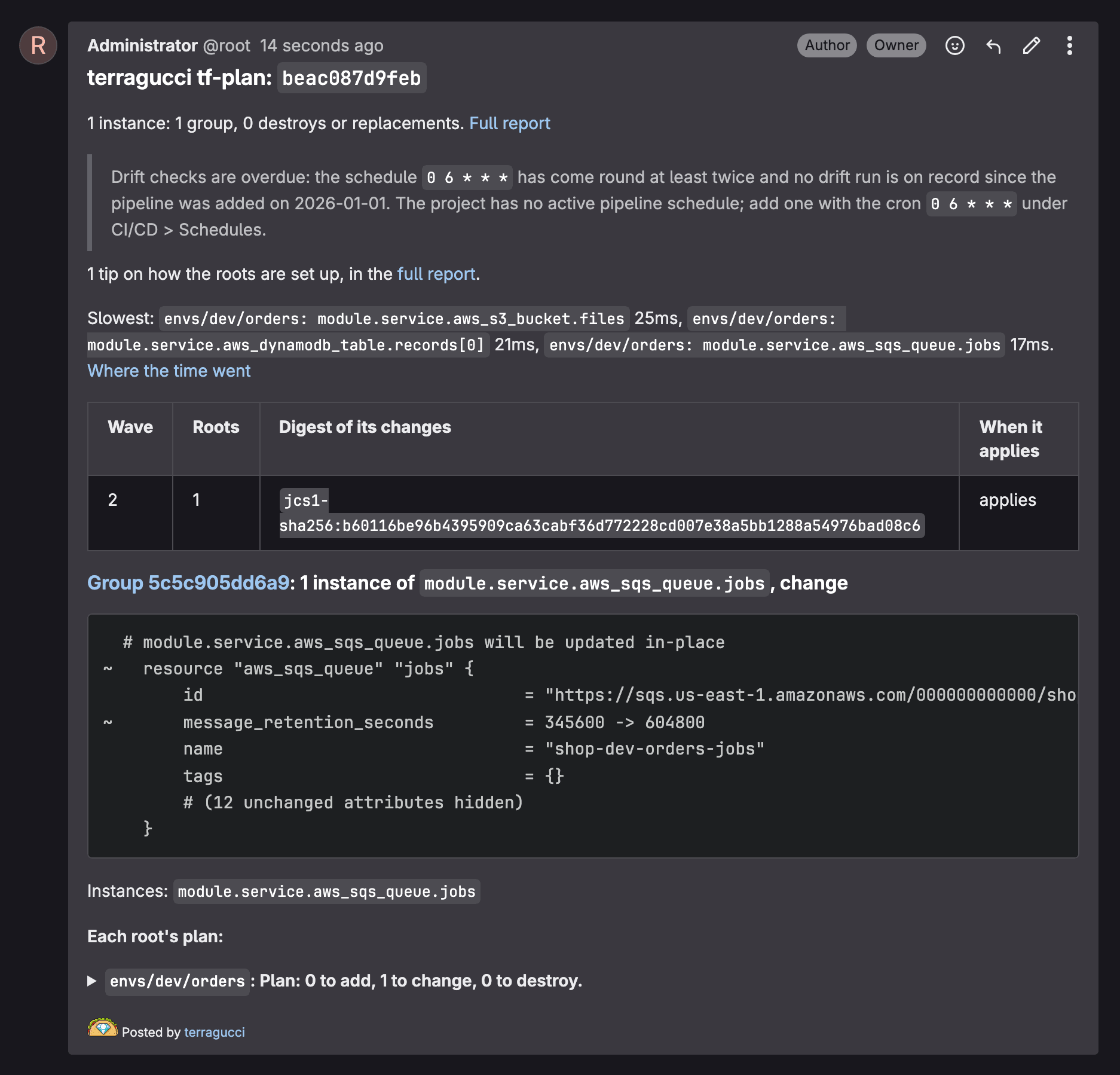
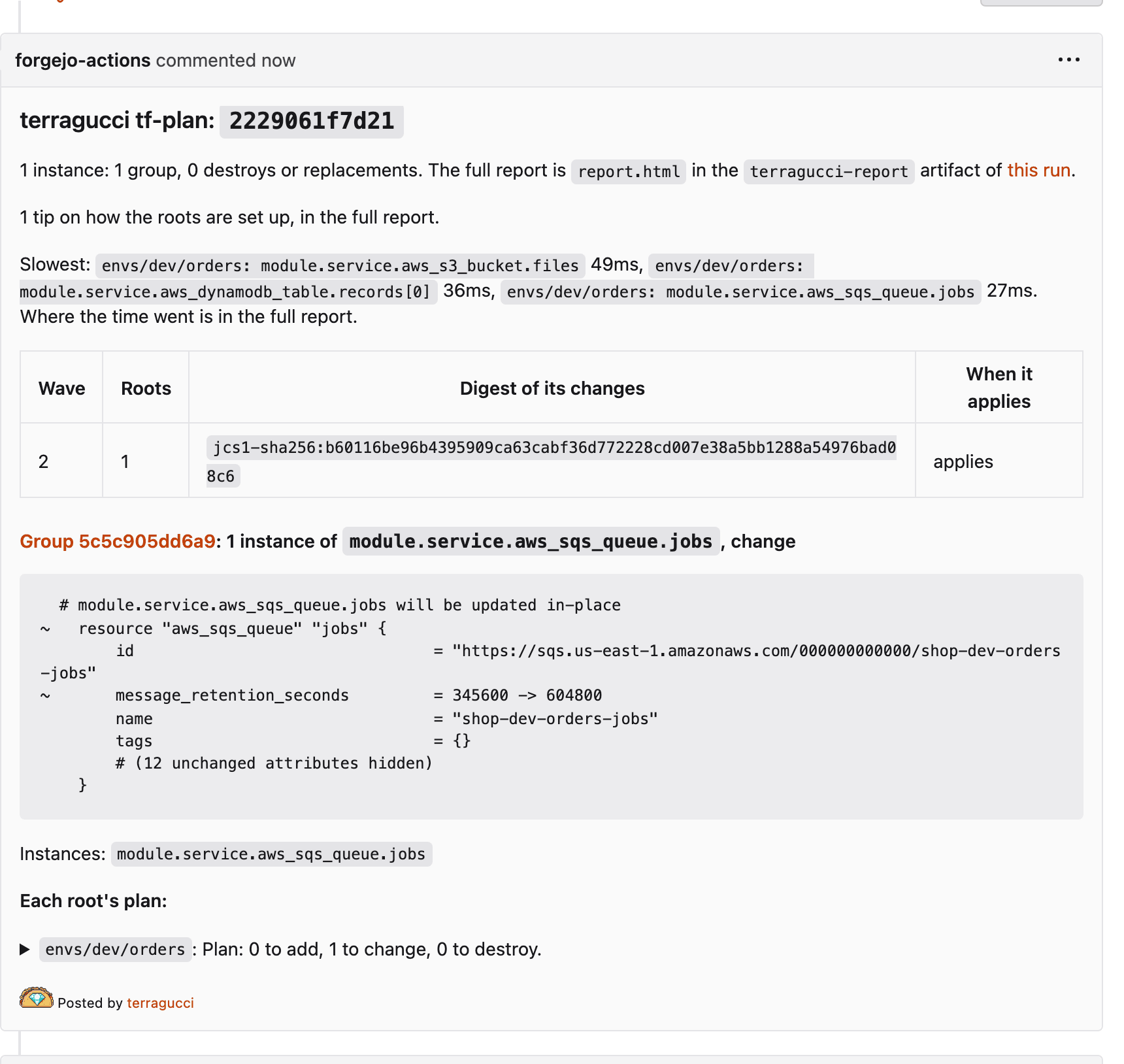
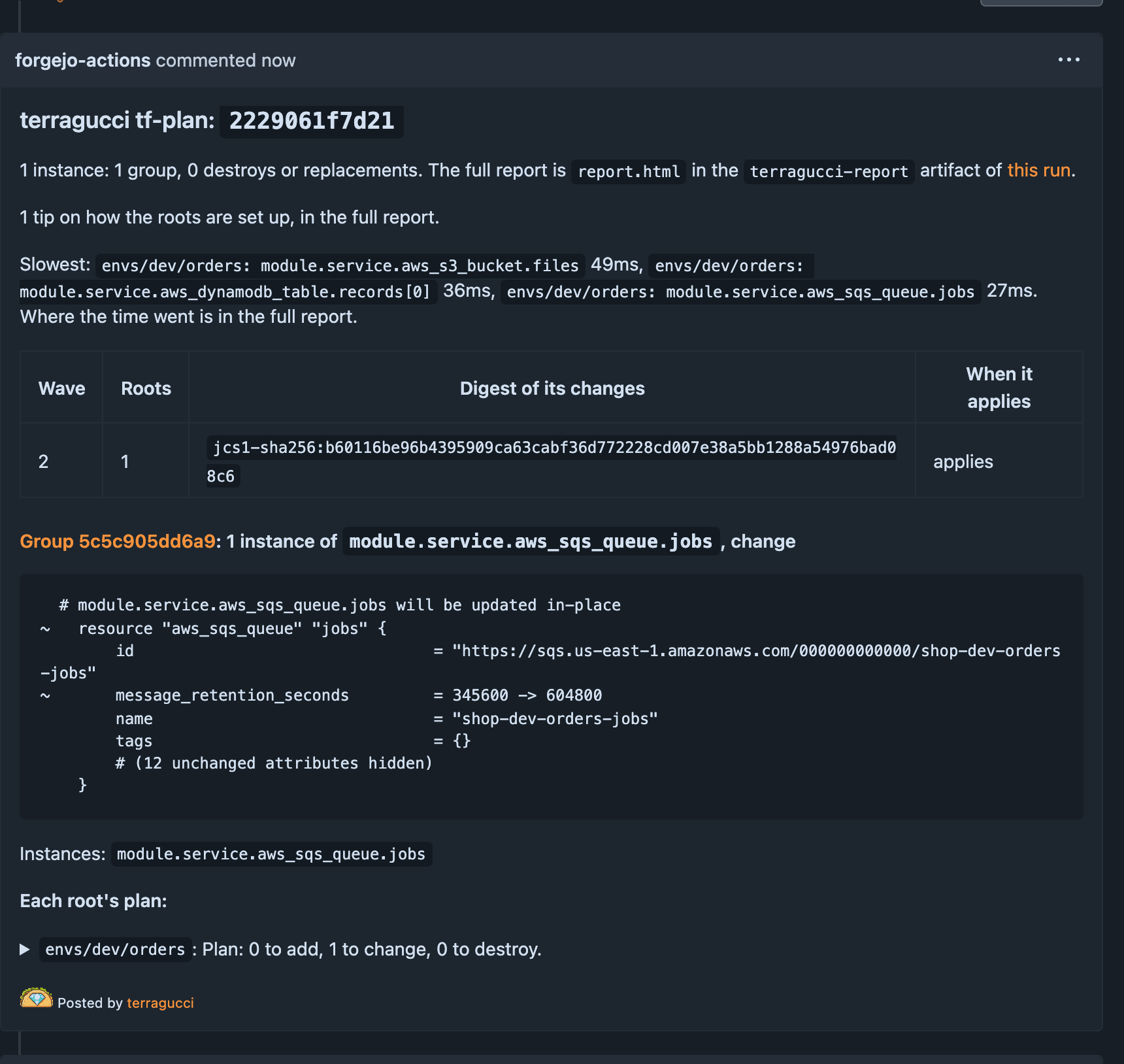
Read the plan note. The plan job leaves one comment and a
terragucci/planstatus:terragucci200 roots planned. 3 groups, 1 destroy.
180 identical change ~ aws_iam_role.apptags15 the same, plus -/+ aws_lambda_function.worker5 different changes, listed one by one below # aws_iam_role.app will be updated in-place ~ resource "aws_iam_role" "app" { ~ tags = { - "team" = "payments" + "team" = "platform" } # (12 unchanged attributes hidden) }
prod-eu/db: Plan: 0 to add, 1 to change, 1 to destroy.The root's whole plan, as the binary printed it.
destroy
prod-eu/db · aws_db_instance.mainWave Roots Approval 1 3 not-requested 2 97 not-requested 3 100 not-requested A pull request comment, with the status in the checks box.
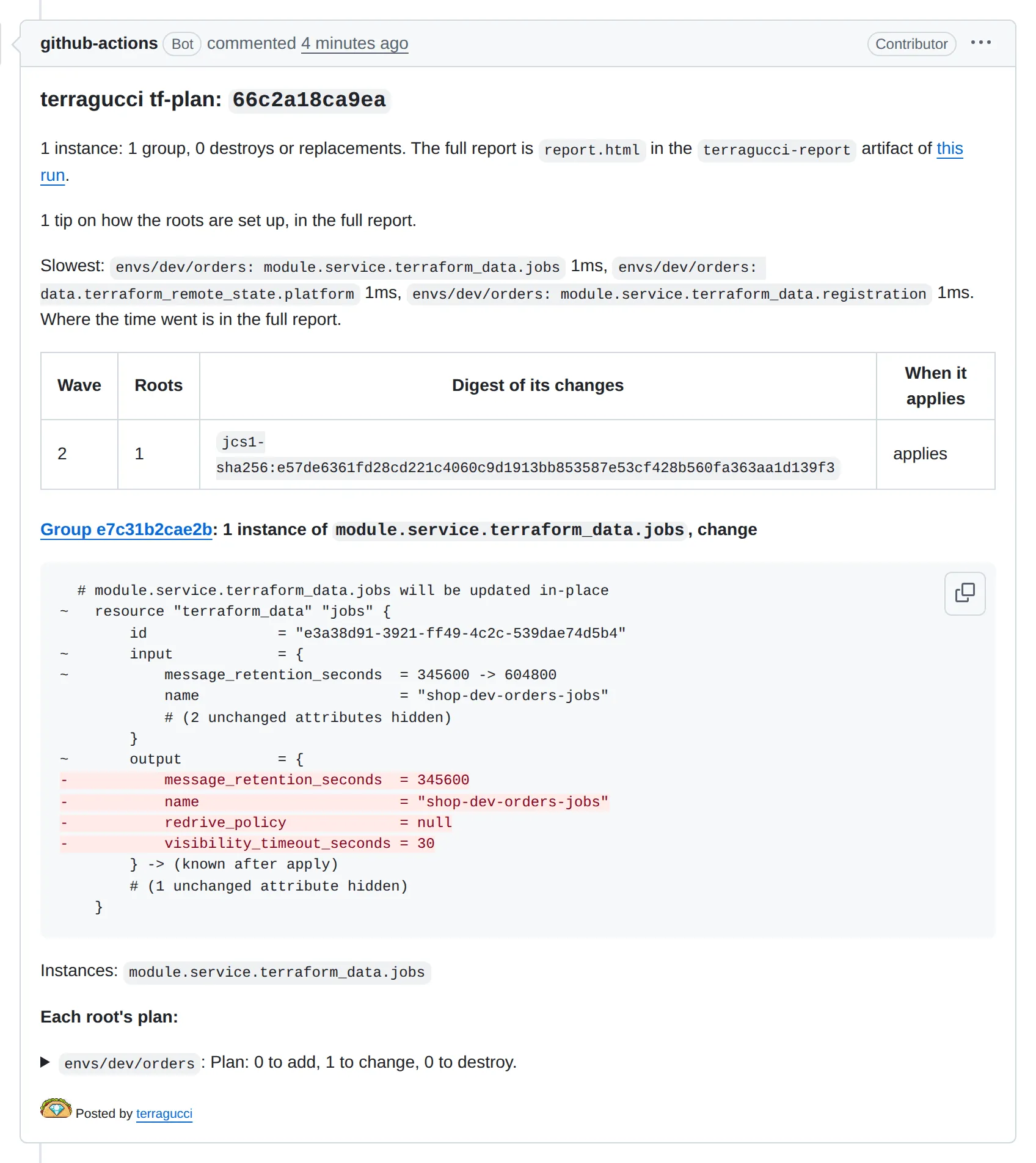
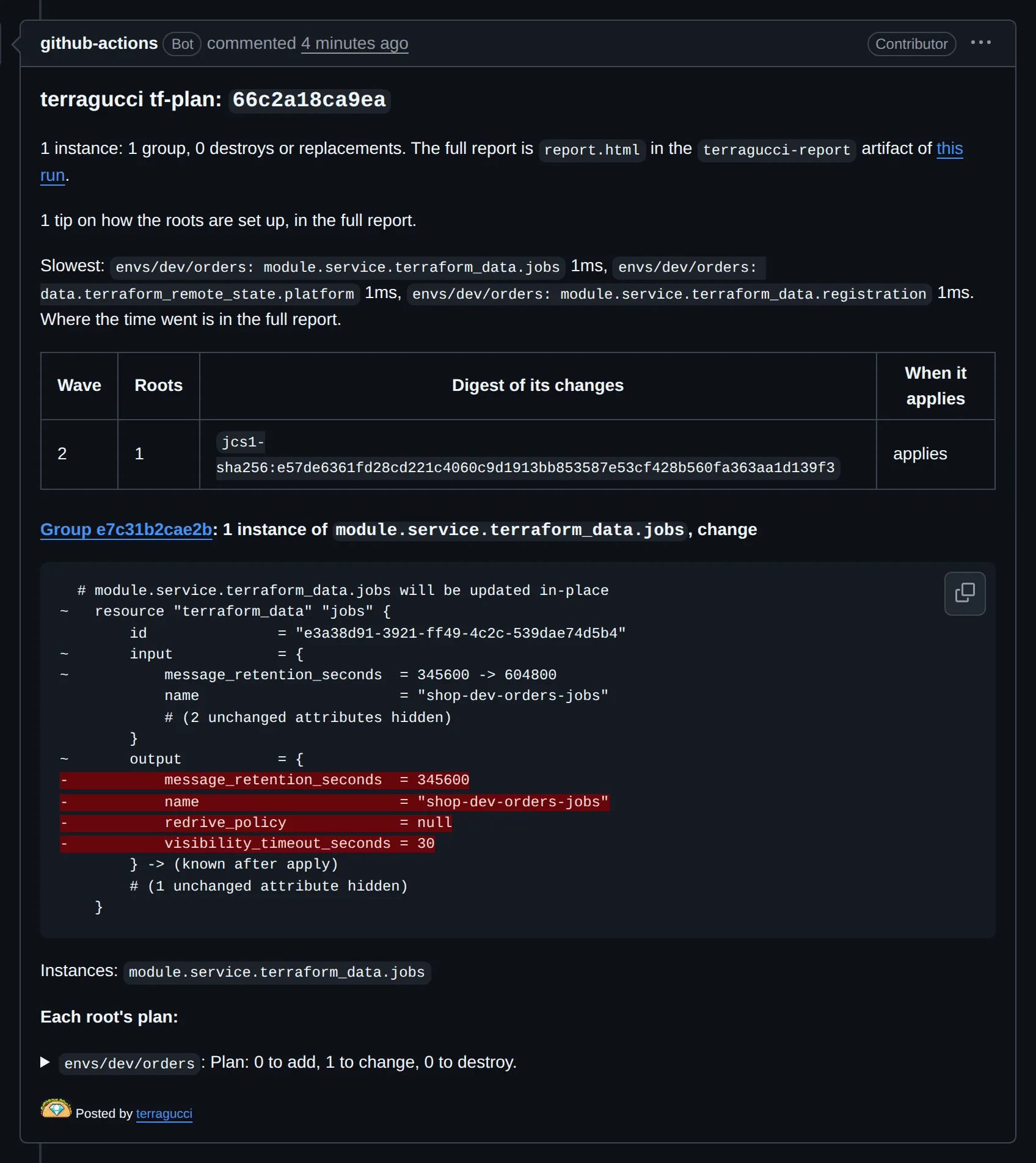
A merge request note; the widget above it counts creates, updates and deletes.
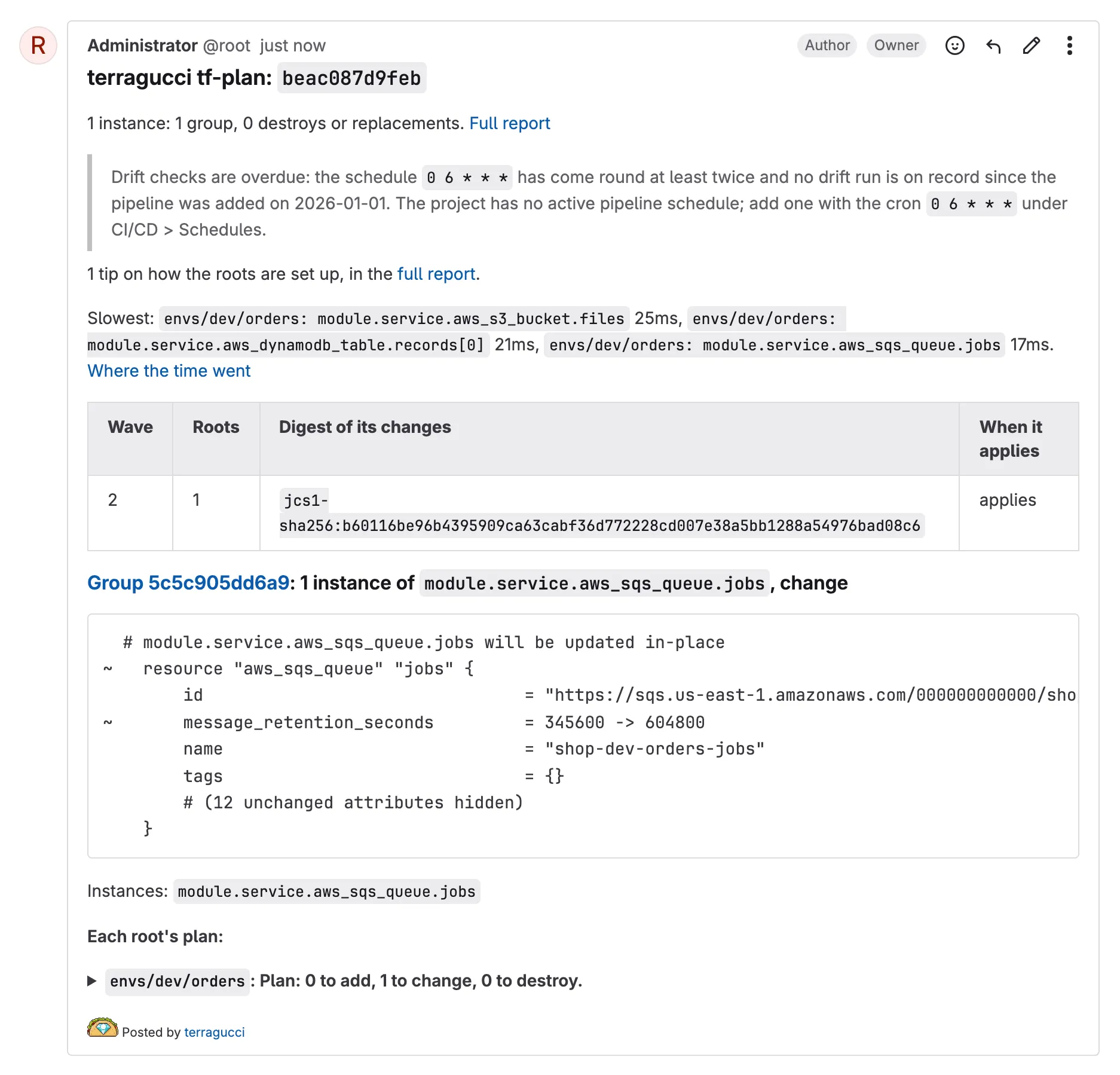
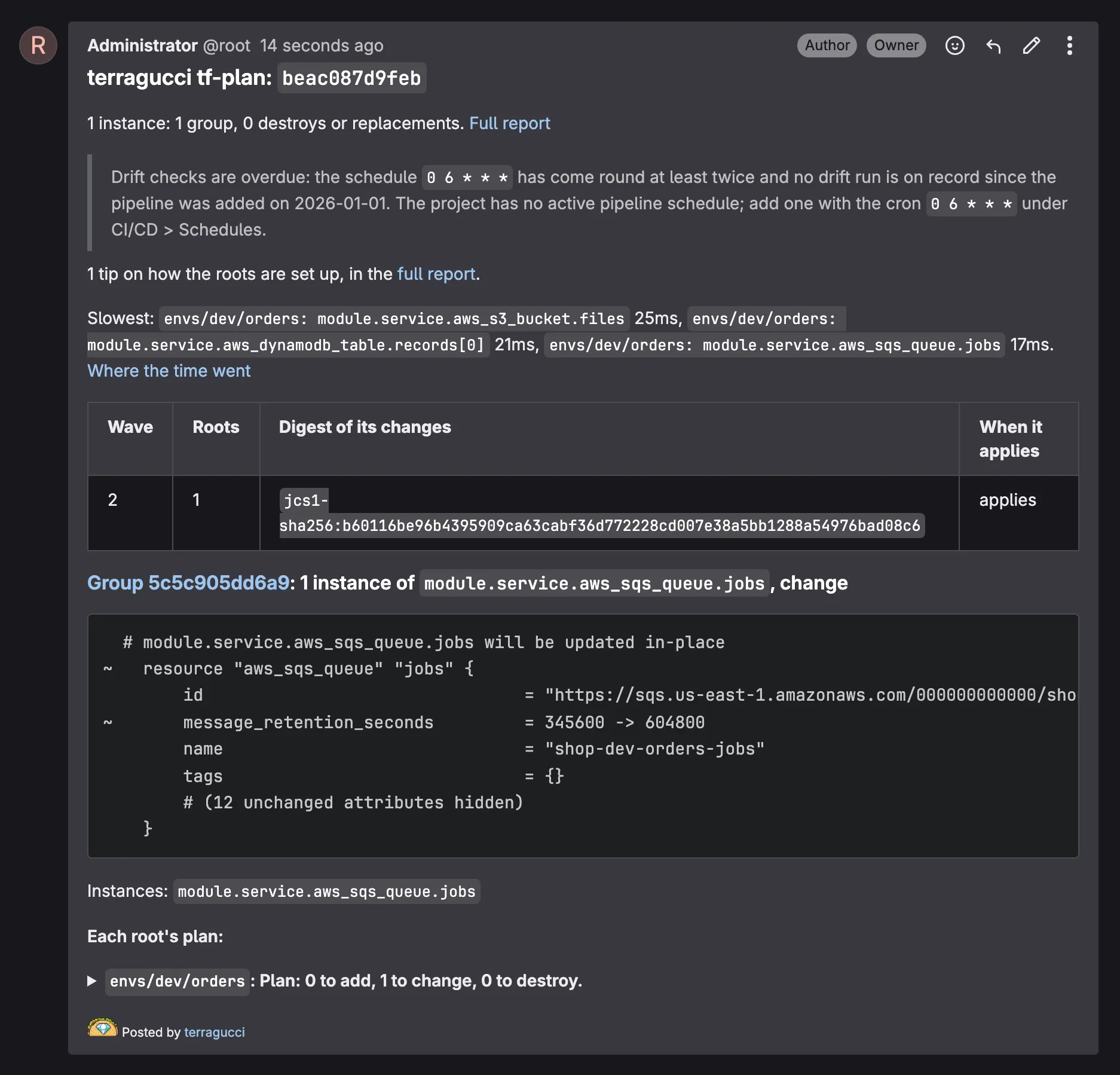
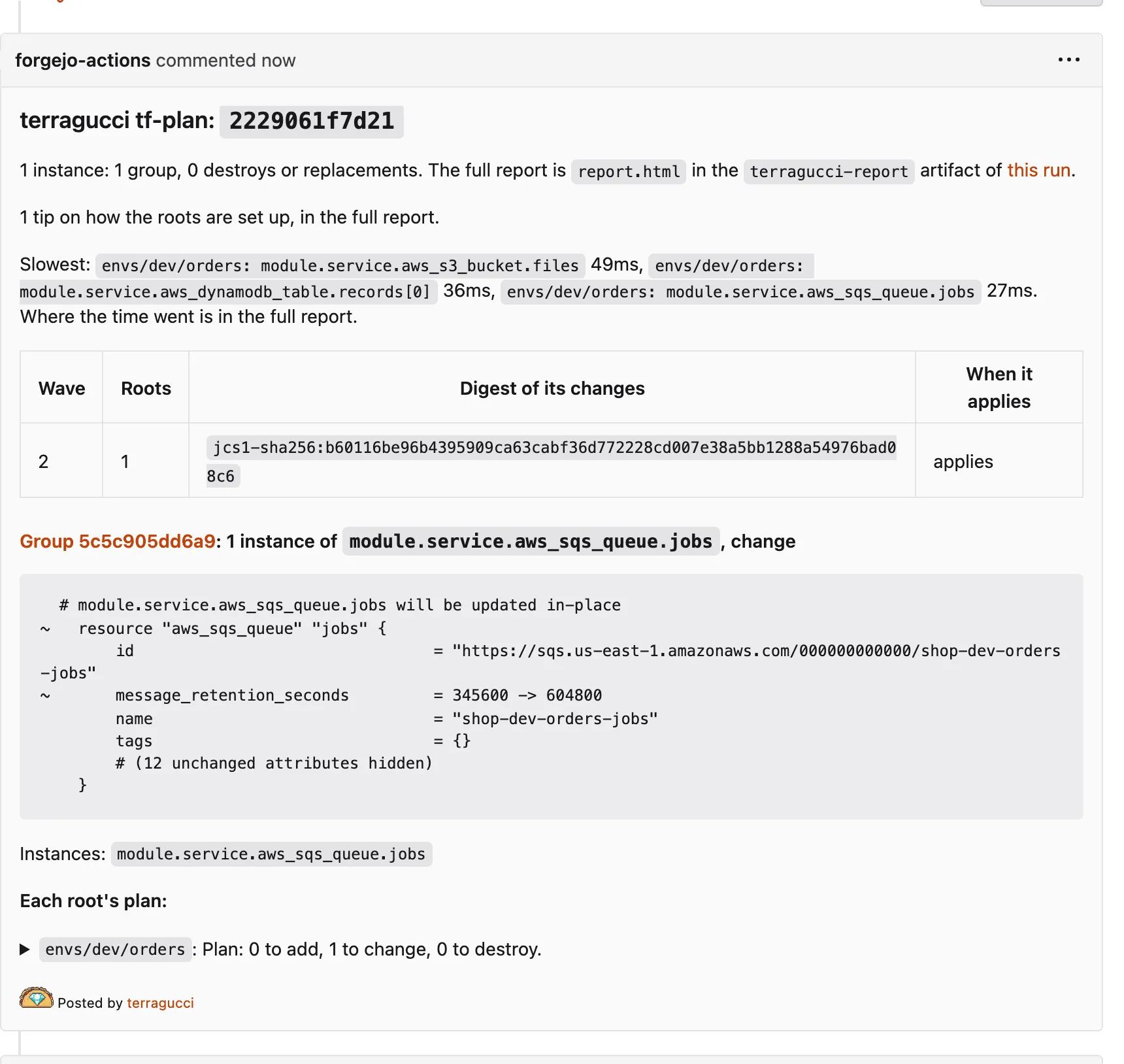
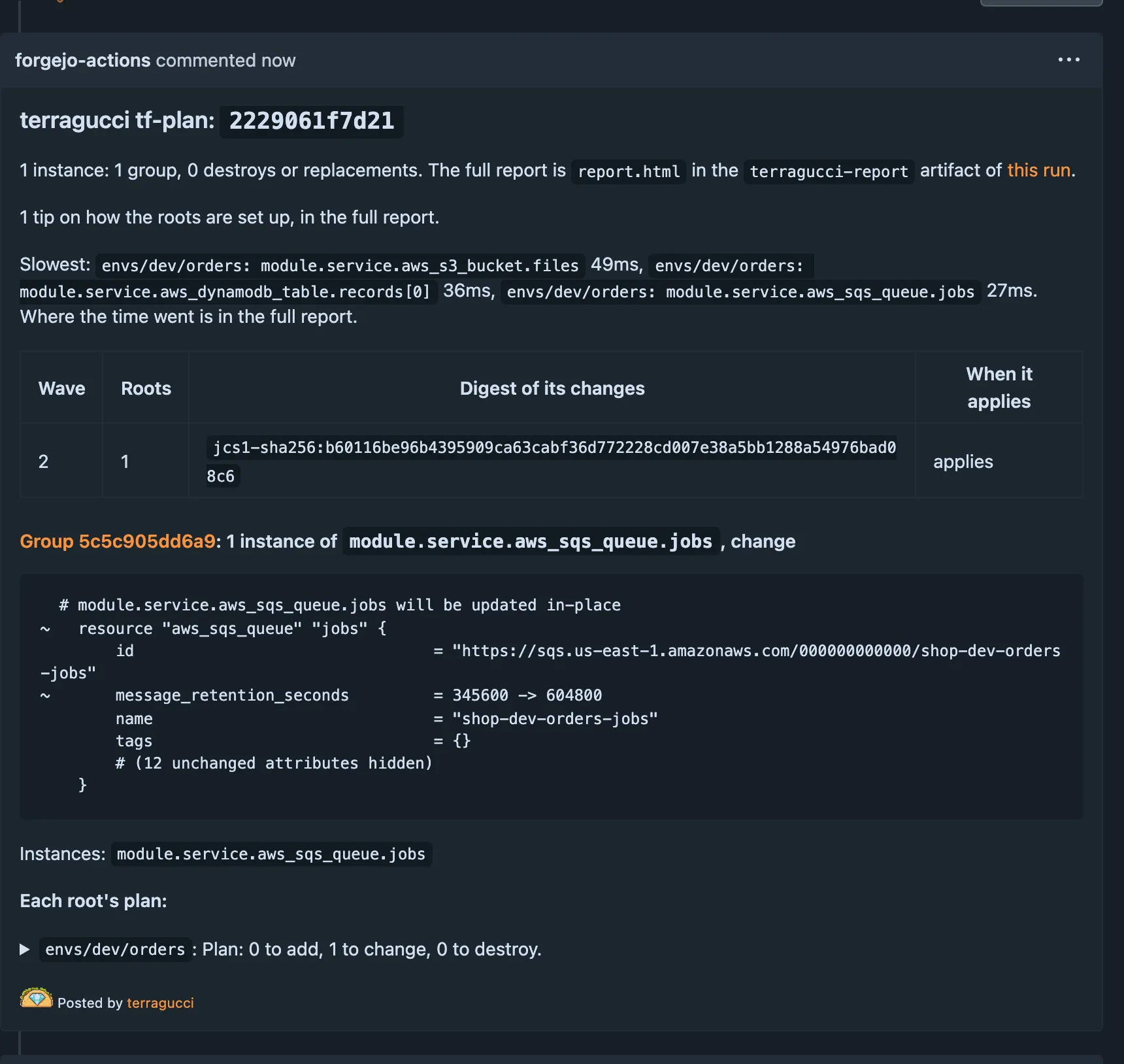
The plan report explains each part.
First approval
Section titled “First approval”With the default gate, a wave waits for a person only when its plan destroys or replaces something. You approve it from your machine with terragucci approve.
| Approval mode | Set up once |
|---|---|
ledger, the default |
nothing |
pr-review, a pull request review counts |
approval: pr-review in terragucci.yml; to hold unreviewed changes, require terragucci/approval on GitHub or Forgejo, or an approval rule on GitLab: approve by review |
sealed, signed approvals |
the same, and your ssh public key in .chant/allowed_signers on the default branch before the first change that destroys something: set up the signers file |
- Approve a waiting wave when a change destroys something.
- Turn on drift checks to find changes made outside Terraform.
- Govern many repos from one place with a control repo once one repo works.
- Threat model for what the jobs can reach and the branch protection they rely on.

These docs count page views and clicks with PostHog. They set no cookies, store nothing in your browser, and send nothing when your browser asks not to be tracked.