
The plan report
 Optional: hand this page to your coding agentThe steps work by hand too.
Show the whole prompt
Read https://intentius.io/terragucci/reference/report/.
Run `npx terragucci stage tf-plan` in this repo, open terragucci-report/report.html and tell me which roots destroy or replace something, and which sensitive values were redacted.
Read only. Never apply, approve (a pull request review or `terragucci approve`), override a policy denial (`terragucci override`), use `--mode apply`, or merge; never touch `.chant/allowed_signers` or `chant/lifecycle`.Each tf-plan, tf-apply wave and tf-drift run writes one JSON report, the source of everything a person reads.
Running it
Section titled “Running it”The plan job writes the report for every pull request and merge request. Its note is the one plan note, and the terragucci/plan status takes its counts from it.
Kept as the terragucci-report artifact, and the note names the run.
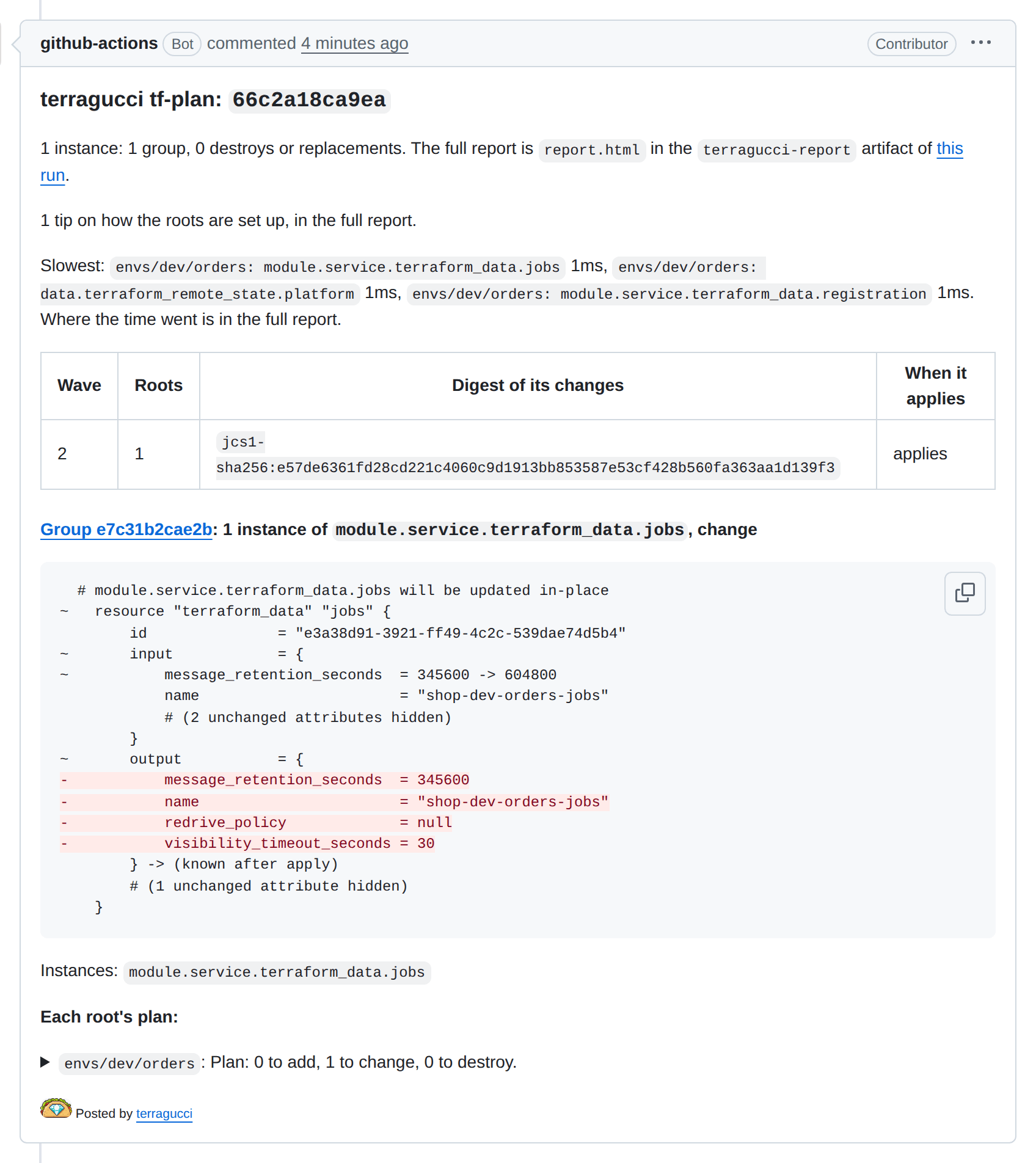
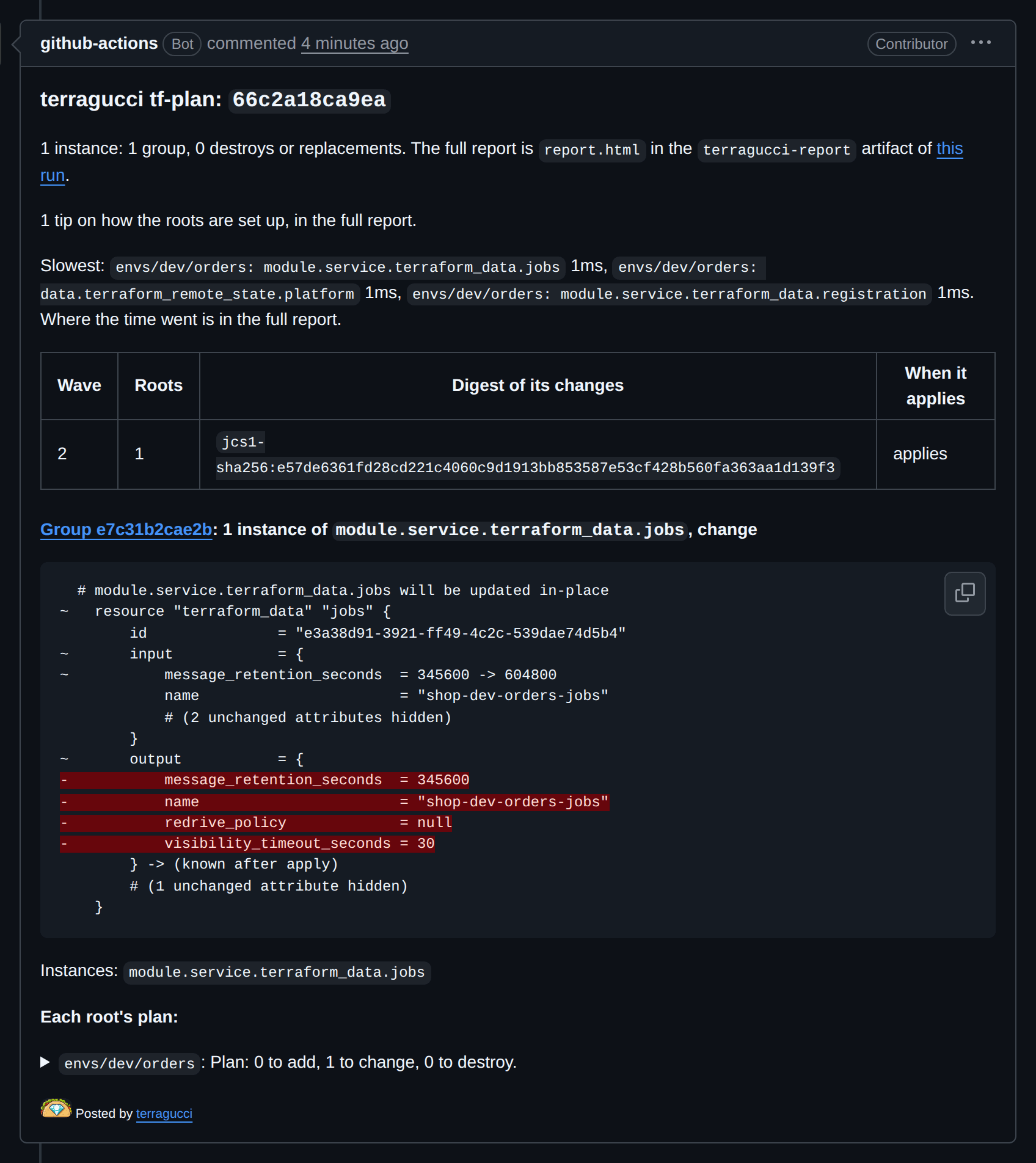
The job’s artifacts hold the HTML report, and the note links it. The merge-request widget reads gitlab-terraform.json.
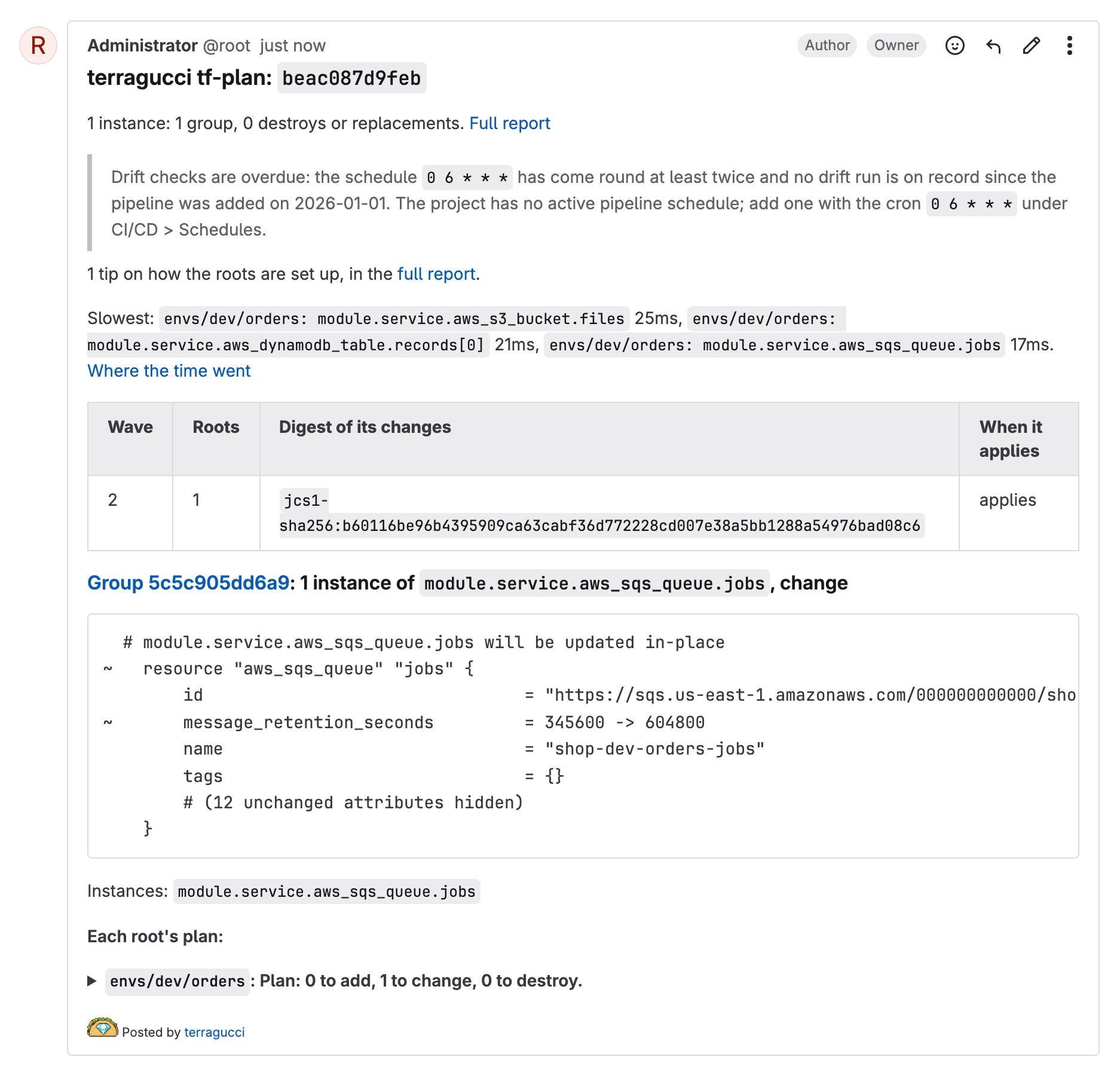
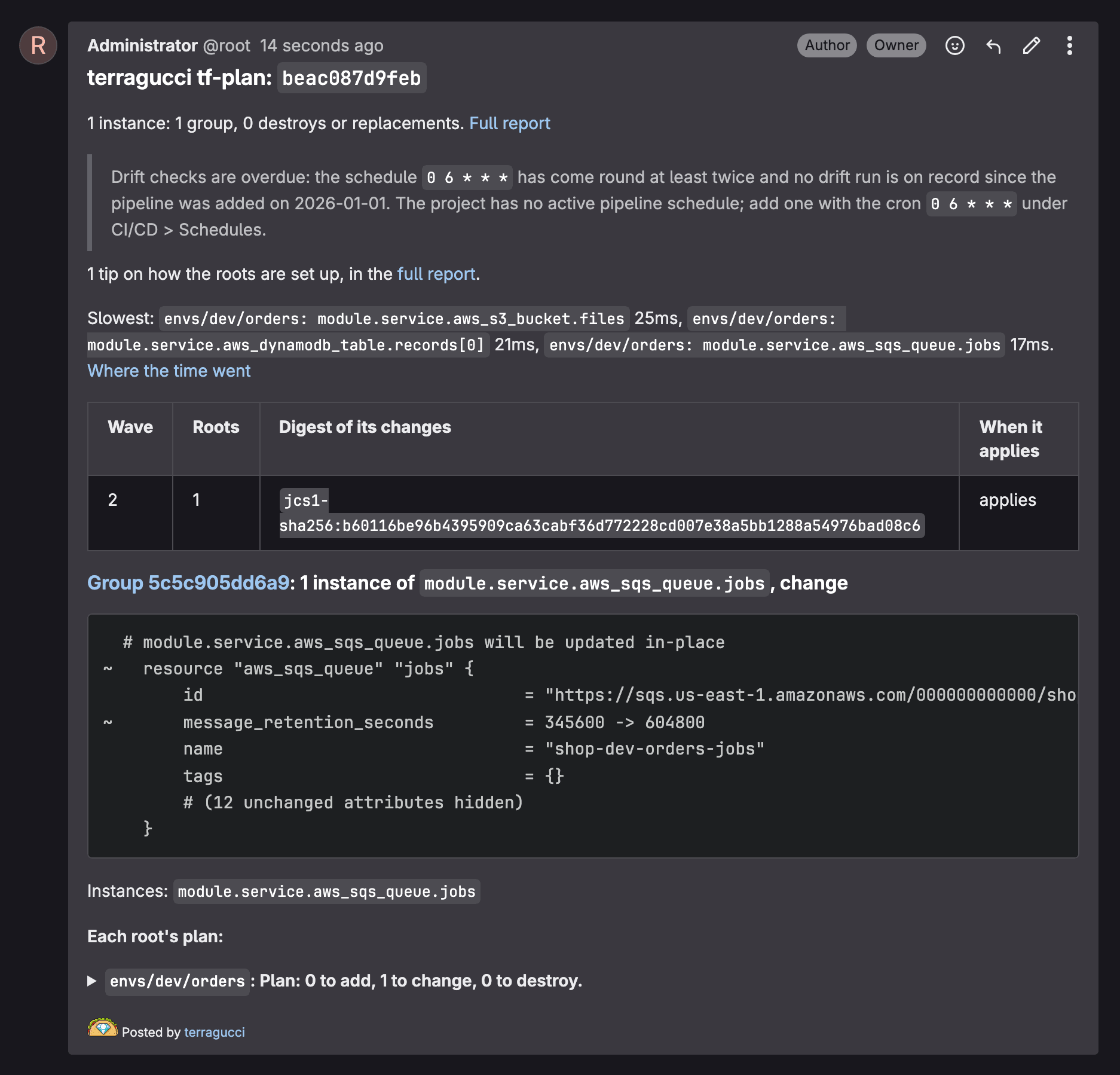
The same as GitHub.
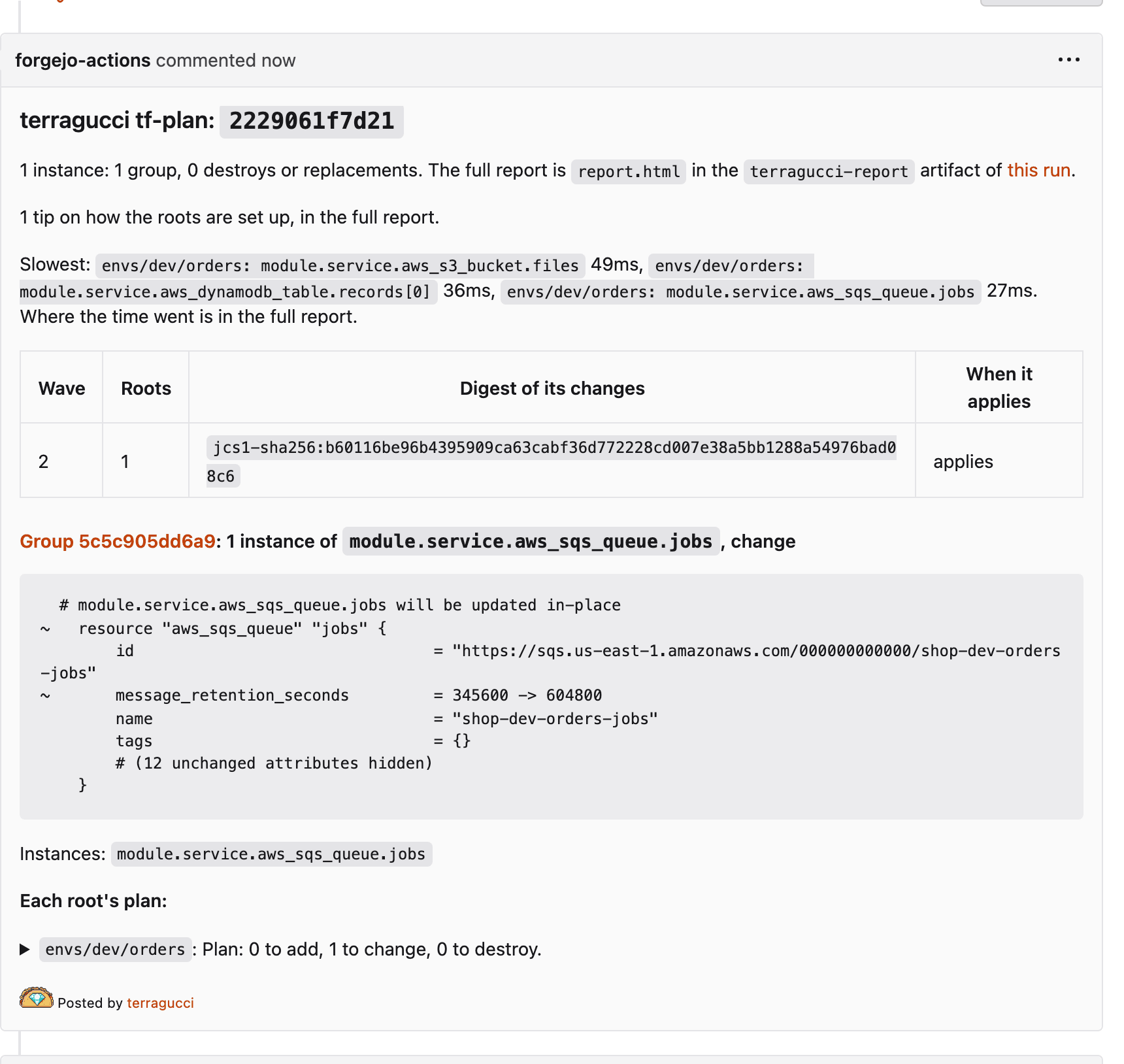
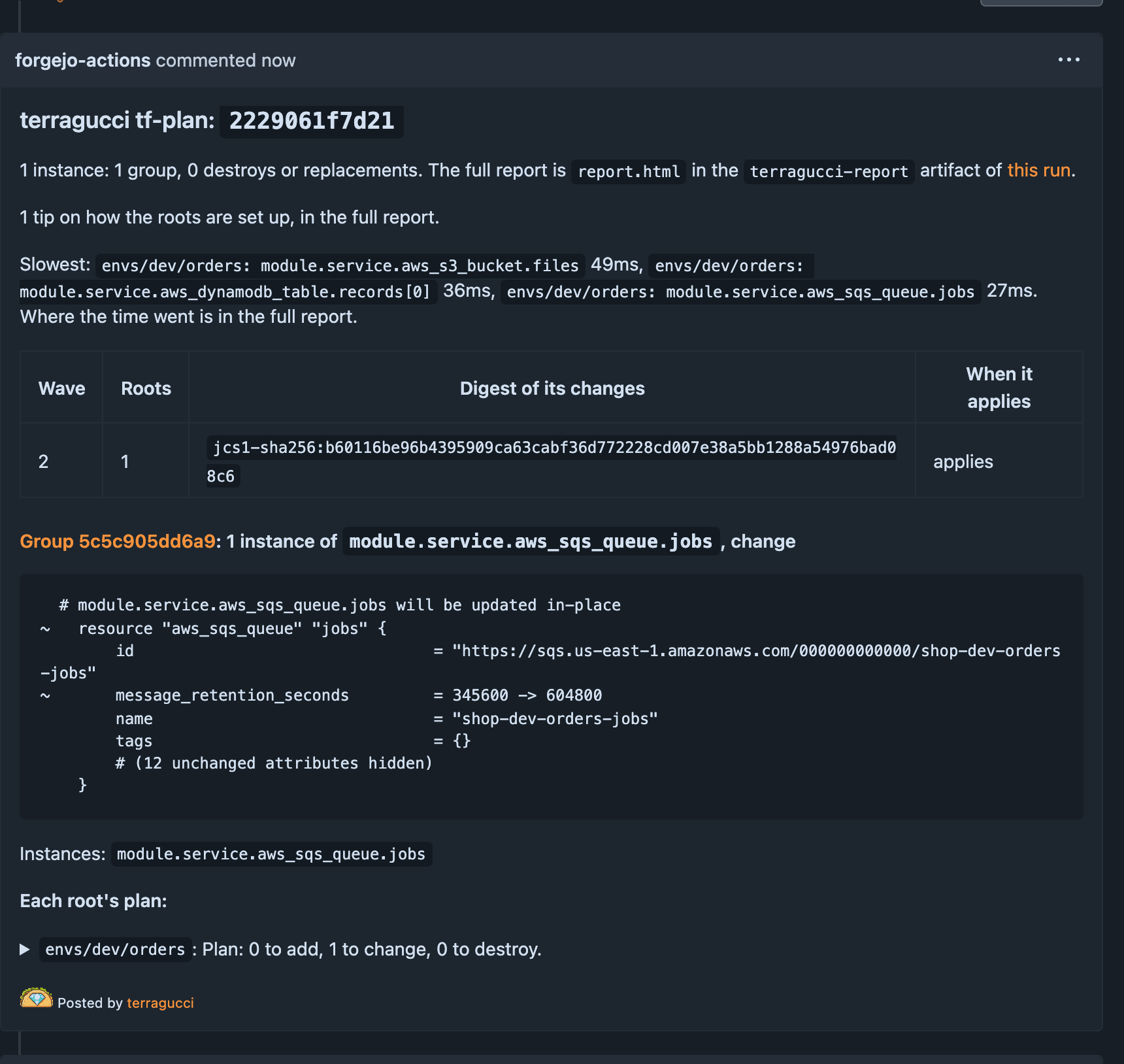
With a served bucket the copy there is linked instead.
Run it locally from the repo:
npx terragucci stage tf-plan| Case | Roots planned |
|---|---|
| no base | every root |
a pull request, --base <ref> or TG_BASE |
the roots the change reaches: its directory, local modules, var files, or state read from a changed root; none, and the note says so |
with synth |
the command runs on the base too: roots whose synthesized files or local modules differ, new and removed ones, and the roots that read their state; the note counts the unchanged ones |
with synth, when the base cannot be synthesized |
every root, and the note says why |
It writes to terragucci-report/.
| File | What it is |
|---|---|
report.json |
the report |
report.html |
the HTML report |
note.md |
the plan note |
summary.txt |
the grouped summary, as the job log shows it |
gitlab-terraform.json |
the counts for GitLab’s merge-request widget |
roots/<root>/plan.txt |
the root’s full plan, as the binary printed it, with every value the plan marks sensitive masked |
roots/<root>/plan.json |
the same plan as show -json, with sensitive values redacted |
roots/<root>/cost.json |
with cost set, the estimator’s output for the root |
issue.md |
tf-drift only: the drift issue’s body (Drift) |
issue.json |
tf-drift only: what the run did to the issue (opened, updated, closed, left-open or none) with its number and address |
The stage still writes the report when a root refuses to plan, and exits 1. CLI commands lists the flags.
Reviewer view
Section titled “Reviewer view”| View | Where | What it shows |
|---|---|---|
| Plan note | the pull request or merge request | each group’s diff, every destroy by name, the wave plan, the approval command, each root’s whole plan collapsed, links to the full report and each plan, and a last line with the terragucci taco, an image the docs site serves |
| HTML report | wherever the report is kept | every group, root and wave, with filters, and where the run spent its time |
| Merge-request widget | GitLab | create, update and delete counts, from a reports:terraform artifact |
| Text summary | the job log | the grouped summary |
The plan note
Section titled “The plan note”The note comments the plan back to the pull request, grouped. A group of two roots shows one diff:
  # terraform_data.cfg will be updated in-place
~   resource "terraform_data" "cfg" {
        id     = "9167c516-893b-56eb-9652-6061b49febdd"
~       input  = {
~           greeting = "hi" -> "hello"
            # (2 unchanged attributes hidden)
        }
}| Part | What it holds |
|---|---|
| Group | the diff of its first root (or instance) as the binary printed it: each attribute that changes with its value before and after, nested blocks, (known after apply); once per group, then the roots that make the same change |
| Values that differ | the attributes whose values differ between the group’s roots, by name |
| Each root’s plan | the root’s whole plan in a collapsed block, with its Plan: line as the title and a link to its plan.txt |
| Diff colors | each line’s +, -, ~ or -/+ moved to the first column, so the forge colors additions and removals |
A Terragrunt unit’s plan is kept as JSON only, so its group shows the attribute names.
Comment limits
Section titled “Comment limits”| Forge | Limit the note keeps to |
|---|---|
| GitHub | 65,536 characters, what the API accepts |
| GitLab | 1,000,000 characters, GitLab’s documented limit |
| Forgejo | 1,000,000 characters; Forgejo sets none |
The pipeline’s first line and the line an apply adds to a stale note come off the limit. A note over it stays one comment and cuts, in this order, until it fits:
| Order | Cut | Kept |
|---|---|---|
| 1 | roots’ whole plans and groups’ diffs, whichever is largest first | each cut root named and linked to its plan.txt; each cut group by attribute name |
| 2 | whole groups, from the last | destroys, replacements and refusals, dropped only after every group |
A Cut: line names what went and links the full report.
Note links
Section titled “Note links”| The run | The note links |
|---|---|
reports.url set |
the bucket’s report.html, and each root’s plan.txt beside it |
reports.bucket without reports.url |
report.html and each plan.txt in the bucket, presigned, with the time the links stop working |
| GitLab, no bucket | the job’s artifact report.html, and each plan.txt beside it |
| GitHub or Forgejo, no bucket | the run, whose terragucci-report artifact holds the report |
| a runner that keeps no forge artifact, no bucket | the run, and no report |
Presigned links live 7 days at most. An S3 link signed with a role’s session stops when the session ends.
Open and folded sections
Section titled “Open and folded sections”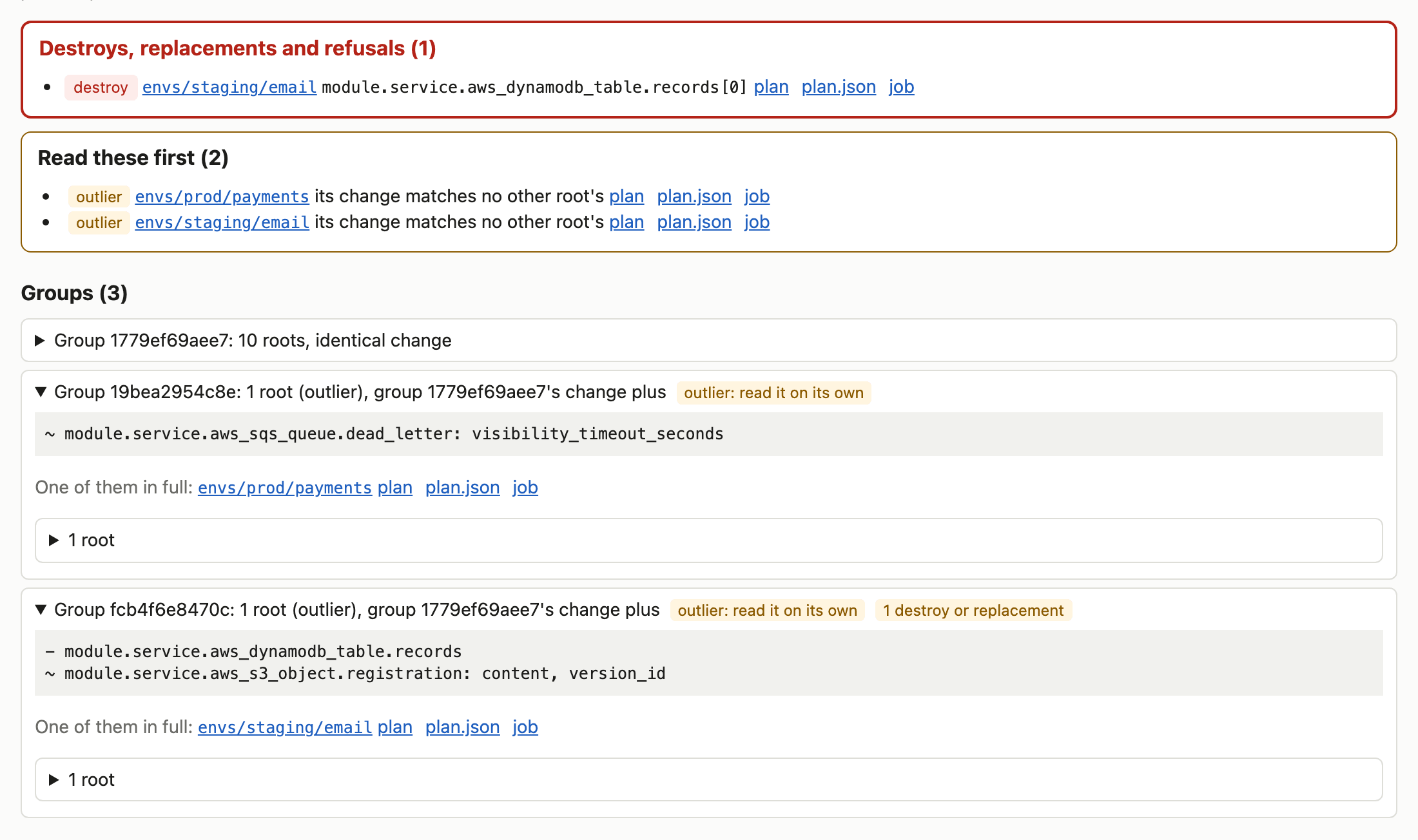
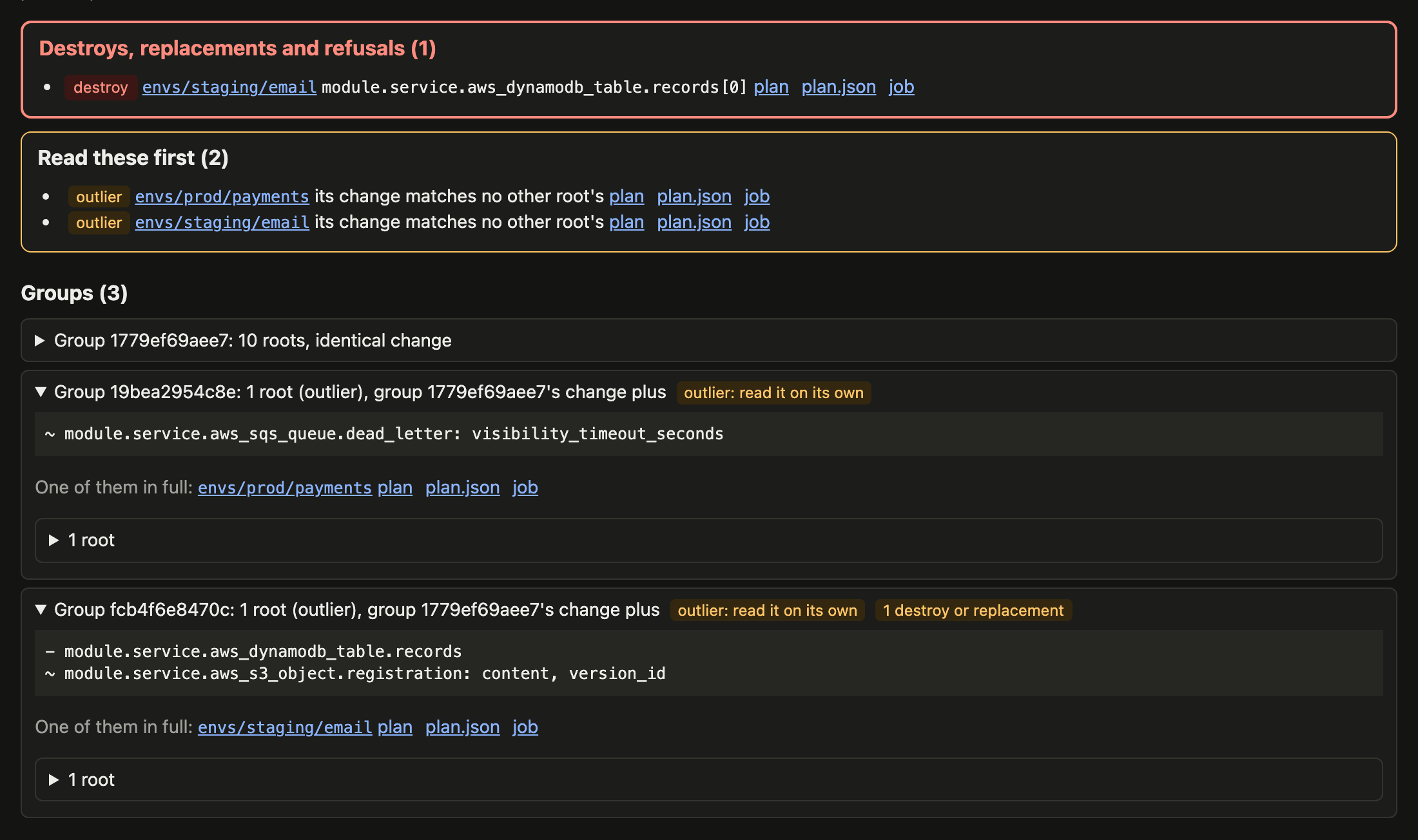
| Item | Shown as |
|---|---|
| destroy, replacement, refusal | open, with the attributes that forced each replacement |
| root whose change differs from every group | open |
| type where one wrong value reaches far | open, marked with why |
prevent_destroy |
open |
| attributes that differ between roots of a group | open |
| group of identical changes | folded, one diff with a count |
| update that only touches tags or descriptions | folded |
| value known only after apply | folded |
| root with no changes | folded |
Highlighted types, and the reason the report gives:
| Types | Why |
|---|---|
IAM: aws_iam_*, google_*_iam_*, azurerm_role_assignment, Kubernetes roles and bindings |
changes who may do what |
aws_security_group, its rules, google_compute_firewall, azurerm_network_security_* |
changes what traffic gets in or out |
aws_network_acl and its rules |
changes what traffic a subnet allows |
aws_kms_*, google_kms_*, azurerm_key_vault_key |
data encrypted under the key depends on it |
aws_route53_*, google_dns_*, azurerm_dns_*, Cloudflare records |
changes where names resolve |
A change to one of these that only touches tags stays folded.
Back to the full plan
Section titled “Back to the full plan”Each root’s full plan is kept beside the report as printed and as JSON. The HTML report links every group, root and named change to its plan and job.
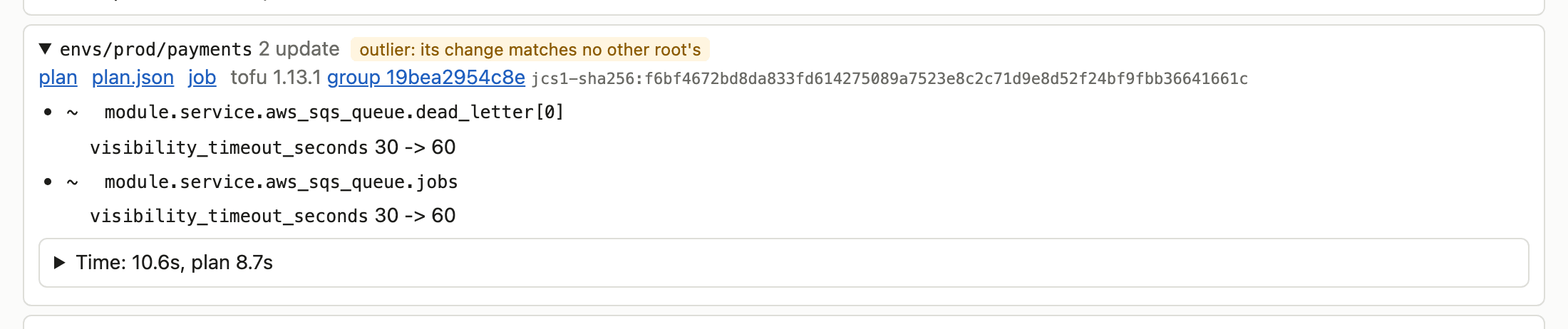
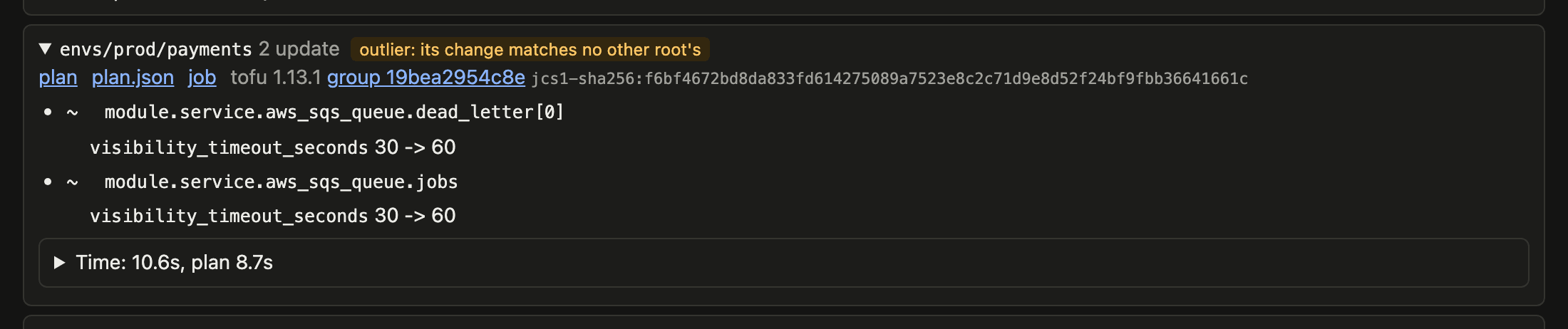
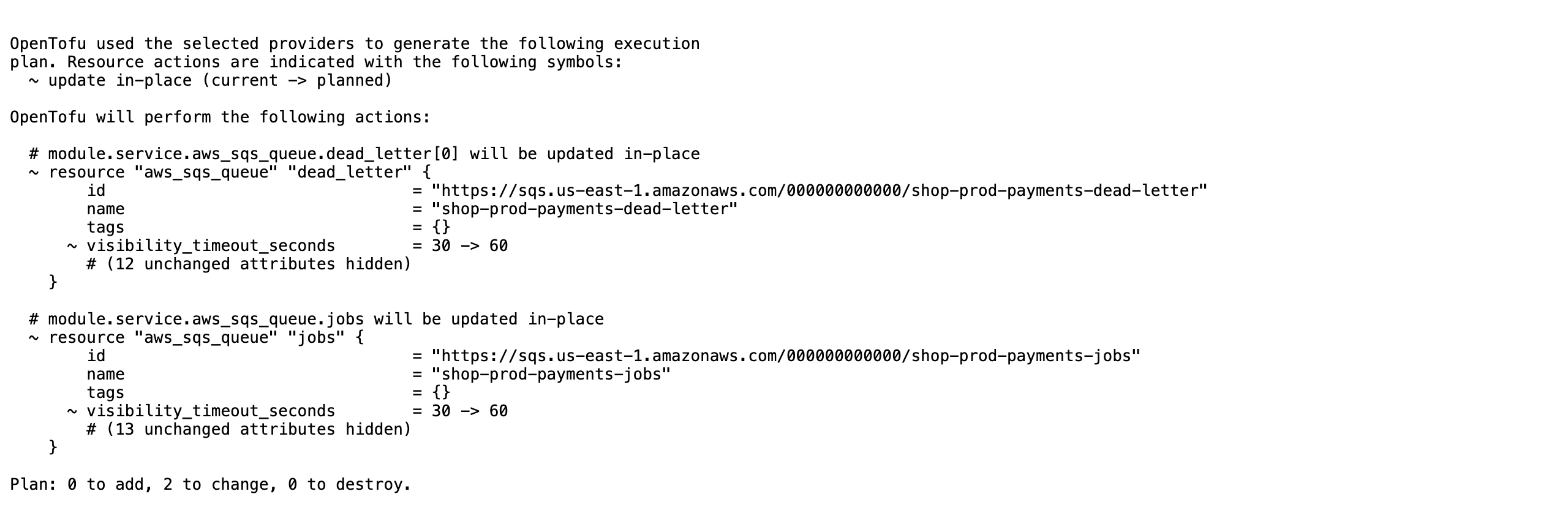
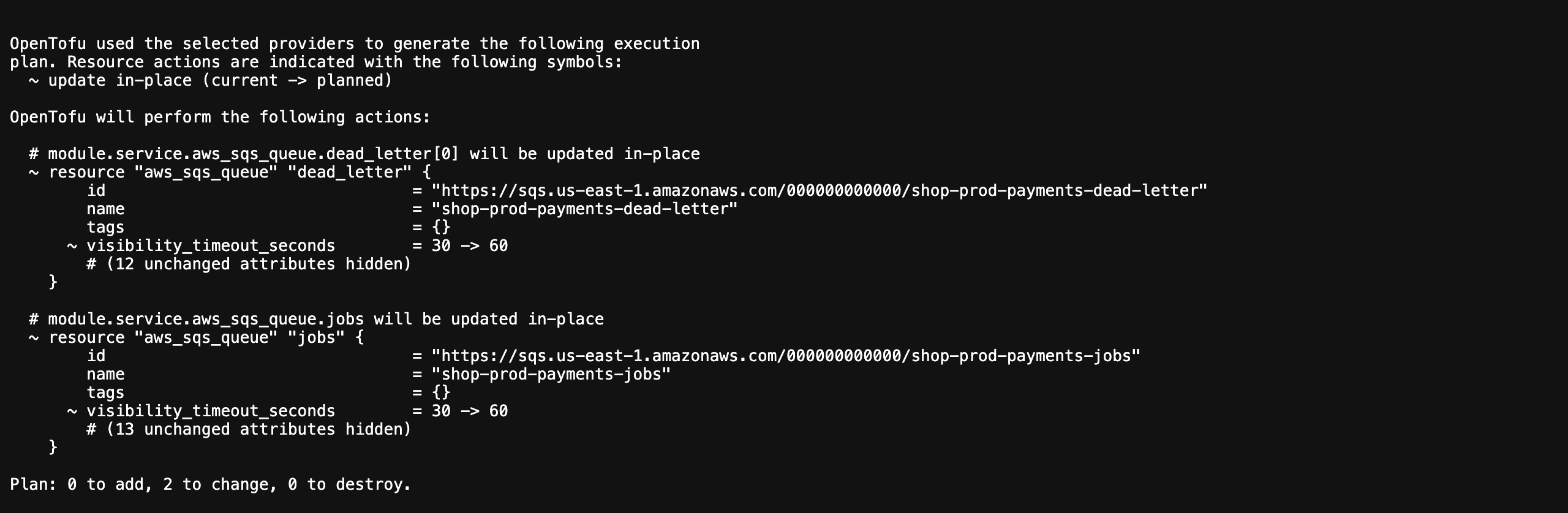
The plan link opens the root’s plan as the binary printed it:
The header names the commit and the job, and the pull request when there is one. With telemetry.trace_url set, the trace id opens the trace; see Traces and metrics. The HTML report is one file that makes no network calls.
Script access
Section titled “Script access”report.json sits beside every report.html, which also carries it inline:
sed -n '/id="terragucci-report"/,/<\/script>/p' report.html | sed '1d;$d' | jq '.named[] | select(.action == "delete") | .address'Report JSON schema lists every field.
Approvals stay on your repo’s chant/lifecycle branch. The report links to each record and never copies it. The audit trail reads the two together.
Sensitive values
Section titled “Sensitive values”show -json prints sensitive values in plain text. terragucci redacts each one before a plan is kept, and the report page counts them.
| Value | In the report |
|---|---|
| sensitive value, default of a sensitive variable | (sensitive, redacted by terragucci), in plan.json and the report alike, wherever the value appears, including an attribute the plan does not mark, such as the output of a terraform_data whose input is sensitive |
the same value in plan.txt and the note |
(sensitive value), as the binary prints it, wherever the value appears, including an attribute the plan does not mark |
| policy denial or warning | redacted before it reaches the report, note or log; the policy itself reads the unredacted plan |
| write-only attribute | its version (*_wo_version), labelled as such; the value is never in the plan |
| ephemeral value | not reported |
| import, forget | named apart from destroys; a forget leaves the resource running |
Digests are taken before redaction, so an approval binds the plan as planned.
Report storage
Section titled “Report storage”By default a report is a CI artifact of the plan job, kept as long as your forge keeps artifacts. To keep them longer, name a bucket in terragucci.yml and rerun npx terragucci init.
reports.bucket |
Store | API |
|---|---|---|
s3://<bucket> |
S3, or any S3-compatible store | S3, Signature Version 4 |
gs://<bucket> |
Google Cloud Storage | the JSON API |
az://<account>/<container> |
Azure Blob Storage | the Blob REST API |
On S3 the job takes the first identity that applies:
| Order | Identity | Used when |
|---|---|---|
| 1 | reports.role, assumed with the job’s OIDC token (AWS_WEB_IDENTITY_TOKEN_FILE) |
reports.role is set |
| 2 | AWS_ACCESS_KEY_ID and AWS_SECRET_ACCESS_KEY, plus AWS_SESSION_TOKEN |
the keys are set |
| 3 | AWS_ROLE_ARN, assumed with AWS_WEB_IDENTITY_TOKEN_FILE |
no role and no keys |
| Setting | Config key | Variables read, in order | Default |
|---|---|---|---|
| store endpoint | endpoint |
AWS_ENDPOINT_URL_S3, AWS_ENDPOINT_URL |
AWS |
| region the requests are signed for | none | AWS_REGION, AWS_DEFAULT_REGION |
us-east-1 |
reports.endpoint wins over the variables.
| Store | Identity, first that applies | Link |
|---|---|---|
| GCS | GOOGLE_APPLICATION_CREDENTIALS: an external_account file (what oidc.gcp writes) or a service_account key |
V4 signed URL, signed through IAM signBlob or with the key |
| Azure Blob | AZURE_STORAGE_KEY; then ARM_TENANT_ID, ARM_CLIENT_ID and the token in ARM_OIDC_TOKEN_FILE_PATH (what oidc.azure sets), traded at AZURE_AUTHORITY_HOST |
service SAS with the key; user delegation SAS with OIDC |
reports.role is for S3 only. Keep reports in a bucket says why reports get their own identity.
reports:
  bucket: s3://acme-terragucci
  prefix: reports
  url: https://reports.acme.example
  role: arn:aws:iam::123456789012:role/terragucci-reports
url is the bucket’s browser address; terragucci never derives it from the bucket name. With it the note links the bucket’s report.html and report.json records it as run.report_url. Without it the note links the bucket’s copy presigned; see Where the note links.
A run’s report and plans land under one path holding the full commit SHA, so links are relative and work in the bucket:
| Forge | SHA |
|---|---|
| GitHub, Forgejo | GITHUB_SHA (for a GitHub pull request, the test merge commit) |
| GitLab | CI_COMMIT_SHA |
reports/github.com/acme/infra/2026/10/4f1a9c0d2e7b8a6c5d4e3f2a1b0c9d8e7f6a5b4c/tf-plan/report.html
reports/github.com/acme/infra/2026/10/4f1a9c0d2e7b8a6c5d4e3f2a1b0c9d8e7f6a5b4c/tf-apply-wave-2/report.jsonWith tips on, the default, the report ends with advice on how your roots are set up, such as a floating version. Each tip names its rule, and none fails a run or changes a gate. tips: false removes them. See Tips.
The report index
Section titled “The report index”Each upload rewrites the two index files, index.html and index.json.
| Item | Value |
|---|---|
| Where | one index for the project, and one at the top of the prefix for all projects |
| A row per run | its counts, its failed and changed roots, a wave’s gate and how long it has waited, and up to 50 destroys |
| Rows kept | 500, plus the newest row of every project, stage and wave beyond them |
| Built on it | terragucci estate, one page for every project, and terragucci audit, which reads each tf-apply row’s report |
| Retention | your bucket’s lifecycle rule |



These docs count page views and clicks with PostHog. They set no cookies, store nothing in your browser, and send nothing when your browser asks not to be tracked.