
Approve a waiting wave
 Optional: hand this page to your coding agentThe steps work by hand too.
Show the whole prompt
Read https://intentius.io/terragucci/guides/approve-a-wave/.
Find the waiting wave with `npx terragucci approve --dry-run`, summarize its
report (destroys, replacements, roots) and print the command it gives for me.
The `--dry-run` preview is the one form of `terragucci approve` you may run; never sign.
Never apply, approve (a pull request review or `terragucci approve`), override a policy denial (`terragucci override`), use `--mode apply`, or merge; never touch `.chant/allowed_signers` or `chant/lifecycle`.Result
Section titled “Result”One wave applied, with an approval recorded in your repo that names the exact plans you read.
Prerequisites
Section titled “Prerequisites”| You need | Detail |
|---|---|
| A wave that ran | After a merge, or from /terragucci apply on an open pull request when apply.when is pull-request. |
| A gate | gate set to on-destructive (the default) or always. With never, no wave waits (Gate policy). |
| terragucci | npm i -D @intentius/terragucci, where you approve. |
| Write access | terragucci approve pushes a commit to chant/lifecycle with your own git credentials. |
Under approval: sealed only |
An ssh key of yours in .chant/allowed_signers on the default branch (setup, once per repo). |
| To be a person | Nothing signs off for you. |
Approval modes
Section titled “Approval modes”Each mode counts different approvals; approval in terragucci.yml picks one. Every mode binds the wave’s set digest: an approval of other plans is refused as changed.
| Mode | Counts | Setup | What it proves |
|---|---|---|---|
ledger (default) |
any approval of the digest on chant/lifecycle, signed or not |
none | someone with push access to chant/lifecycle approved these exact plans. Anyone who can push there can write an approval in anyone’s name, so it records the plans and does not prove who approved. |
pr-review |
the merged pull request’s approval of its head, by a reviewer other than its author with write access, when the wave plans what the review saw; and any terragucci approve of the digest, as under ledger |
on GitHub or Forgejo, optionally require terragucci/approval in branch protection; on GitLab, an approval rule |
a writer other than the author approved the head whose plans these are. An approval by the user the pipeline’s token acts as never counts. A terragucci approve still proves only the plans. |
sealed |
only an approval sealed with --sign by a key the signers file lists for its approver |
a signers file; init lists each wave under identity.gates |
a listed person approved these exact plans |
A wave reads the mode at base, like the signers file (Rule commit). terragucci config check prints the mode in force and its source.
terragucci.yml |
Mode in force |
|---|---|
sets approval |
that mode |
sets none, and chant.workspace.json lists gates under identity.gates |
sealed; set approval: sealed to say so, or approval: ledger and run terragucci init to drop the gates |
| sets none, and no gates are listed | ledger |
Approve by review (approval: pr-review)
Section titled “Approve by review (approval: pr-review)”Works on every forge. GitLab’s merge request approvals name no commit, so there an approval counts only after the merge request’s latest push.
-
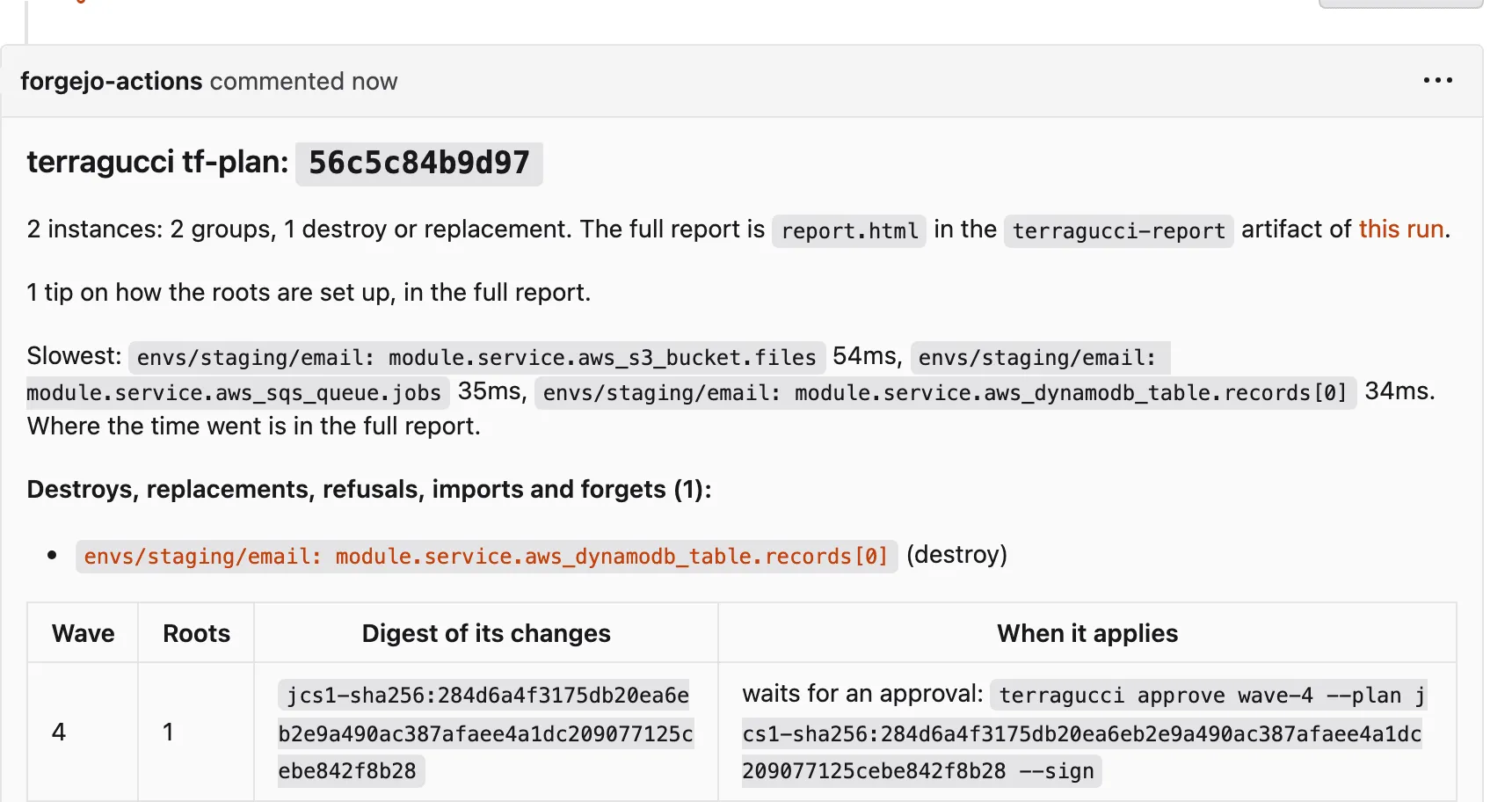
Open the pull request’s plan note. Its waves table gives each wave’s change digest (what the apply compares against) and whether the gate will hold it.
-
Read the plans, then approve the pull request on its head.
With write access, pick Files changed > Review changes > Approve.
As a member with the Developer role or higher, approve the merge request after its last push. Once withdrawn, it no longer counts.
Under Files changed, choose Review > Approve. Only an official review counts; Forgejo makes a review official when its author can write to the repo.
The author’s own approval never counts. A review counts only on the commit it names, so a push after your review needs a fresh one; a latest review that asks for changes holds every wave back.
-
Keep unreviewed changes from merging.
Forge Require GitHub terragucci/approvalunder Settings > Branches (or Rules) > the default branch > Require status checks. It is pending while a wave the gate will hold has no approving review of the head.Forgejo terragucci/approvalunder Settings > Branches > the default branch’s rule > Status check patterns, with the same meaning.GitLab an approval rule under Settings > Merge requests (GitLab Premium and Ultimate); the pipeline posts no terragucci/approvalthere. -
Merge. After that, each gated wave plans the merge commit and checks its change digest against the one the note recorded for the reviewed head.
Digest at merge What the wave does same digest records the approval on chant/lifecycle(via: pr-review, the pull request, its head and the reviewers) and appliesanother digest (the plans moved after the review) applies nothing, exits 4 and prints the terragucci approvecommand for the new digestno row for the wave in the note, no approving review, or a direct push waits for a terragucci approve, as underledger -
A wave waiting for a review can still get one. On GitHub or Forgejo, approve the merged pull request on its head. GitLab takes no approval after the merge, so there the merge request needs it while still open. Then run the wave again (step 4 below): it finds the review and applies. With
notifyset, the waiting wave’s chat message links the review page.
Approve from a checkout
Section titled “Approve from a checkout”-
Find the waiting wave and its command.
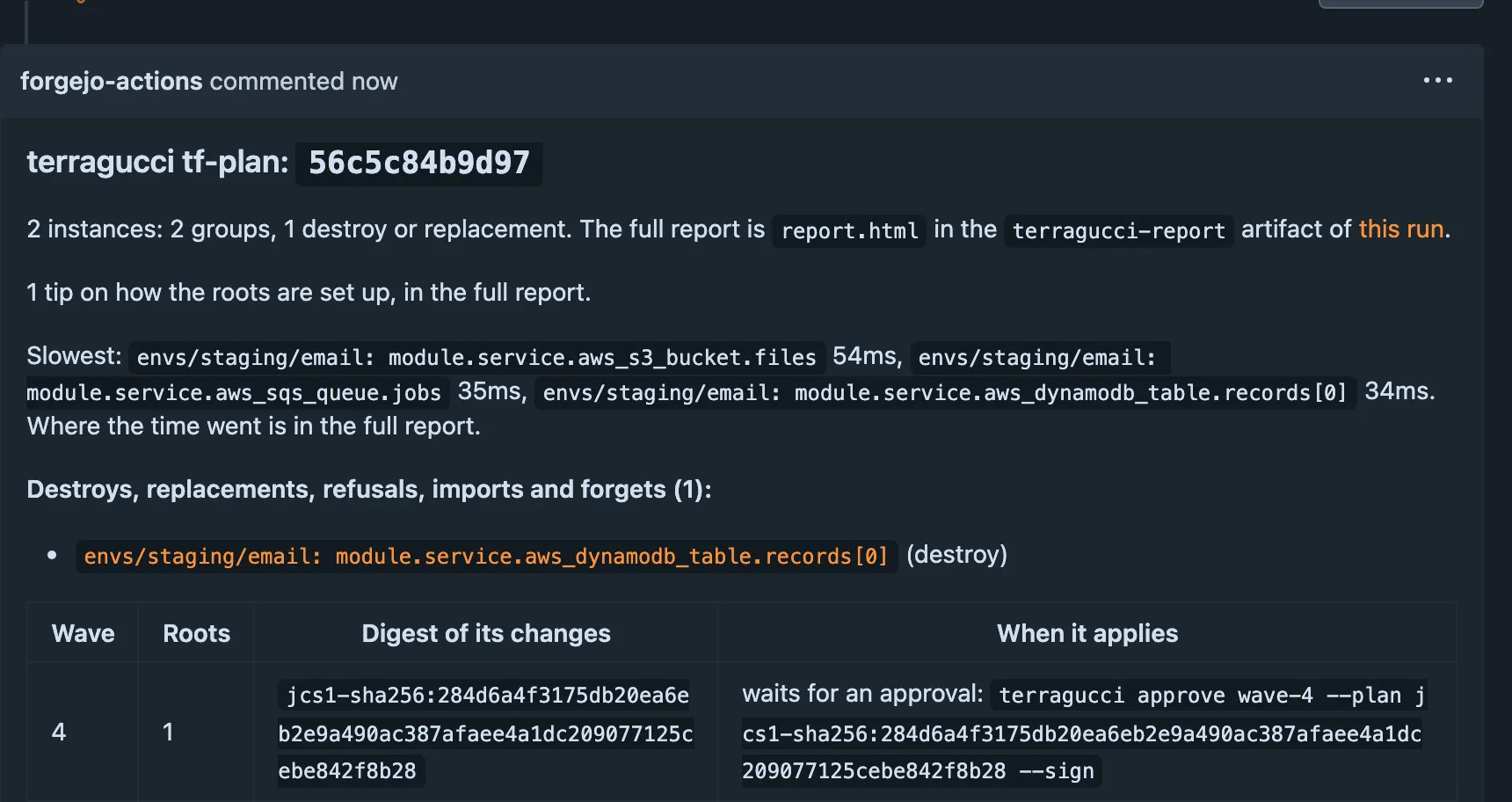
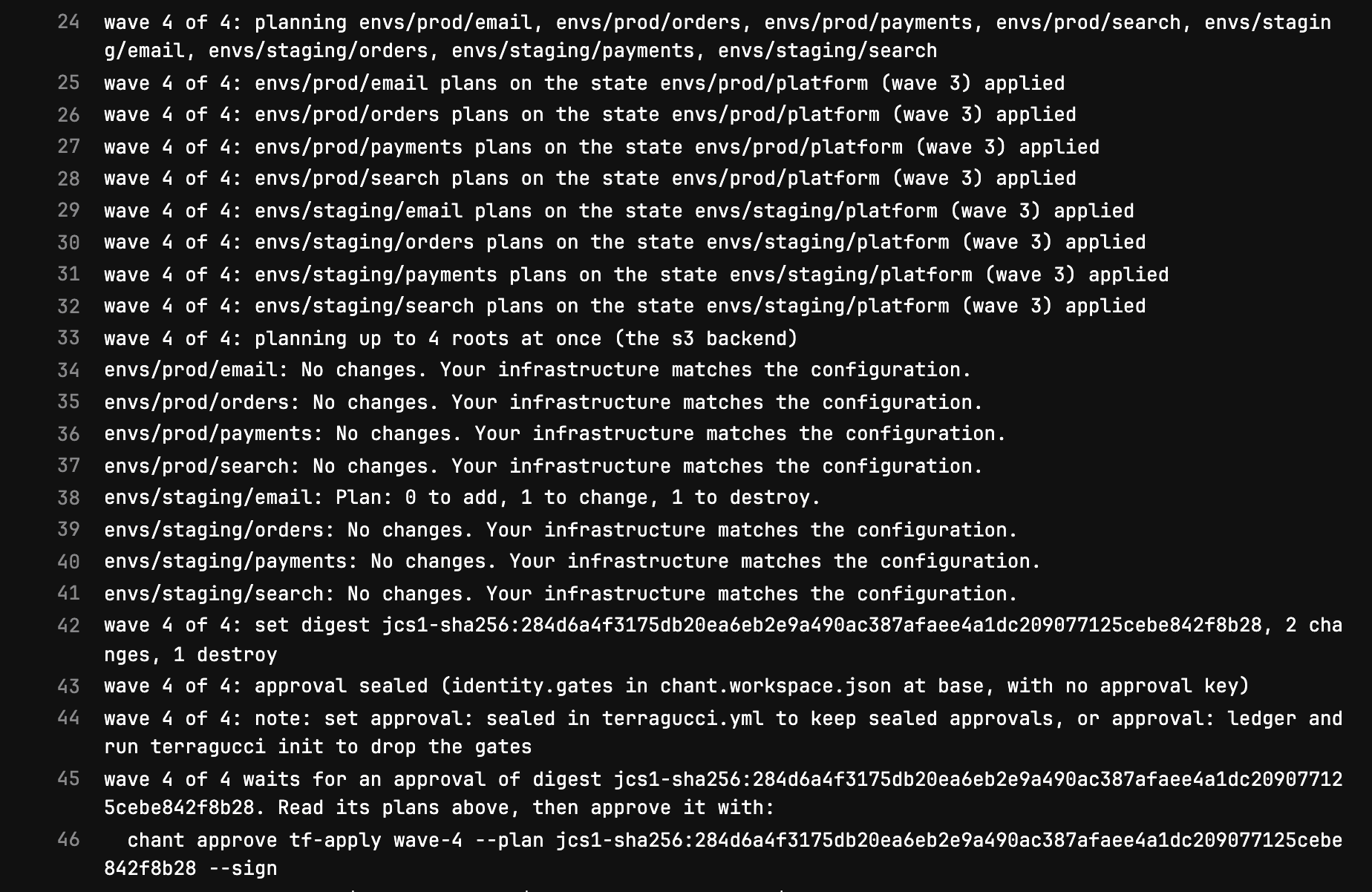
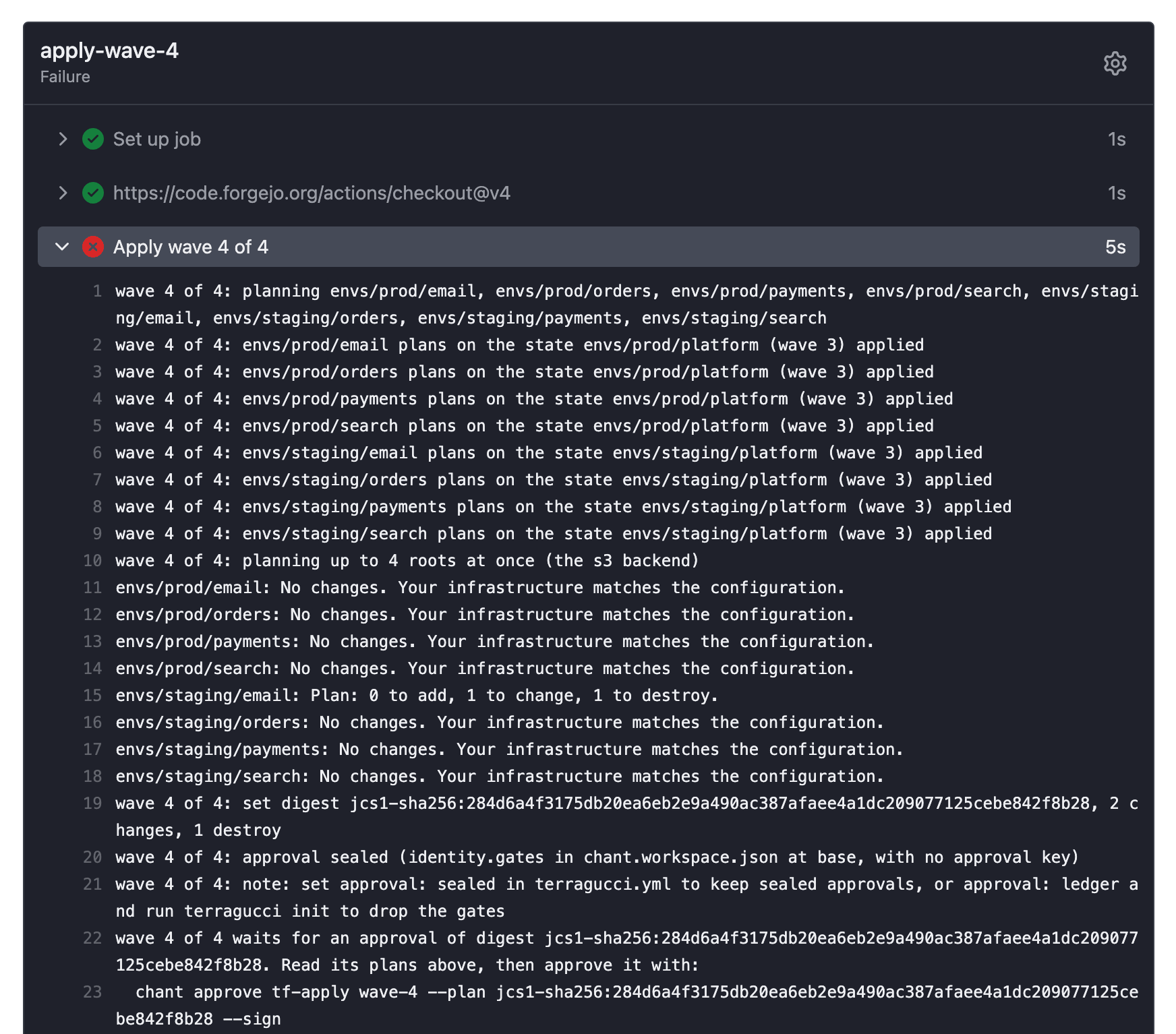
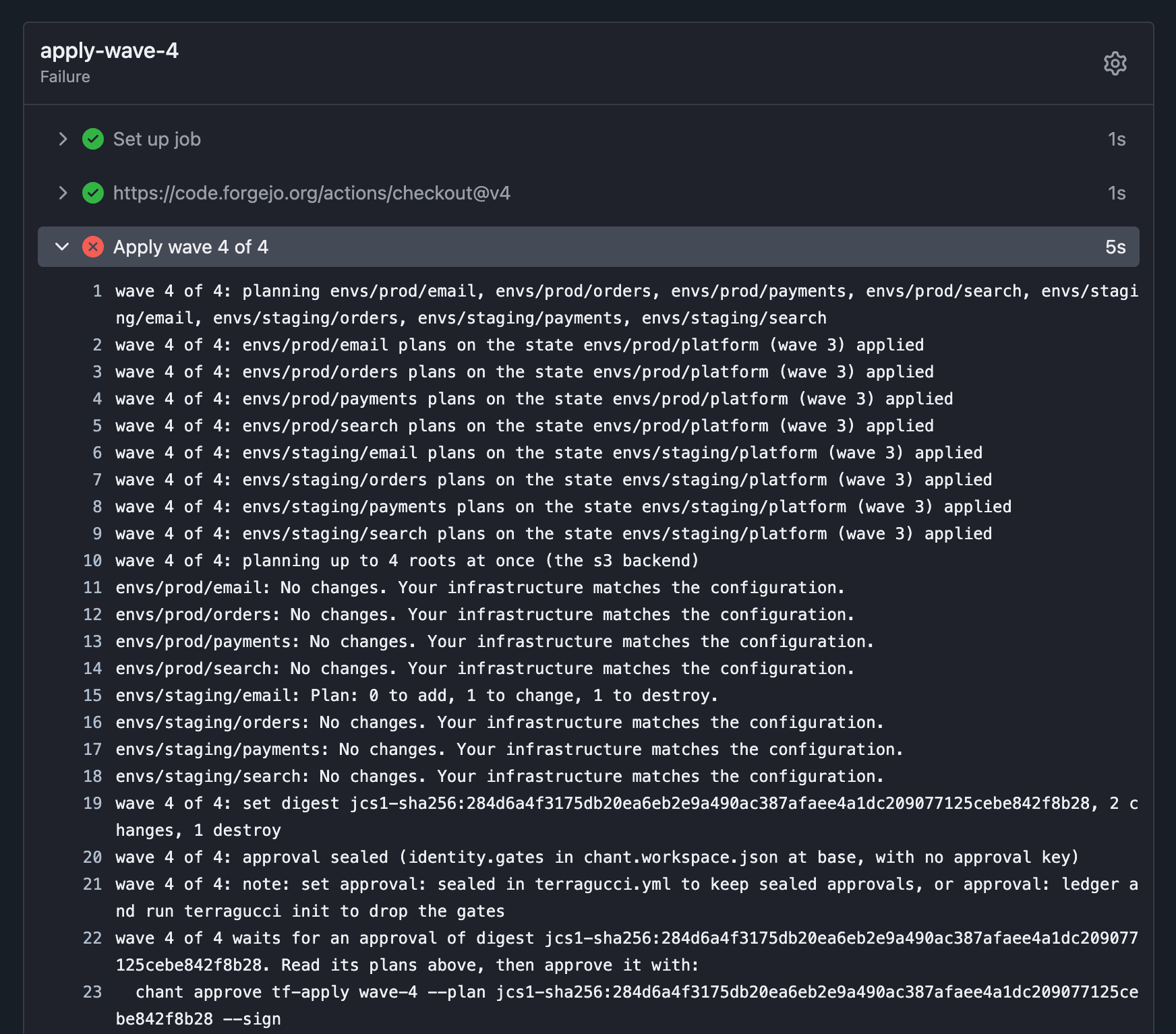
Where What it gives the pull request’s plan note, before the merge each wave the gate will hold, with terragucci approve wave-<k> --plan <digest>; after the merge the wave asks for that digest unless its plans movedterragucci/applyon the committhe waiting wave’s command, as the status’s description: pending on GitHub and Forgejo, failed on GitLab, which cannot move a running status back to pending the job’s log, or a comment’s reply the same command; the job exits with code 3 The screenshots come from the tutorial’s example, which runs
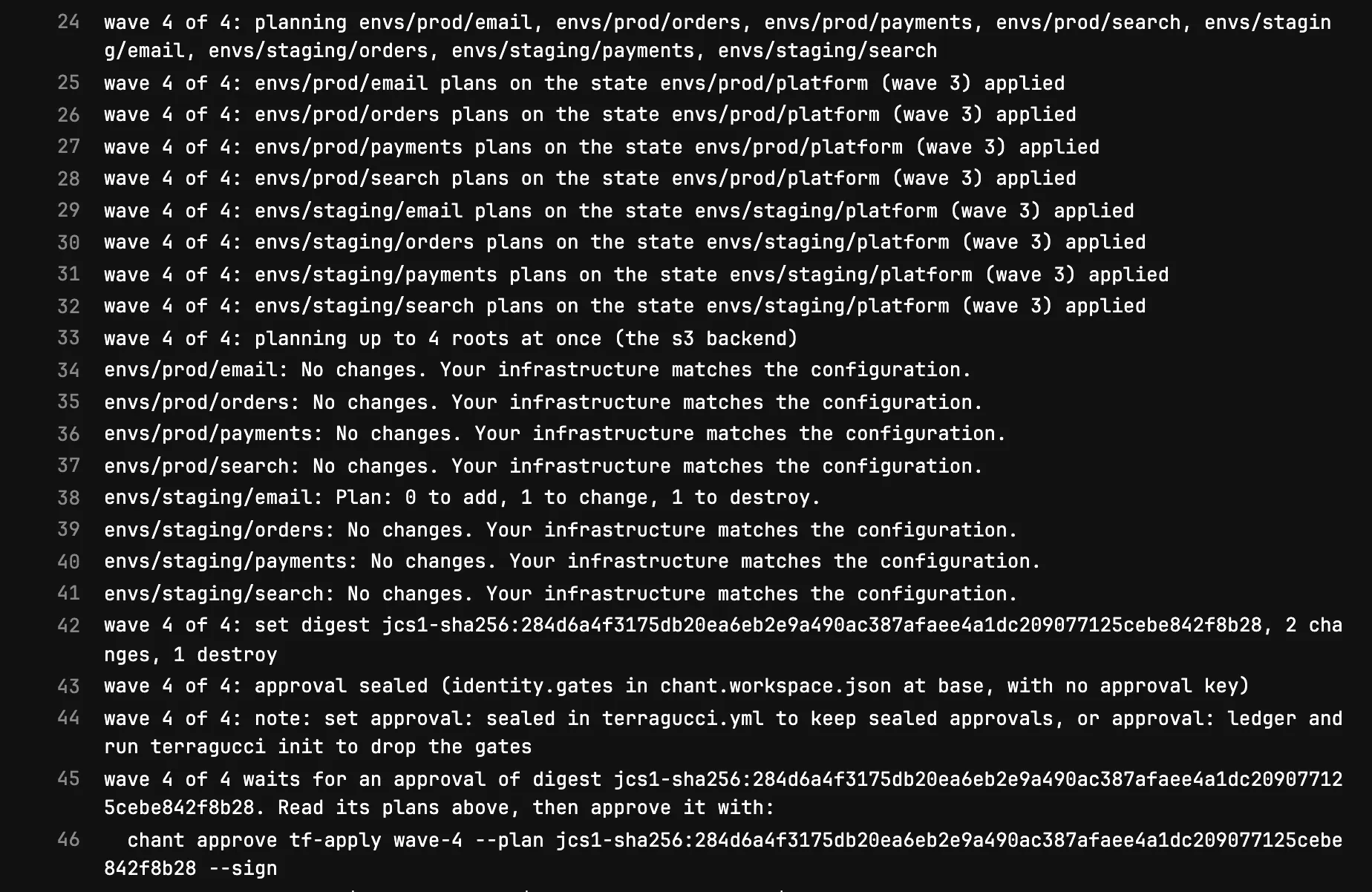
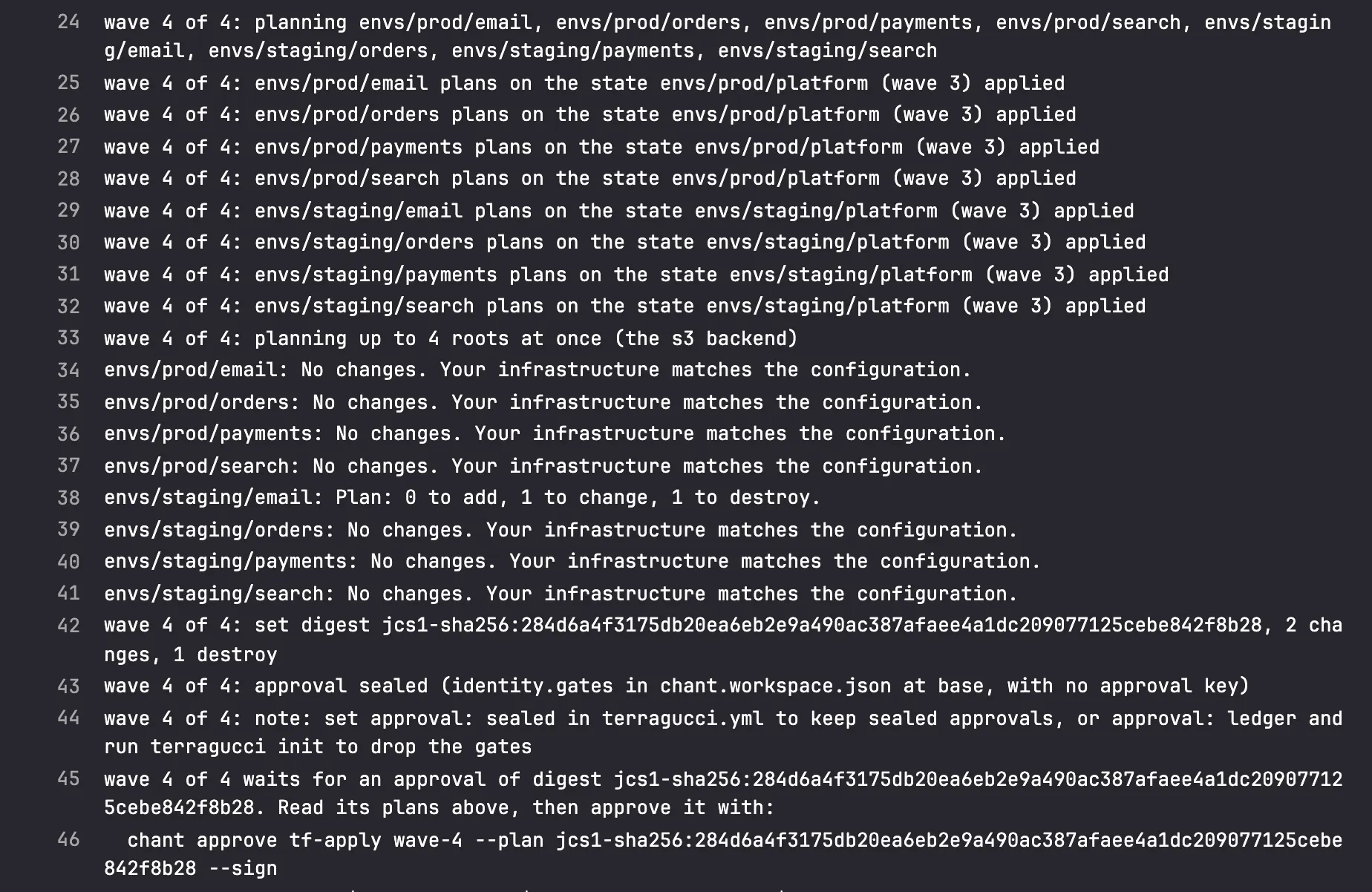
approval: sealed, so its commands carry--signand its approvals a seal. Under the defaultledgerthey carry neither.The command is the last line of the job’s log:
$ gh run view --log-failed  # wave 4 on main
wave 4 of 4: planning envs/prod/email, envs/prod/orders, envs/prod/payments, envs/prod/search, envs/staging/email, envs/staging/orders, envs/staging/payments, envs/staging/search
wave 4 of 4: planning up to 16 roots at once (the local, s3 backends)
envs/prod/email: No changes. Your infrastructure matches the configuration.
envs/prod/orders: No changes. Your infrastructure matches the configuration.
envs/prod/payments: No changes. Your infrastructure matches the configuration.
envs/prod/search: No changes. Your infrastructure matches the configuration.
envs/staging/email: Plan: 0 to add, 1 to change, 1 to destroy.
envs/staging/orders: No changes. Your infrastructure matches the configuration.
envs/staging/payments: No changes. Your infrastructure matches the configuration.
envs/staging/search: No changes. Your infrastructure matches the configuration.
wave 4 of 4: set digest jcs1-sha256:a0c27ed10cf4a17e60dac7b86e51f81a558458417908516cc0bf1740082985e2, 2 changes, 1 destroy
wave 4 of 4: approval sealed (identity.gates in chant.workspace.json at base, with no approval key)
wave 4 of 4: note: set approval: sealed in terragucci.yml to keep sealed approvals, or approval: ledger and run terragucci init to drop the gates
wave 4 of 4 waits for an approval of digest jcs1-sha256:a0c27ed10cf4a17e60dac7b86e51f81a558458417908516cc0bf1740082985e2. Read its plans above, then approve it with:
  chant approve tf-apply wave-4 --plan jcs1-sha256:a0c27ed10cf4a17e60dac7b86e51f81a558458417908516cc0bf1740082985e2 --sign
chant records you as $GITHUB_ACTOR, $GITLAB_USER_LOGIN or $USER. When none of them is your principal in .chant/allowed_signers, add --actor <principal>.
Then run this job again.
wave 4: report in terragucci-report/, slowest root envs/staging/orders (0.56s)
Process completed with exit code 3.
The job fails with the command at the end of its log:
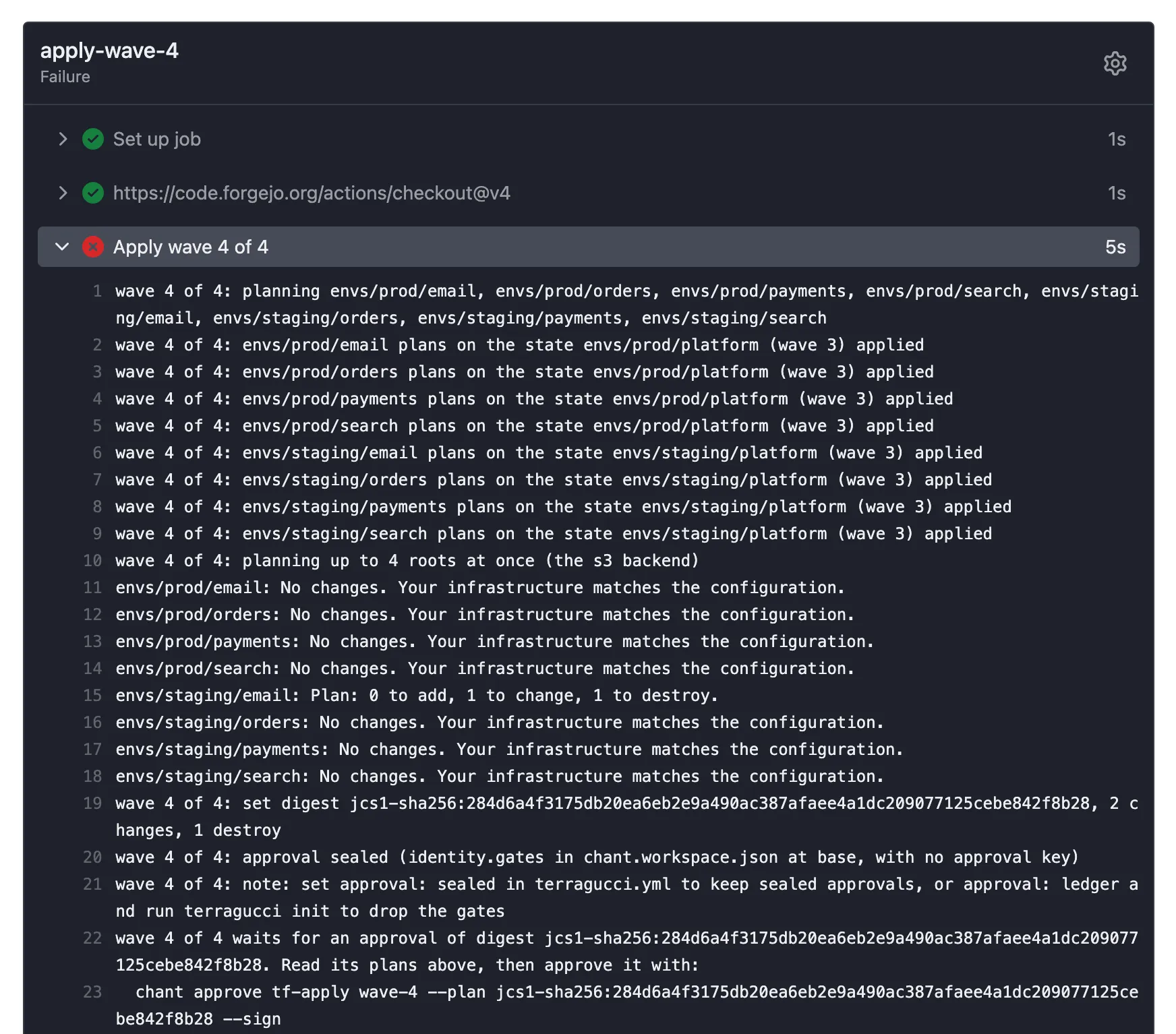
$ just example merge destroy [example] listed the reader's key in .chant/allowed_signers [example] merged change/destroy into main Merged pull request 4 into main Pipeline http://localhost:3300/terragucci-admin/example/actions/runs/11/jobs/0/attempt/1 (failure) terragucci approve wave-4 --plan jcs1-sha256:284d6a4f3175db20ea6eb2e9a490ac387afaee4a1dc209077125cebe842f8b28 --sign -
Read what the wave will do.
The wave waits because a plan destroys or replaces something, or because
gateisalways. Destroys and replacements are never grouped, so they sit at the top of the report, where you read each one. -
Approve it from a checkout of the repo.
Terminal window npx terragucci approve wave-2 --plan jcs1-sha256:9f2c... --actor github:aliceTerminal window npx terragucci approve wave-2 --plan jcs1-sha256:9f2c... --actor github:alice --sign ~/.ssh/id_ed25519--actormust be your principal in.chant/allowed_signers. Left out,--signuses git’suser.signingkeywhengpg.formatisssh.terragucci approveDoes with no flag fetches chant/lifecycle, finds the waiting wave, prints its roots and destroys, and records an approval of the digest that wave plannedwave-<k>picks the wave when several wait --plan <digest>the digest you read: approves only a wave waiting for exactly it, and otherwise approves nothing and exits 1, naming the digest waiting. Use it whenever you read the plans somewhere other than this command’s own output, such as a chat message or the plan note. --actorthe name the approval records; pass it on your own machine, where it would otherwise record $USER--signseals the approval; the default under approval: sealed--dry-runprints what it would approve and records nothing --no-resumerecords the approval and starts nothing $ just example approve Approved wave-4, signed as terragucci-adminThe approval is one line appended to
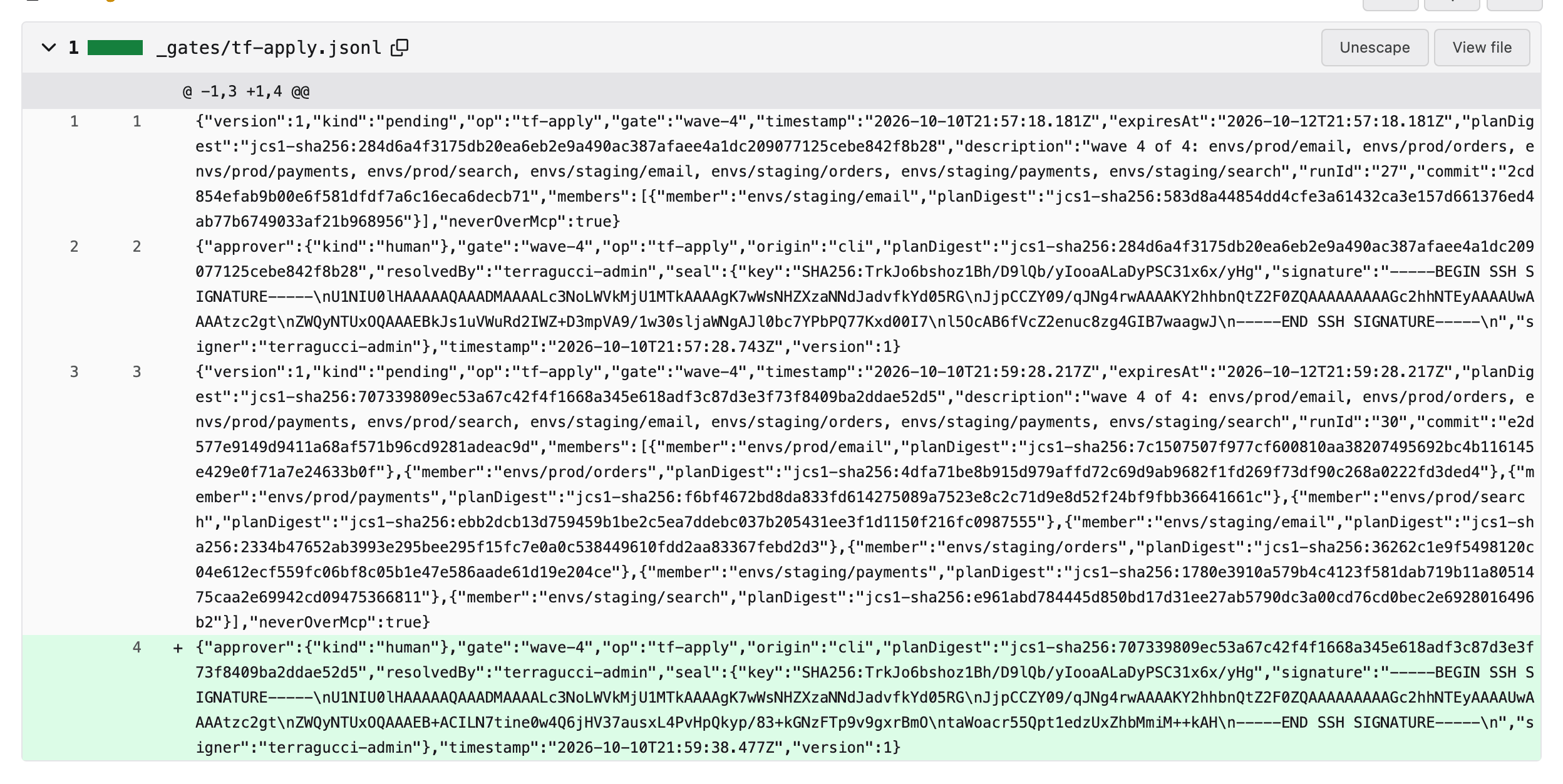
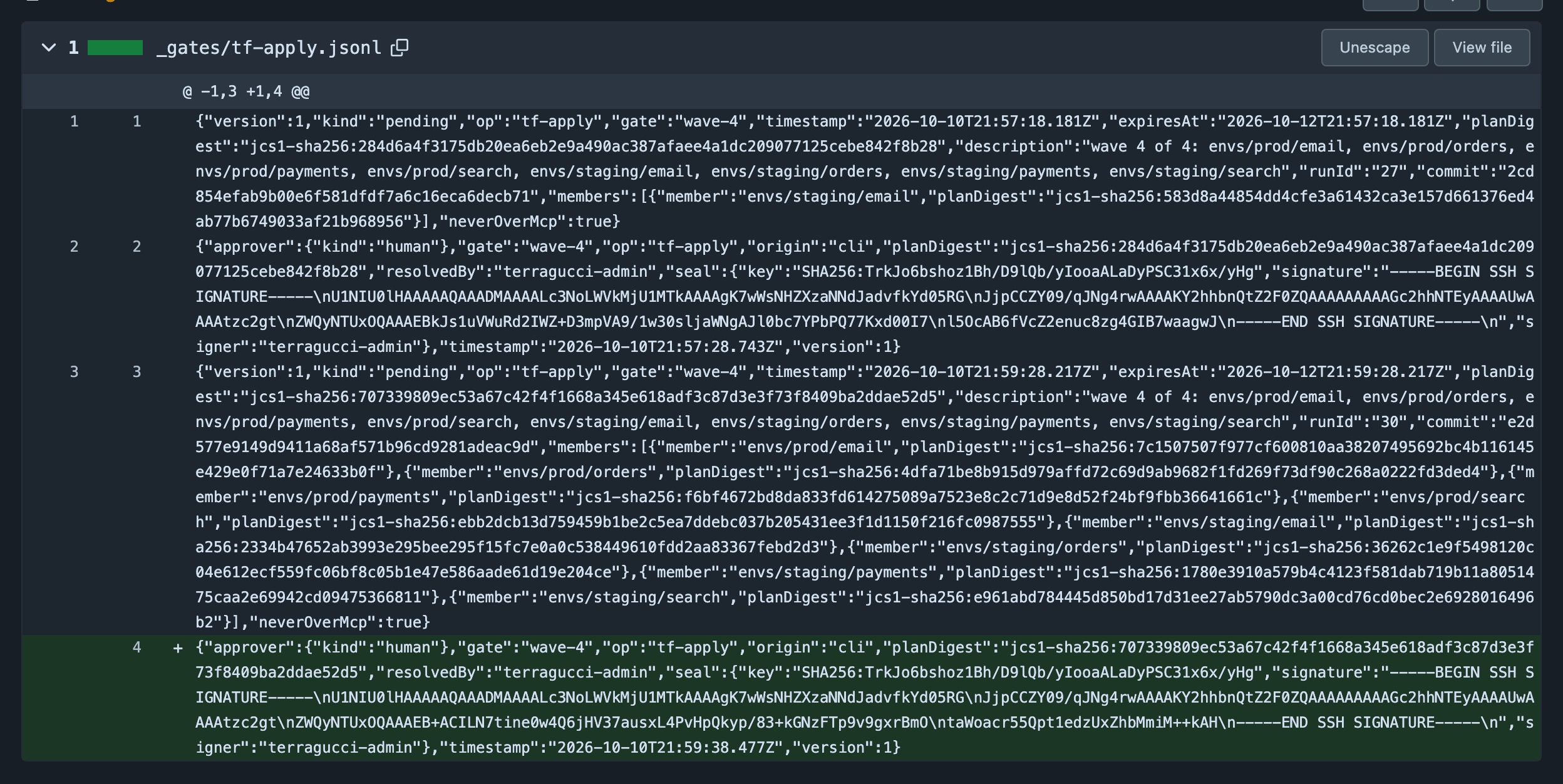
_gates/tf-apply.jsonlonchant/lifecyclein its own commit. The example runsapproval: sealed, so its line is sealed: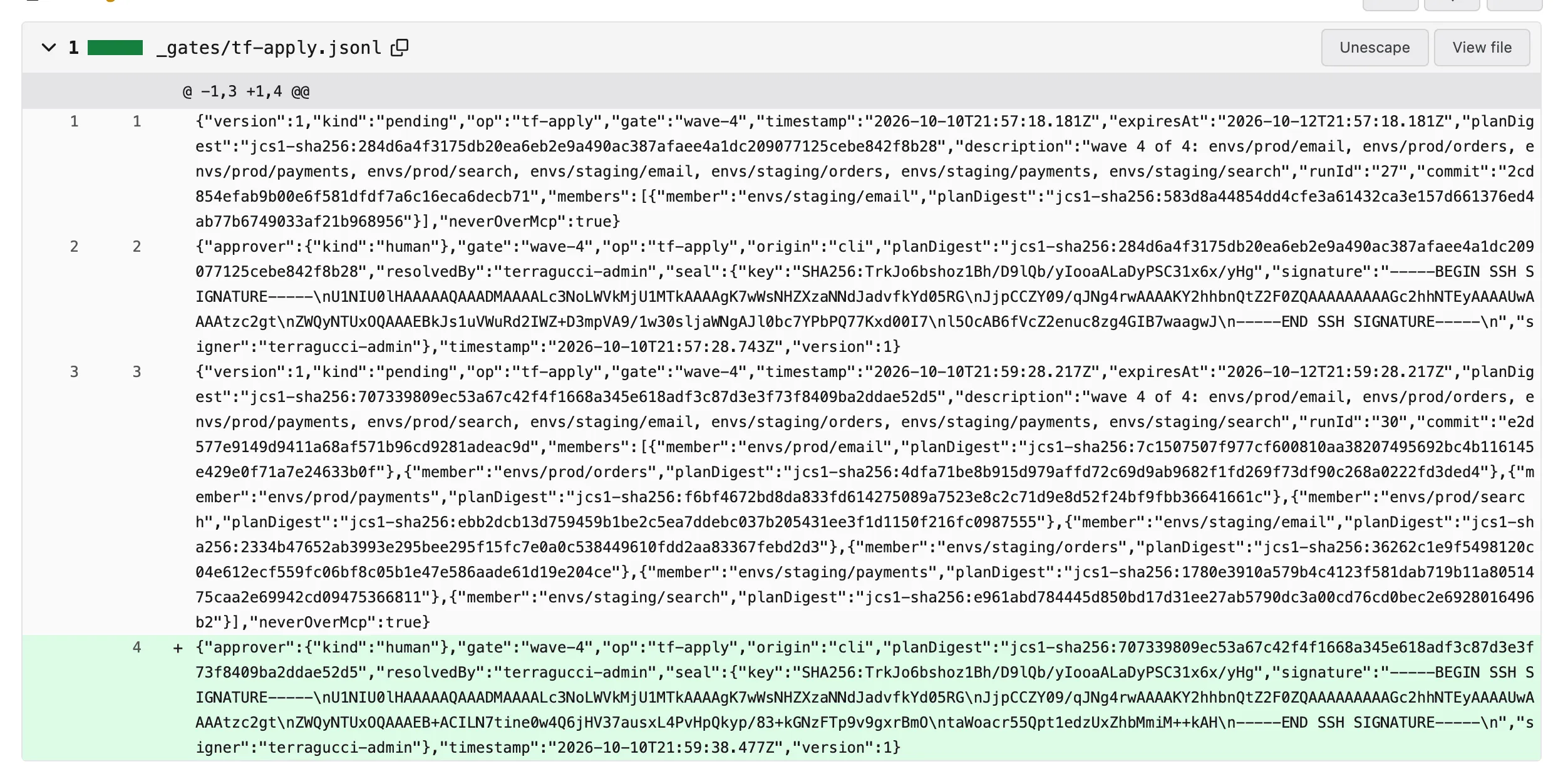
-
Let the wave run again.
terragucci approverestarts it with your forge token once the approval is recorded, and says so when it has no token.Forge Token terragucci approvereadsGitHub GH_TOKEN, orgh auth loginGitLab GITLAB_TOKENForgejo FORGEJO_TOKENWith
apply.resumeset, the resume job applies the wave within that many minutes of any approval. Re-run the wave by hand whenapply.resumeis unset, and after a pull request review underapproval: pr-review:Situation How to re-run apply.when: merge(the default), GitHub or ForgejoComment /terragucci applyon the merged pull request (addwave-2to stop after that wave), or re-run the job. Needs write access.apply.when: merge, GitLabWith comments:set, comment/terragucci applyon the merged merge request; the comments job retries the first apply job that did not succeed on its next run.wave-<n>is refused, since GitLab runs the waves after a retried one. Needs Developer or above. Withoutcomments:, retry the job.apply.when: pull-requestComment /terragucci applyon the open pull request again. The mode and the signers come from the default branch, so the pull request cannot relax them or add its own approver. The forge’s review is also required.The comment approves nothing.
The wave or comment Outcome a wave without an approval that counts in its mode waits, with the command in the reply a wave whose plans changed after the approval, before they applied refused a wave planning anew after its approved plans applied waits for an approval of the new plans an approved wave applies, resuming where it stopped a comment that fails a check runs nothing; the reply names the check (the checks) Apply a merged pull request and Apply before merge list what each refuses.
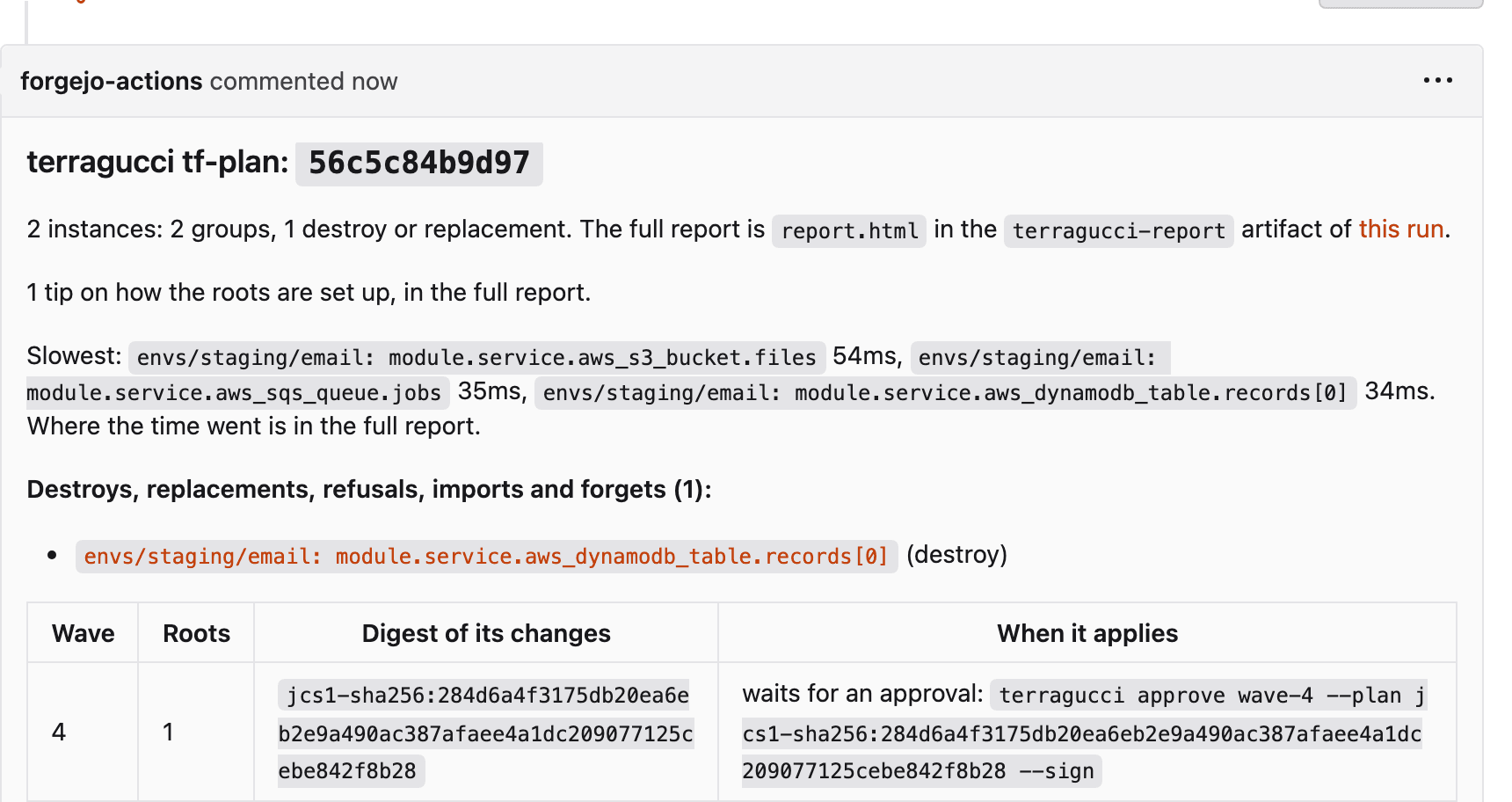
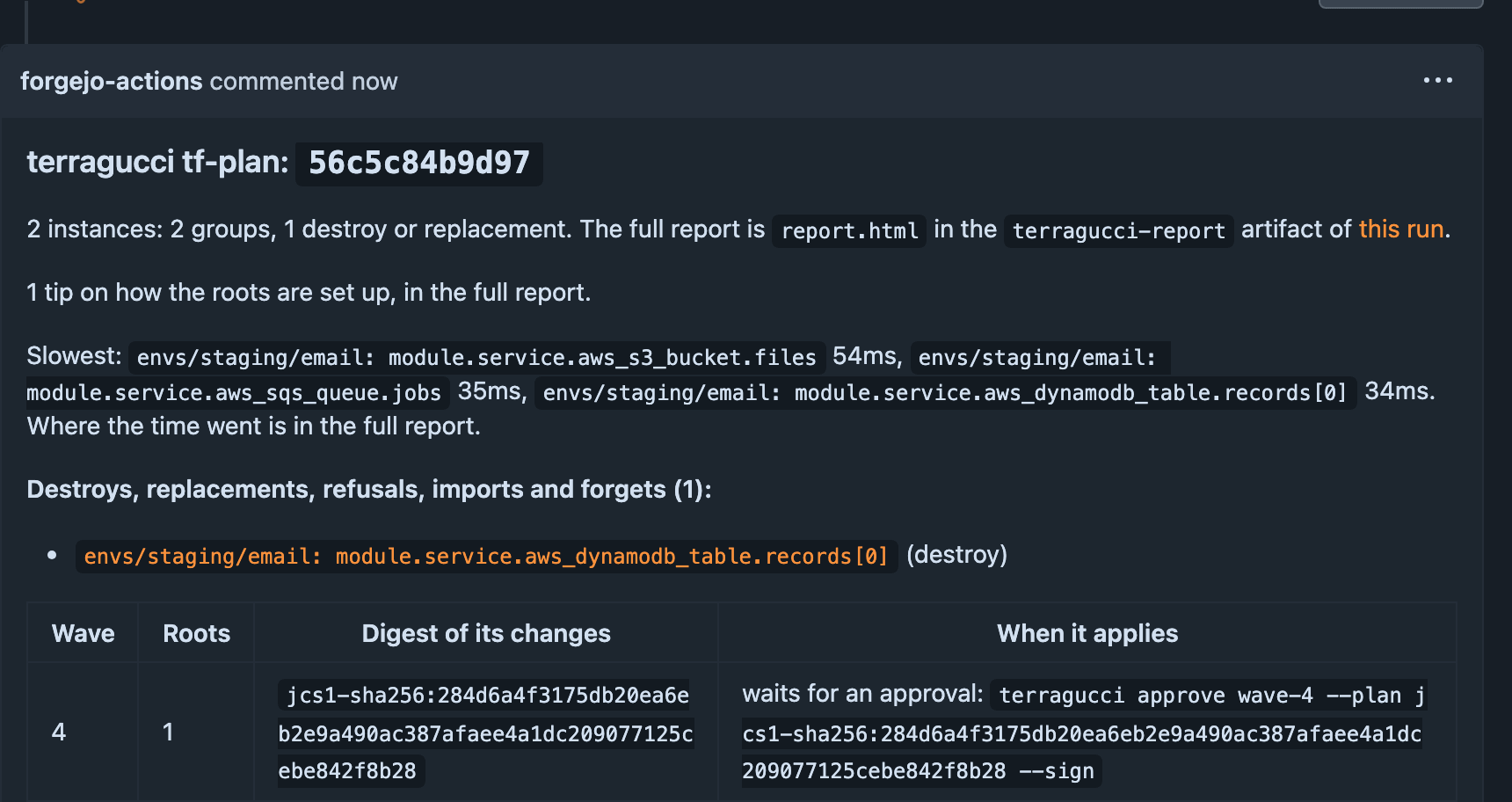
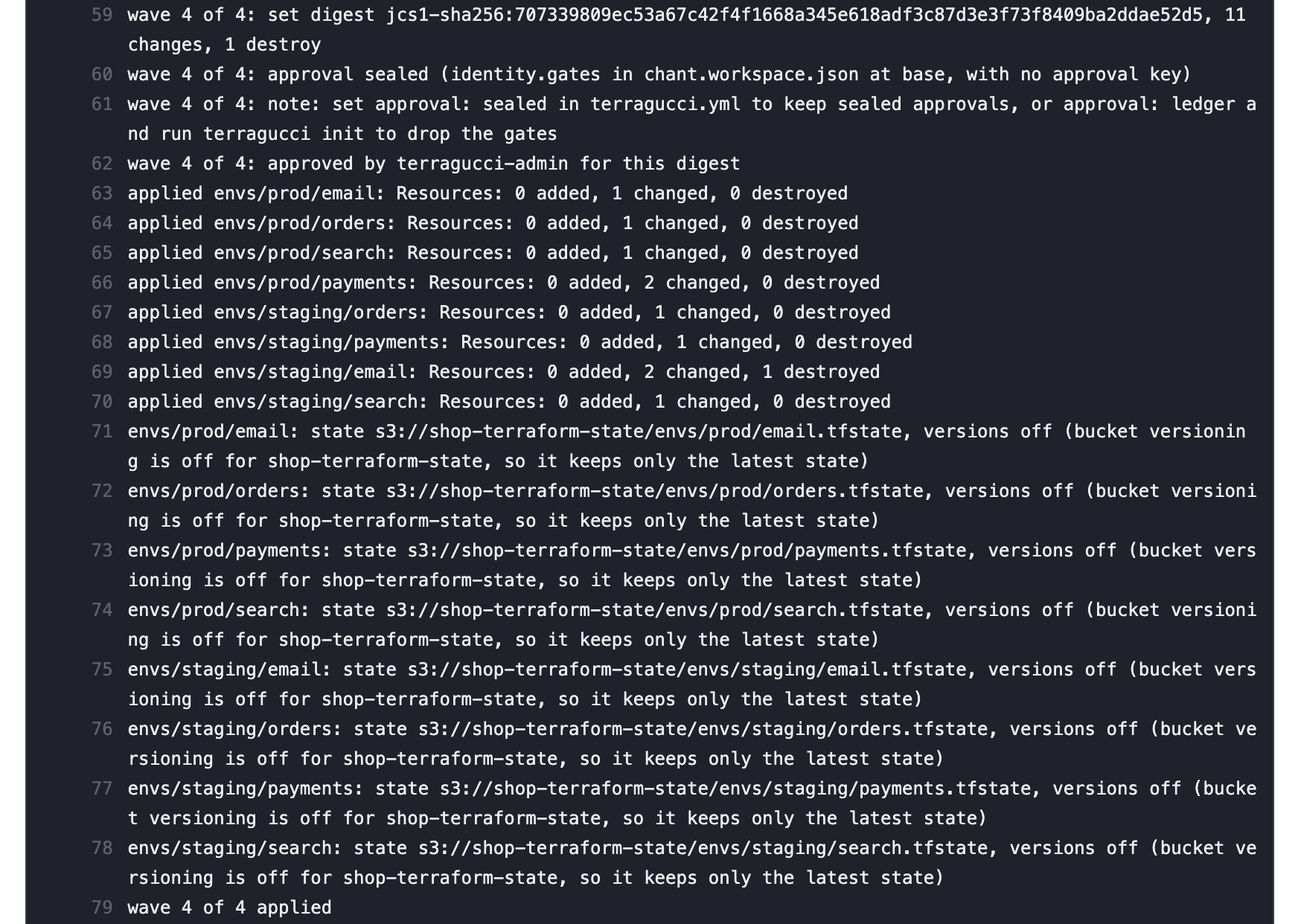
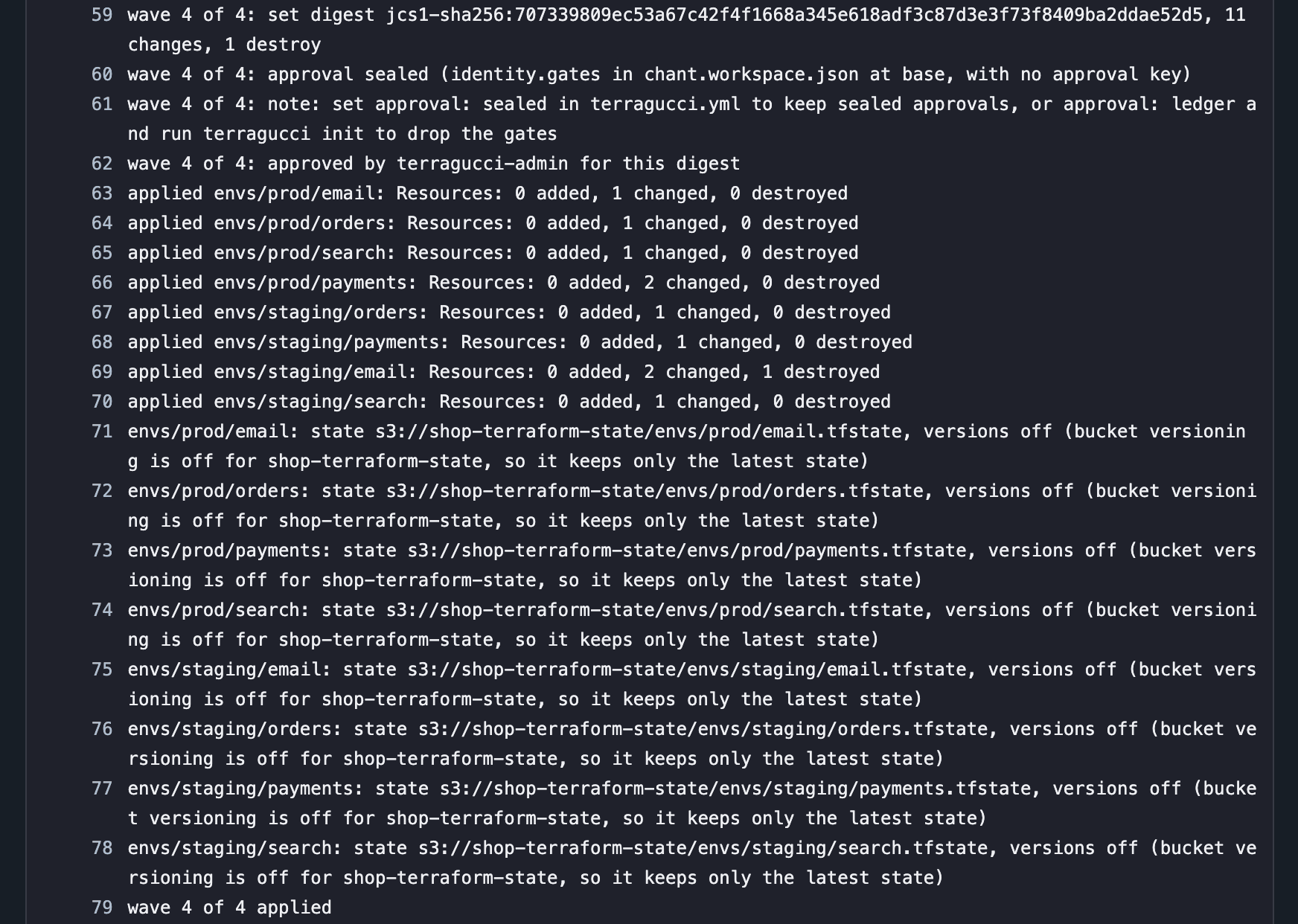
In the tutorial’s example (
approval: sealed), the module bump’s wave 4 was refused and its new plans approved. Then/terragucci applyon the merged pull request resumed the waves and wave 4 applied:

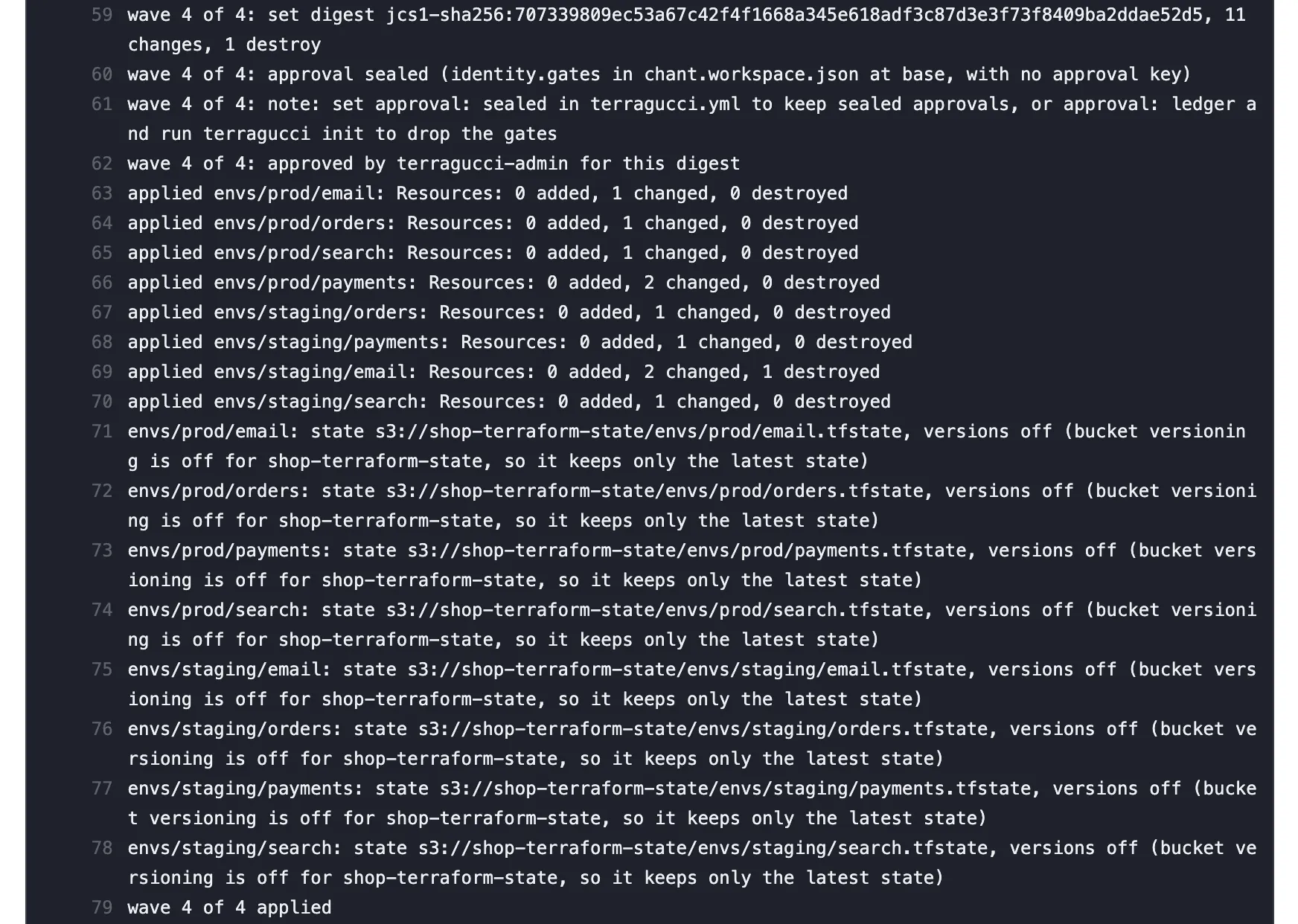
The report then shows the wave as approved and links its record.


Roots on HCP Terraform
Section titled “Roots on HCP Terraform”terragucci’s gate reads neither HCP Terraform’s run approvals nor its locks, so set workspaces to local execution; remote execution adds HCP’s own approvals and locks.
Set up the signers file
Section titled “Set up the signers file”Only approval: sealed reads it. With that key in terragucci.yml, terragucci init lists each wave under identity.gates, so terragucci approve seals by default.
-
In a reviewed pull request to the default branch, add
.chant/allowed_signers, one line per approver, in ssh-keygen’s allowed_signers format.terragucci init --signer github:alicewrites the first line from yourgit config user.signingkeywhen the file does not exist yet:github:alice ssh-ed25519 AAAAC3NzaC1lZDI1NTE5AAAAI...github:bob ssh-rsa AAAAB3NzaC1yc2EAAAADAQABAAABgQ...Line Counts? ssh-ed25519yes sk-ssh-ed25519@openssh.comyes ssh-rsayes namespaces="..."only if it lists chant-gateor*valid-after,valid-beforeignored cert-authorityignored a pattern principal ( *,?,!)ignored To move the file, set its path in
.chant/trust.json, e.g.{"schema": 1, "signers": "security/allowed_signers"}. -
List only keys that people hold; leave out agent and CI job keys.
-
Protect
chant/lifecycleagainst force pushes and deletion (next section).
Rule commit
Section titled “Rule commit”These rule files are read from base (the applied commit’s first parent):
- the
approvalkey interragucci.yml - the signers file
.chant/trust.jsonchant.workspace.json
A pull request’s change to them governs only later merges. One that switches sealed to ledger is still judged sealed.
| Merge method | Base is | Safe |
|---|---|---|
| Merge commit | the default branch before the merge | yes |
| Squash | the default branch before the merge | yes |
| Rebase of one commit | the default branch before the merge | yes |
| Rebase of several commits | the pull request’s own next-to-last commit | no: merge with a merge commit or a squash |
| A change that turns sealing off for later merges | Applies when |
|---|---|
approval set to ledger |
always |
chant.workspace.json deleted, or its identity.gates emptied |
terragucci.yml sets no approval |
Give those changes the same review as the signers file; the agent comment refuses both.
Push access to chant/lifecycle
Section titled “Push access to chant/lifecycle”| Who pushes | What | With |
|---|---|---|
| an approver | approval records, as fast-forwards | their own credentials |
| the apply job | pending records | its token (github.token, or GITLAB_TOKEN on GitLab); on GitHub no rule can tell it from another workflow |
| Mode | What a pushed line counts for |
|---|---|
sealed |
nothing, unless its seal verifies against the signers file at base |
ledger and pr-review |
every line of the digest counts, so who can push here is who can approve |
Protection keeps history from being rewritten.
| Forge | Protect chant/lifecycle with |
|---|---|
| GitHub | a ruleset or protection rule blocking force pushes and deletion, with pull requests and status checks off. |
| GitLab | a protected branch with push and merge allowed to a role your approvers and GITLAB_TOKEN both hold, force push off. |
| Forgejo | a protected branch rule with push for everyone with write access and force push off. |
Refused wave
Section titled “Refused wave”A root whose plan changed between your approval and the apply makes the wave apply nothing (Fix a refused wave). After a wave has applied, the next change waits for a new approval.
- Approvals runbook
- Waves and approvals
- Approvals as records in your repo
- The audit trail: who approved which digest, and the apply it let through

These docs count page views and clicks with PostHog. They set no cookies, store nothing in your browser, and send nothing when your browser asks not to be tracked.