
Add terragucci to a repo
 Optional: hand this page to your coding agentThe steps work by hand too.
Show the whole prompt
Read https://intentius.io/terragucci/guides/add-to-a-repo/ and https://intentius.io/terragucci/getting-started/agents/.
Set up terragucci in this repository for its forge.
Run `npx terragucci init --dry-run --json` and show me the findings before writing anything.
Then run `npx terragucci init` and open a pull request with the files it wrote, package.json and package-lock.json only.
List the token, OIDC roles and required status I must set in the forge settings.
Do not create secrets, variables or branch protection yourself.
Never apply, approve (a pull request review or `terragucci approve`), override a policy denial (`terragucci override`), use `--mode apply`, or merge; never touch `.chant/allowed_signers` or `chant/lifecycle`.Result
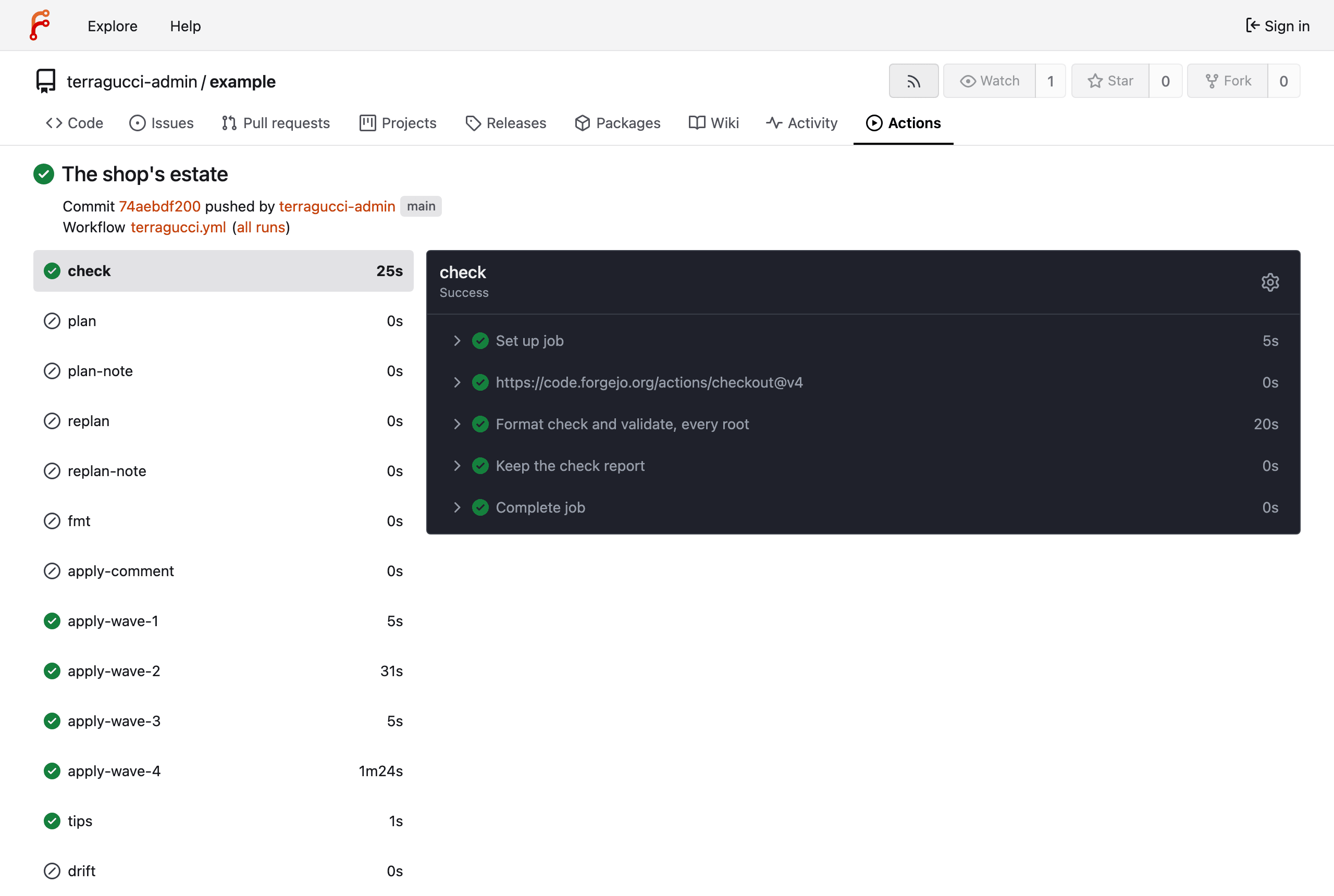
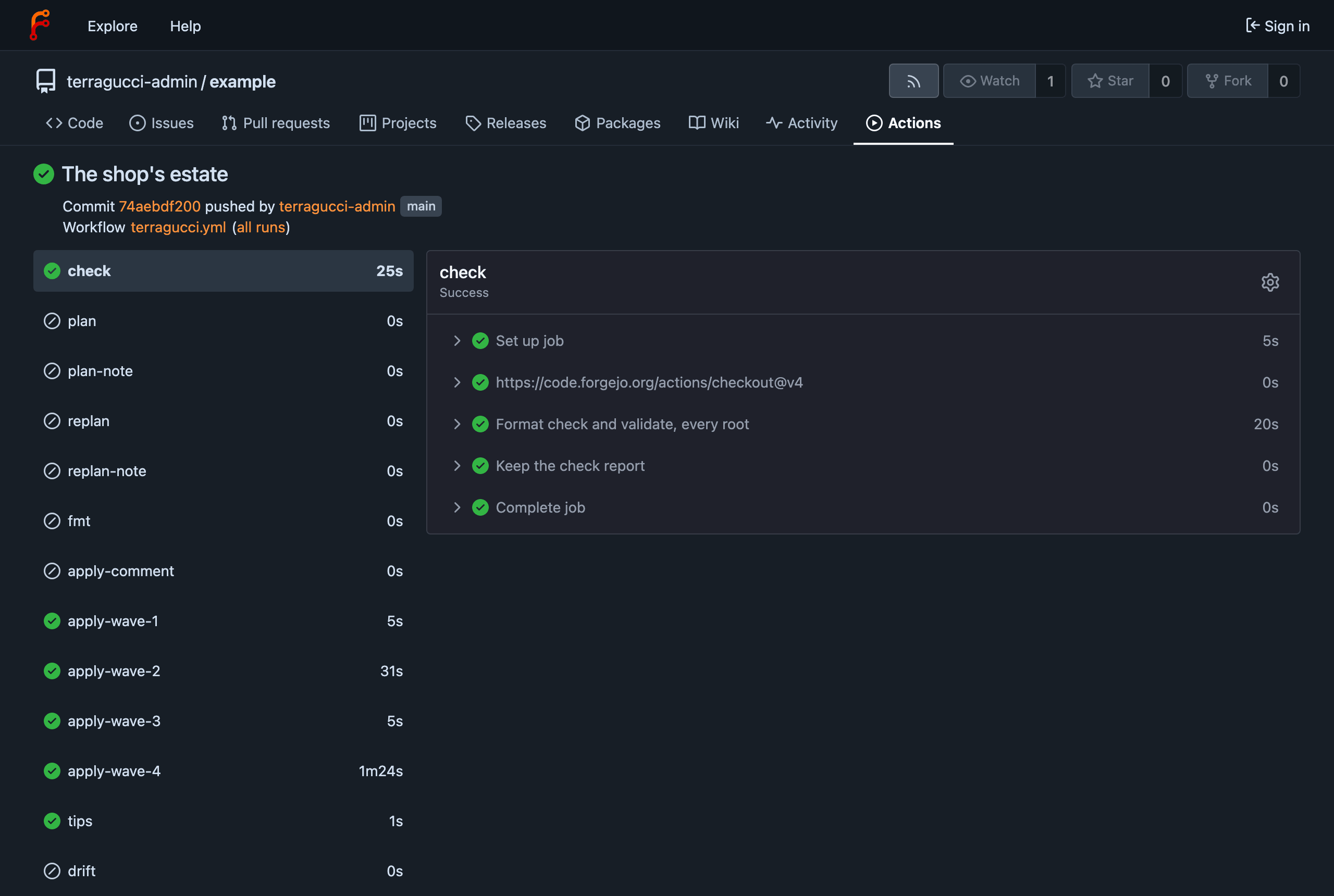
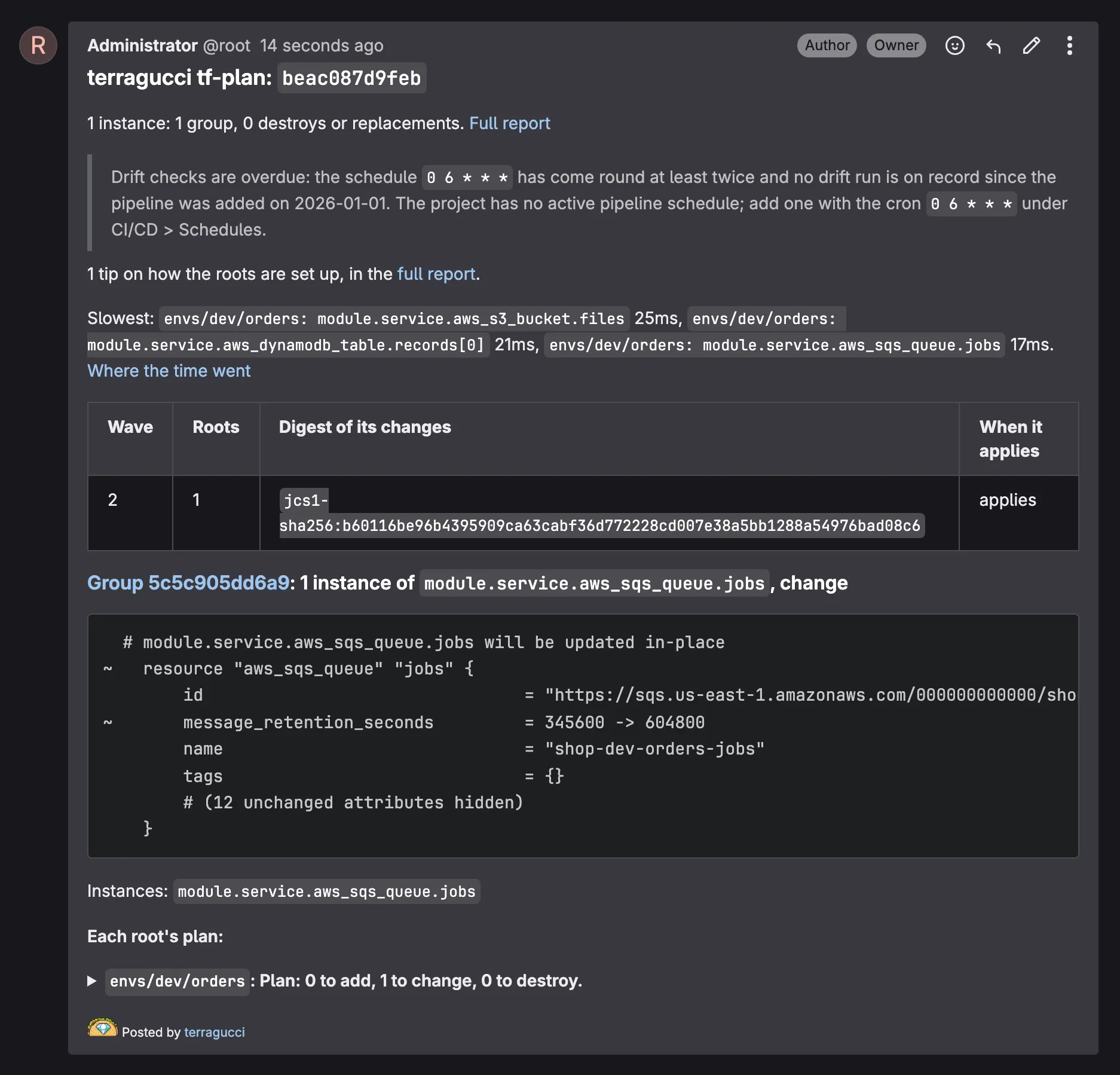
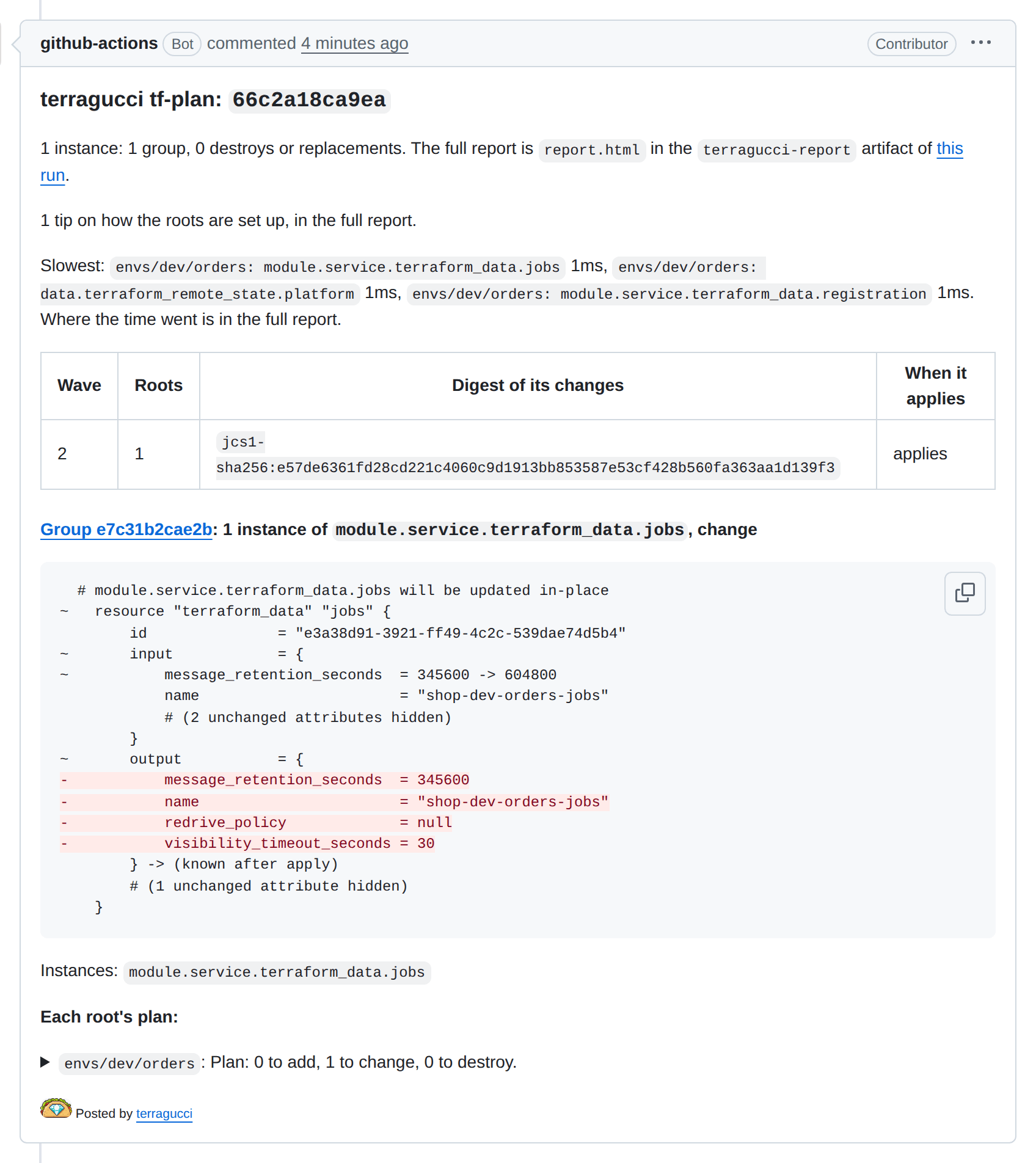
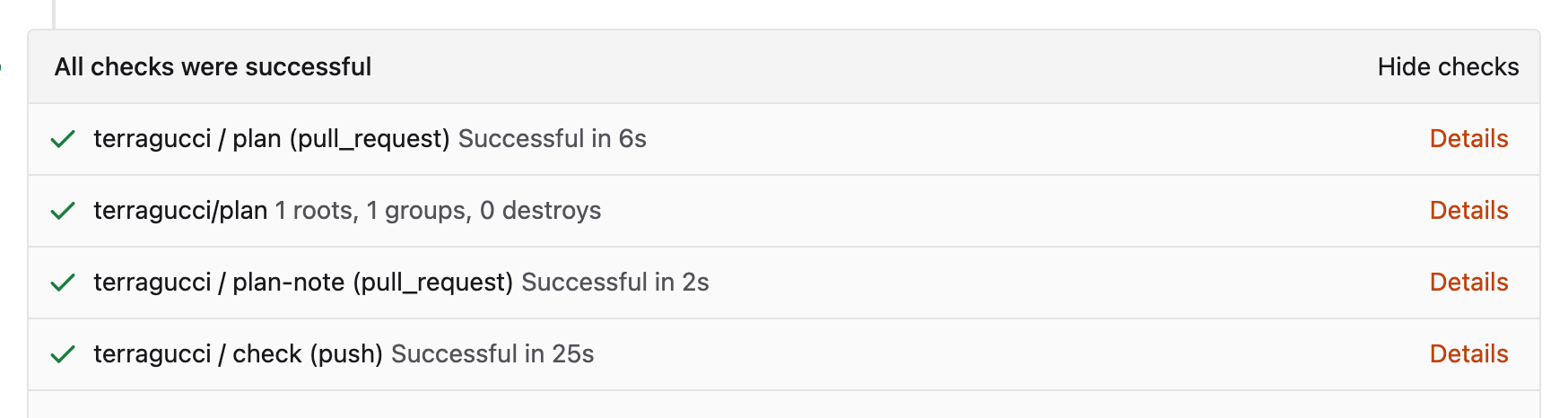
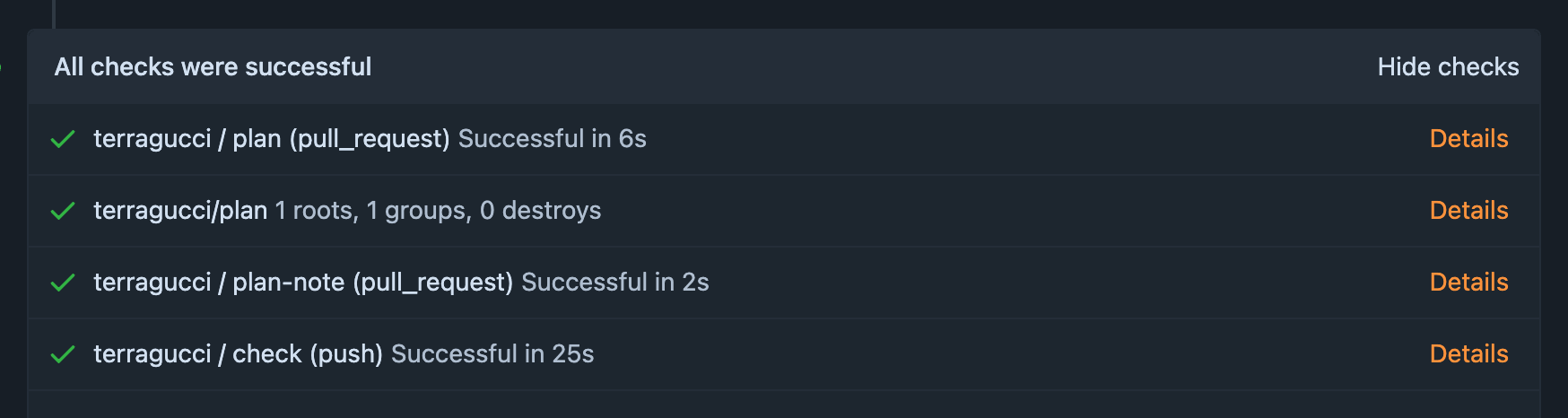
Section titled “Result”A plan note and a terragucci/plan status on every pull request or merge request, and one apply job per wave on the default branch (with waves.jobs, a deciding job and its share jobs). Everything runs as jobs in your own CI and lands in your git and your bucket; there is no account to create. Pick your forge in any tab and the other forge tabs on the site follow.
Per forge
Section titled “Per forge”| GitHub | GitLab | Forgejo | |
|---|---|---|---|
| Pipeline file | .github/workflows/terragucci.yml |
.gitlab/terragucci.yml, included from .gitlab-ci.yml |
.forgejo/workflows/terragucci.yml |
Hosts init knows |
github.com | gitlab.com, gitlab.* |
codeberg.org, forgejo.*, gitea.* |
| Runner | Actions enabled | one that runs Docker images | Actions enabled, a runner labelled docker or the one runner names |
| Token | the run’s github.token |
GITLAB_TOKEN variable, api scope |
the run’s own token |
| Cloud roles over OIDC | GitHub’s identity token | id_tokens |
Forgejo 15 and Runner 12.5 or later |
| Require | terragucci/plan in branch protection |
“Pipelines must succeed” | terragucci/plan in branch protection |
| Report | terragucci-report artifact of the run the note links |
a job artifact the note links, plus the merge-request widget | terragucci-report artifact of the run the note links |
| Two pushes’ applies | side by side | side by side | side by side, each push to the default branch in a group of its own commit |
Self-managed GitLab works the same. See applies side by side.
Self-hosted runners
Section titled “Self-hosted runners”runner:
default: [self-hosted, linux]
apply: [self-hosted, prod]Every job then asks for a runner with both labels of its stage: runs-on on GitHub and Forgejo, tags on GitLab. Here the apply jobs run on runners labelled prod, such as ones inside the network the apply role reaches, and every other job on the rest. runner: [self-hosted, linux] alone puts every job on one set. On GitHub, group: <name> picks a runner group.
Each job runs in terragucci’s image, so the runner must start containers: Docker on a GitHub runner, the Docker executor on GitLab, a docker:// label on Forgejo. Run npx terragucci init to write the labels in; Runners has the rest.
Agent features
Section titled “Agent features”Setup and every pull request feature are plain CI jobs that need no agent; four opt-in features run a model.
| CI jobs, no agent | Page |
|---|---|
Setup with init (an agent can run it for you) |
Set up with a coding agent |
The plan note and terragucci/plan status |
Get your first plan note |
| Tips and policy checks | Tips, Policy |
A /terragucci plan re-plan; on GitLab through the comments: schedule |
Re-plan from a comment |
/terragucci lock and /terragucci unlock (GitHub, Forgejo, and GitLab with comments: and apply.when: pull-request set); locks: plan (GitHub and Forgejo) |
Locks |
Apply before merge and /terragucci apply (GitHub, Forgejo, and GitLab with comments: set) |
Apply before merge |
Approvals in every mode, terragucci approve |
Approve a waiting wave |
| A recorded policy override | Override a policy denial |
| Drift checks | Turn on drift checks |
| Module publishing and rollouts | Publish your modules, roll out a version |
| Opt-in: coding agent | Off until | Page |
|---|---|---|
The /terragucci agent <ask> comment (GitHub and Forgejo) |
agent.comment is set, with a model API key secret |
Have an agent change a pull request |
| A code change that matches what drift found, in a pull request (GitHub and Forgejo) | agent.drift is set, with a model API key secret |
Have an agent fix drift |
A note comparing a pull request’s description with its plan (on GitLab through the comments: schedule) |
review.agent is set, with a model API key secret |
Have a model review a pull request |
| A summary of a refused wave | you add its job by hand, with a model API key secret | Have an agent summarize a refused wave |
Prerequisites
Section titled “Prerequisites”| You need | For |
|---|---|
| Terraform or OpenTofu roots, or a Terragrunt, Atmos, Terramate or CDK Terrain repo | what init finds |
| Node.js 22 or later on your machine | running init |
| admin on the repo or project | the token, the cloud roles and the required status |
-
Install terragucci and run
initfrom the root of the repo.Terminal window npm i -D @intentius/terraguccinpx terragucci initfound 15 roots in 2 layers, tofu 1.13.1 (tofu on the path), forge github (the origin remote (github.com))wrote .github/workflows/terragucci.ymlno terragucci.yml needed (defaults fit)found 15 roots in 2 layers, tofu 1.13.1 (tofu on the path), forge gitlab (the origin remote (gitlab.com))wrote .gitlab/terragucci.ymlwrote .gitlab-ci.ymlno terragucci.yml needed (defaults fit)The jobs go in
.gitlab/terragucci.yml, andinittouches your.gitlab-ci.ymlonly like this:Your .gitlab-ci.ymlinitnone writes one that includes .gitlab/terragucci.ymlyour own jobs adds - local: .gitlab/terragucci.ymlto itsinclude:and keeps the rest (updated .gitlab-ci.yml)an include:that is one value, not a liststops and names the entry to add its own stages:stops unless the list has .gitlab/terragucci.yml’s stages (check,plan,applyand the rest) in that order, and names thema job named like one of terragucci’s ( check,plan,apply-wave-1)stops: GitLab would merge the two jobs With no
stages:of your own, GitLab’s default stages put yourbuildandtestjobs before terragucci’s stages anddeployafter the apply. Your top-levelvariables:anddefault:reach terragucci’s jobs too.found 15 roots in 2 layers, tofu 1.13.1 (tofu on the path), forge forgejo (the origin remote (codeberg.org))wrote .forgejo/workflows/terragucci.ymlno terragucci.yml needed (defaults fit)For a host on another scheme or port, set
urlinterragucci.yml.Pass
--forgeonce for a host the table does not list;initrecords it interragucci.yml.In a Terragrunt repo
initfinds the units and writes the same files. Use Terragrunt covers the version, excludes and roles. -
Give the pipeline a token.
The jobs use the run’s
github.token. The plan job addsstatuses: writeandpull-requests: write(andactions: readwith adriftschedule) and runs only for pull requests from branches in the same repo, so a fork reaches no job with them.Add
GITLAB_TOKENunder Settings, CI/CD, Variables: a masked project access token with theapiscope.token_envinterragucci.ymlnames another variable.terragucci.ymlPlan job Plan note GITLAB_TOKENno gitlabkey (the default)holds the token, so a merge request’s code can use it as the project’s bot posted by the plan job at once a masked variable gitlab: { token: protected }, withcomments:setholds no token posted by the comments schedule’s job a masked and protected variable, on a protected default branch The threat model says what each choice leaves open.
Each run brings its own token; there is no secret to add.
-
Give the jobs cloud access. Set
oidcinterragucci.ymland runnpx terragucci initagain:oidc:plan_role: arn:aws:iam::111122223333:role/terragucci-planapply_role: arn:aws:iam::111122223333:role/terragucci-applyEach role’s trust policy must accept your repo.
Roles come through
id_tokens. GitLab-managed Terraform state limits concurrent inits, so fewer Terragrunt units run at once.OIDC needs Forgejo 15 and Forgejo Runner 12.5 or later; the jobs set
enable-openid-connect: true. The issuer is your Forgejo URL plus/api/actions. Older versions serve no token; give their runner static credentials instead.Environment variables and credentials has the trust policies.
-
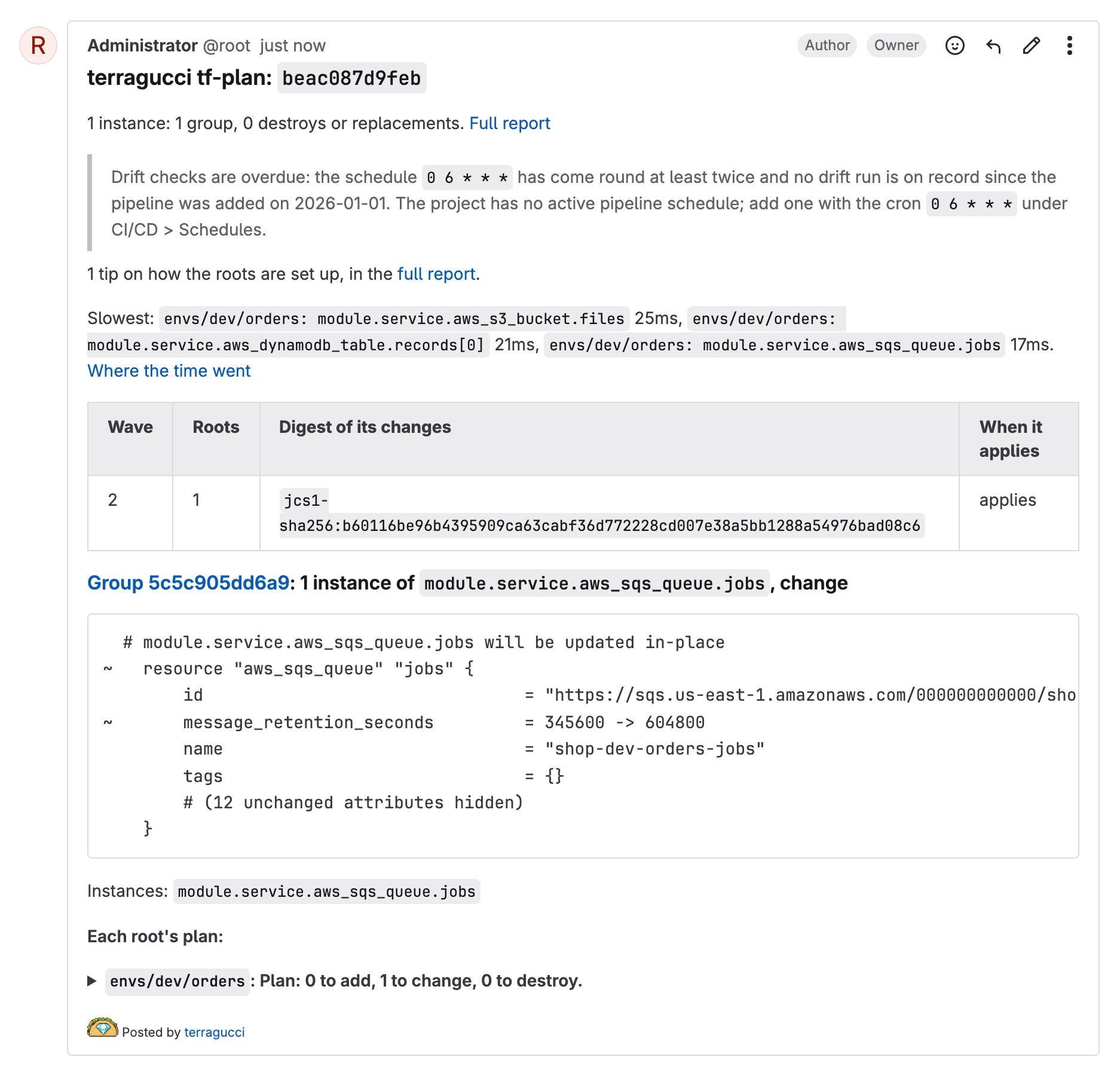
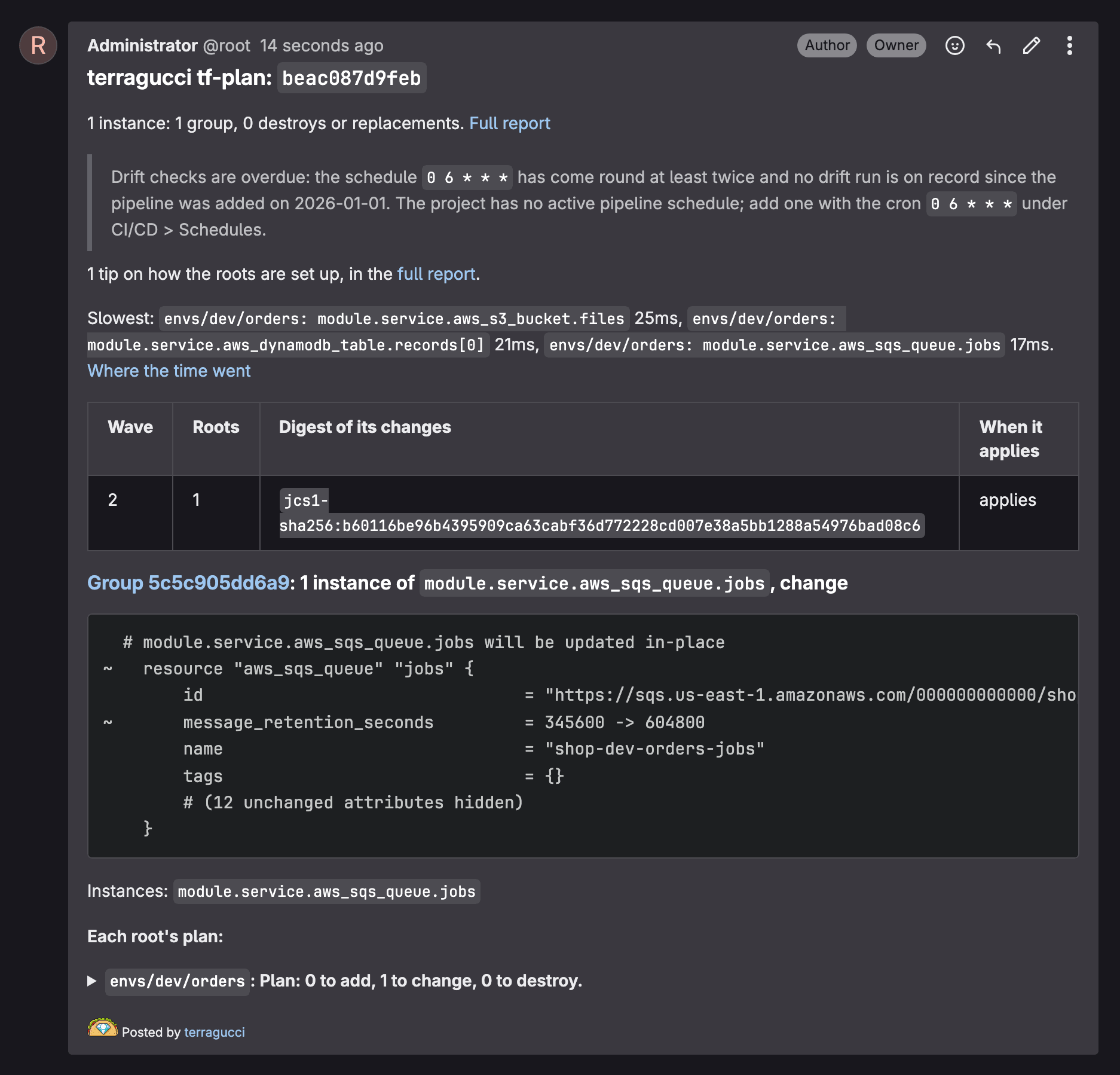
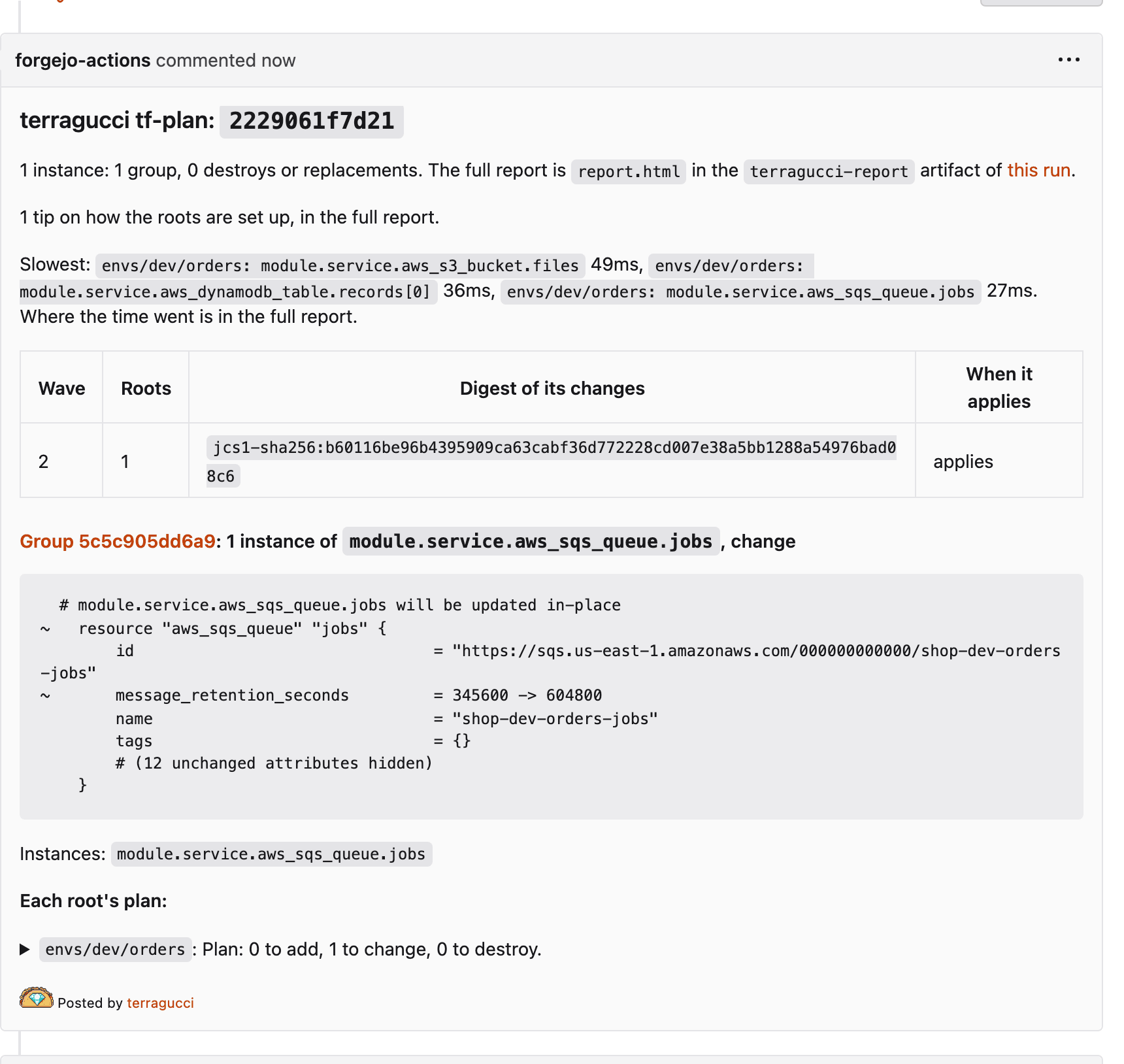
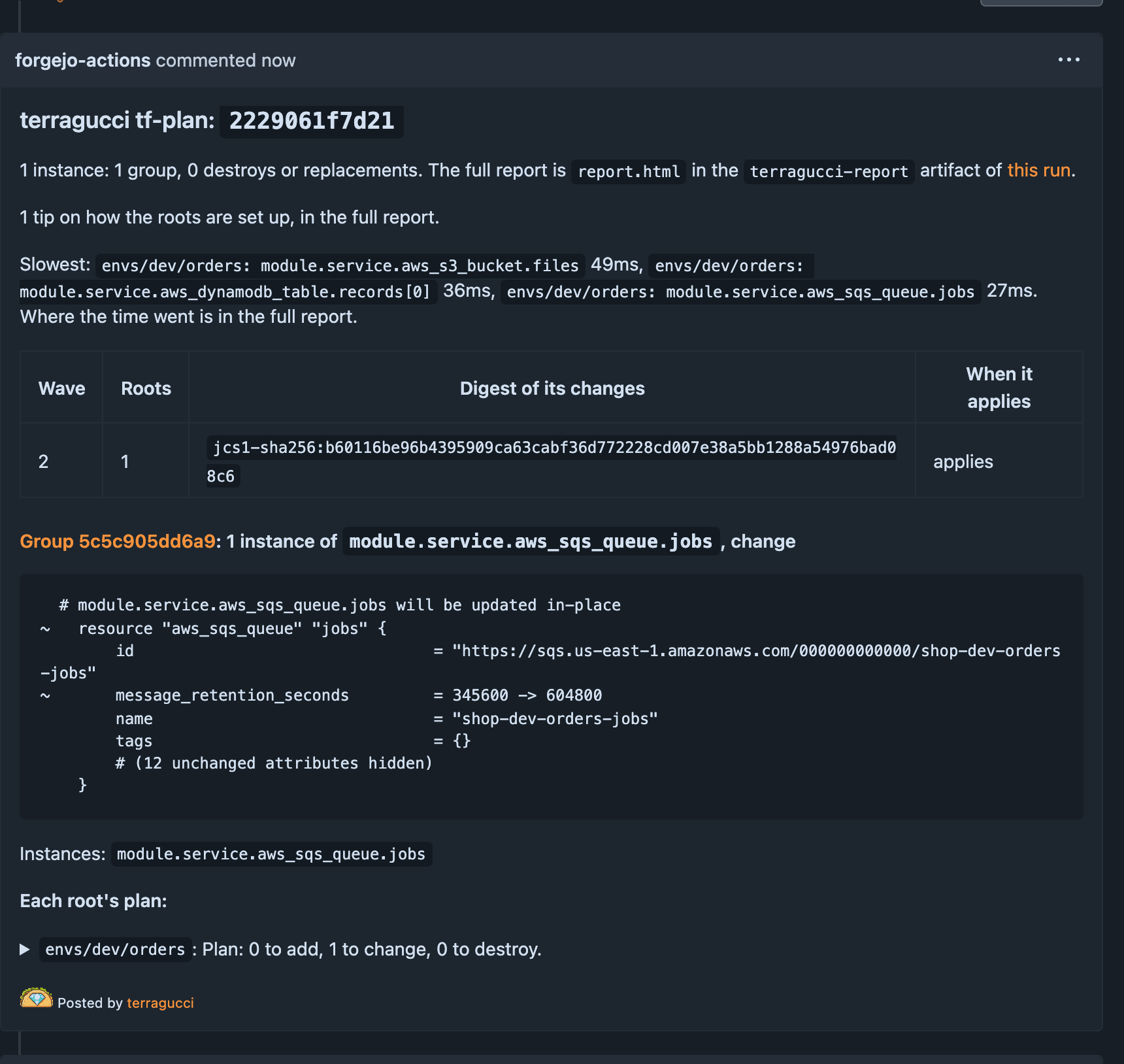
Commit, push and open a pull request.
Terminal window git switch -c add-terraguccigit add .github package.json package-lock.jsongit commit -m "Add terragucci"git push -u origin add-terragucci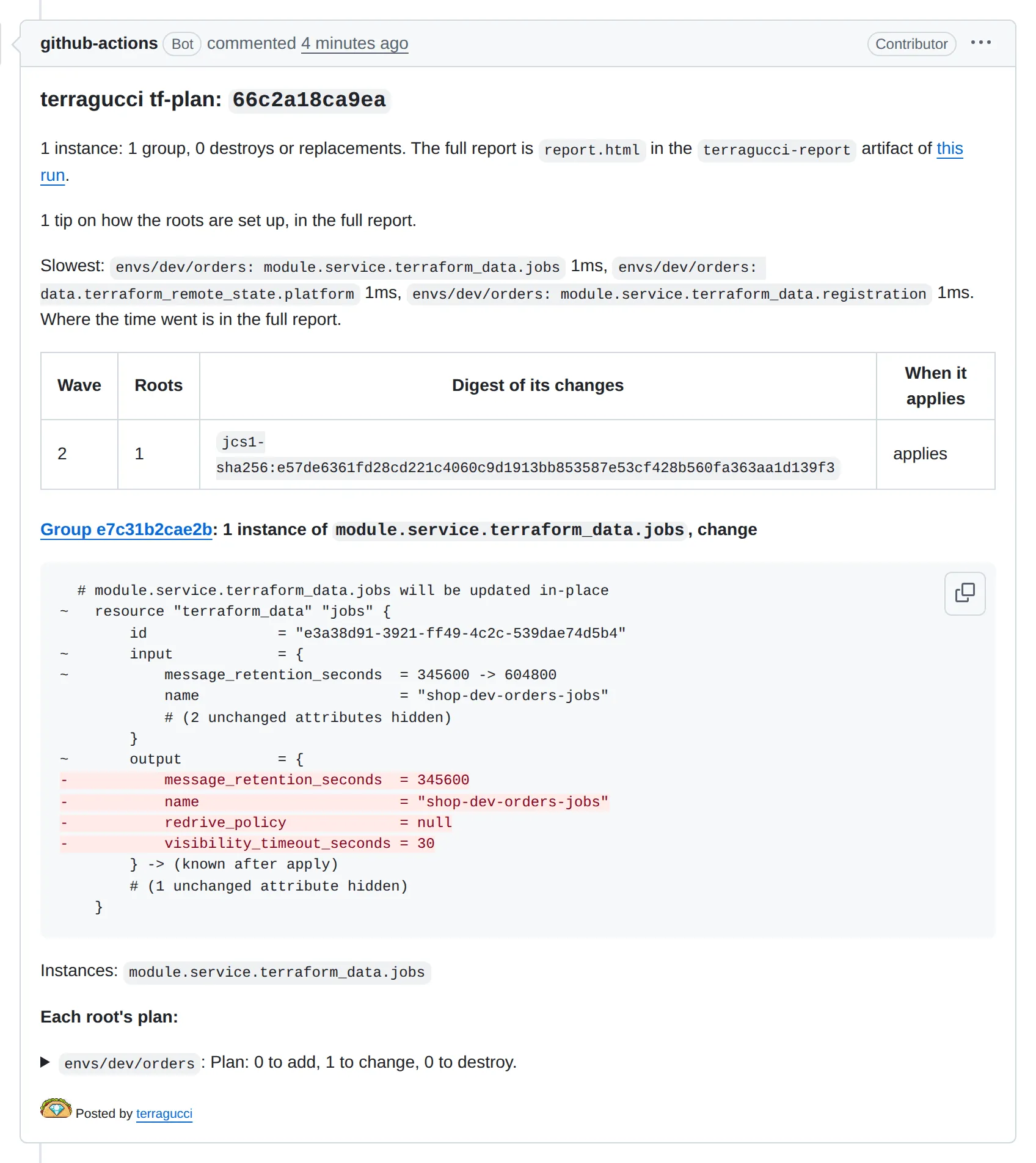
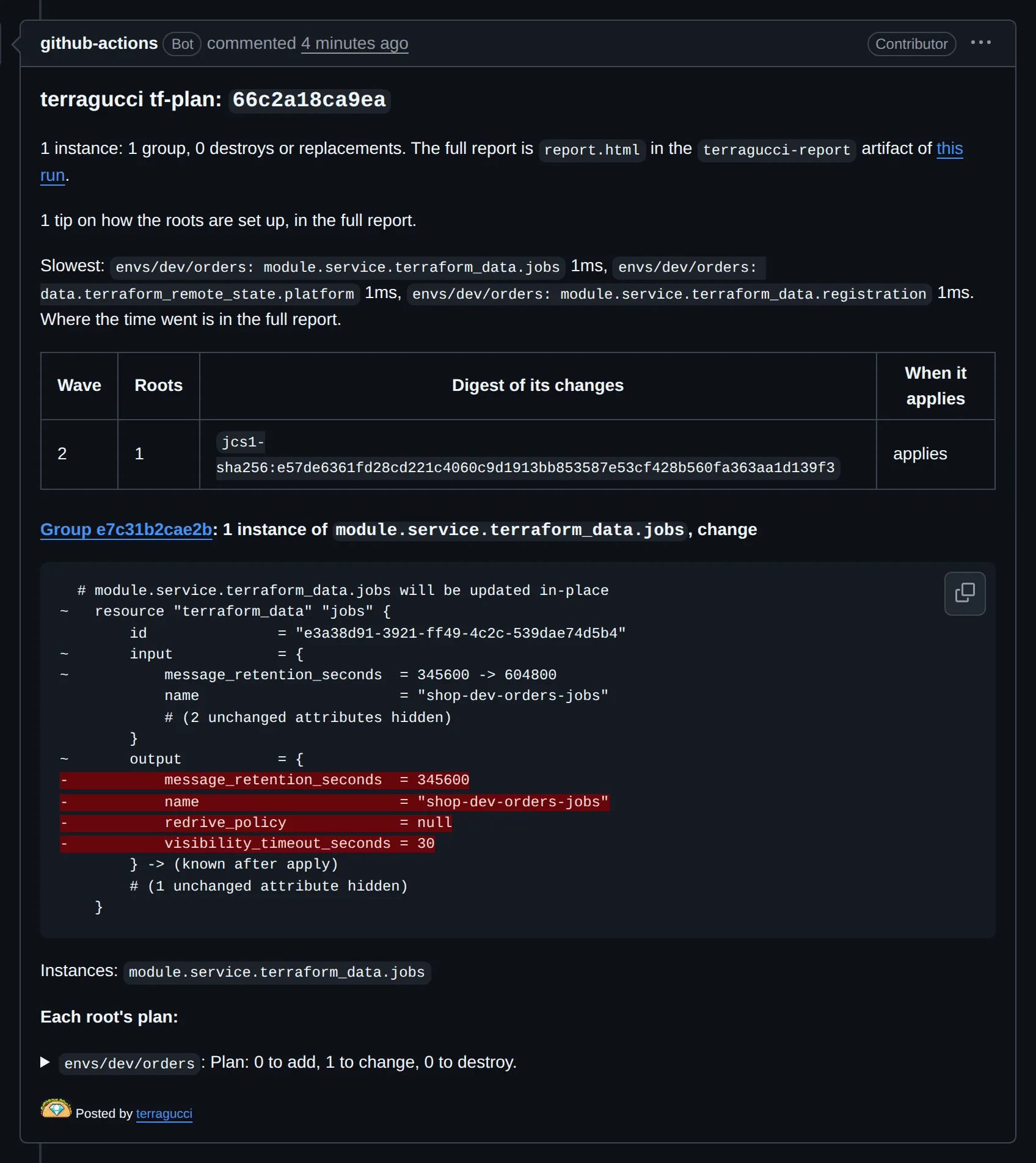
Terminal window git switch -c add-terraguccigit add .gitlab .gitlab-ci.yml package.json package-lock.jsongit commit -m "Add terragucci"git push -u origin add-terragucci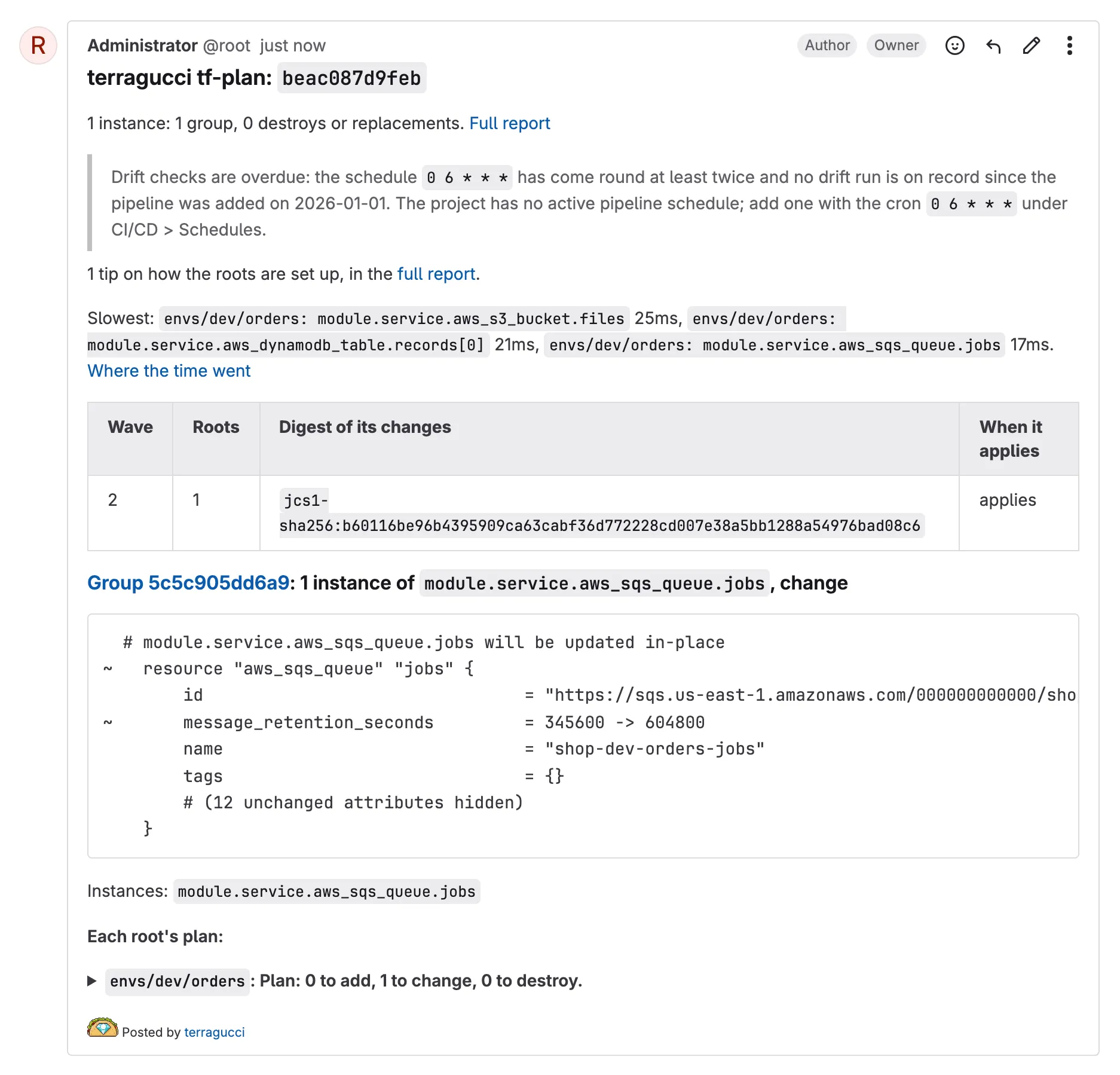
Terminal window git switch -c add-terraguccigit add .forgejo package.json package-lock.jsongit commit -m "Add terragucci"git push -u origin add-terragucci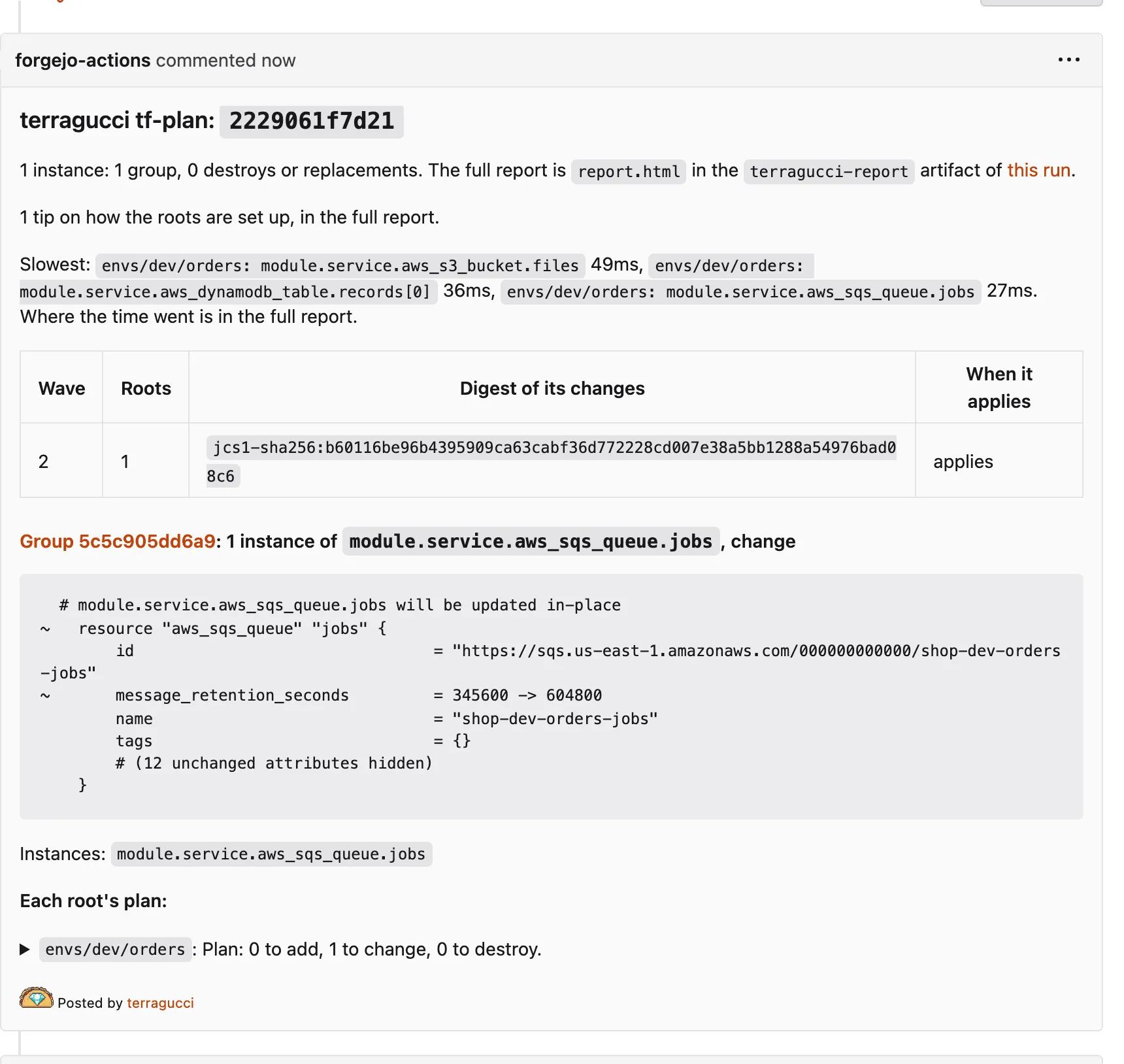
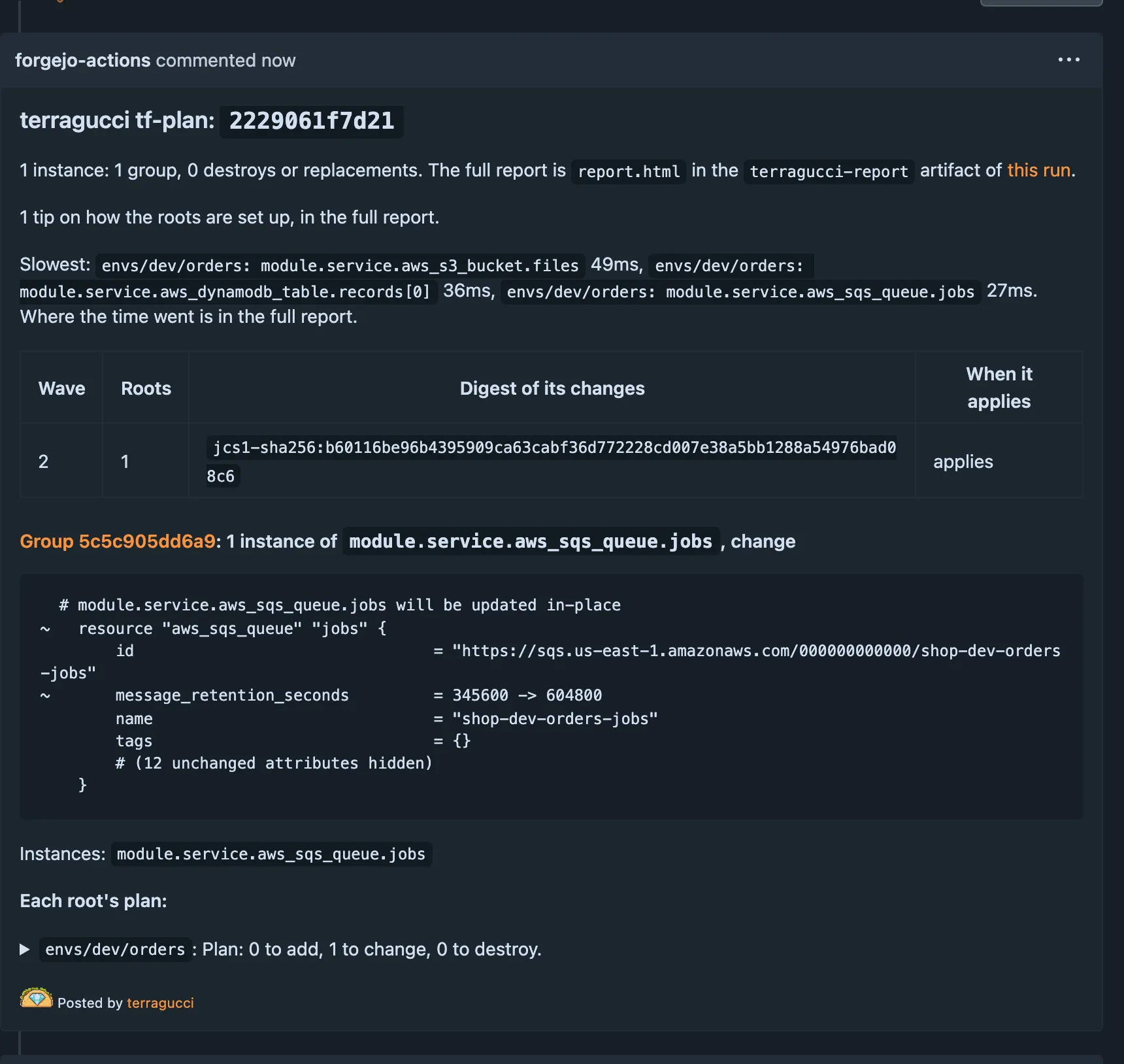
Then change a line in one root and push again, since a change that touches no root has nothing to plan.
-
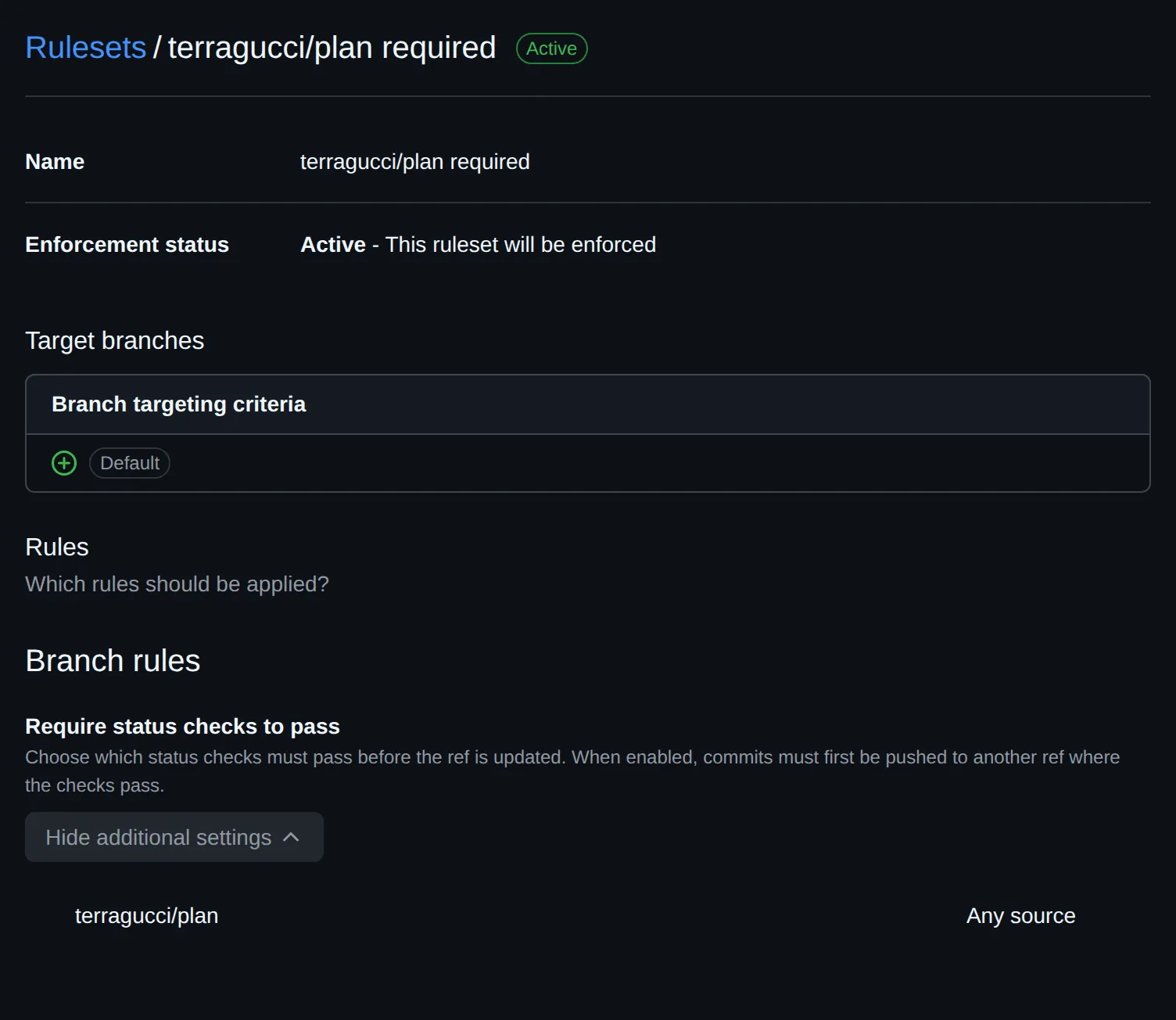
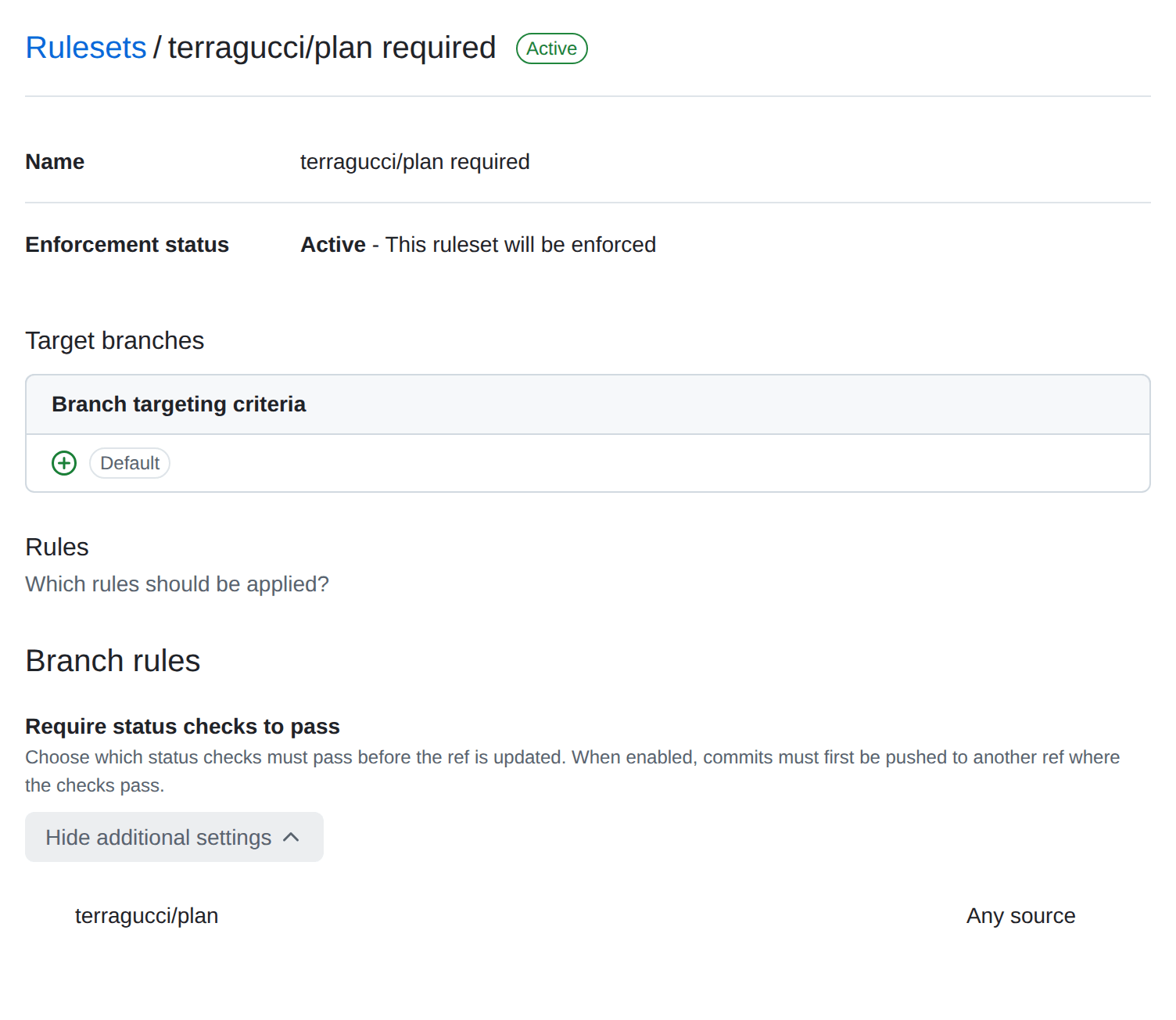
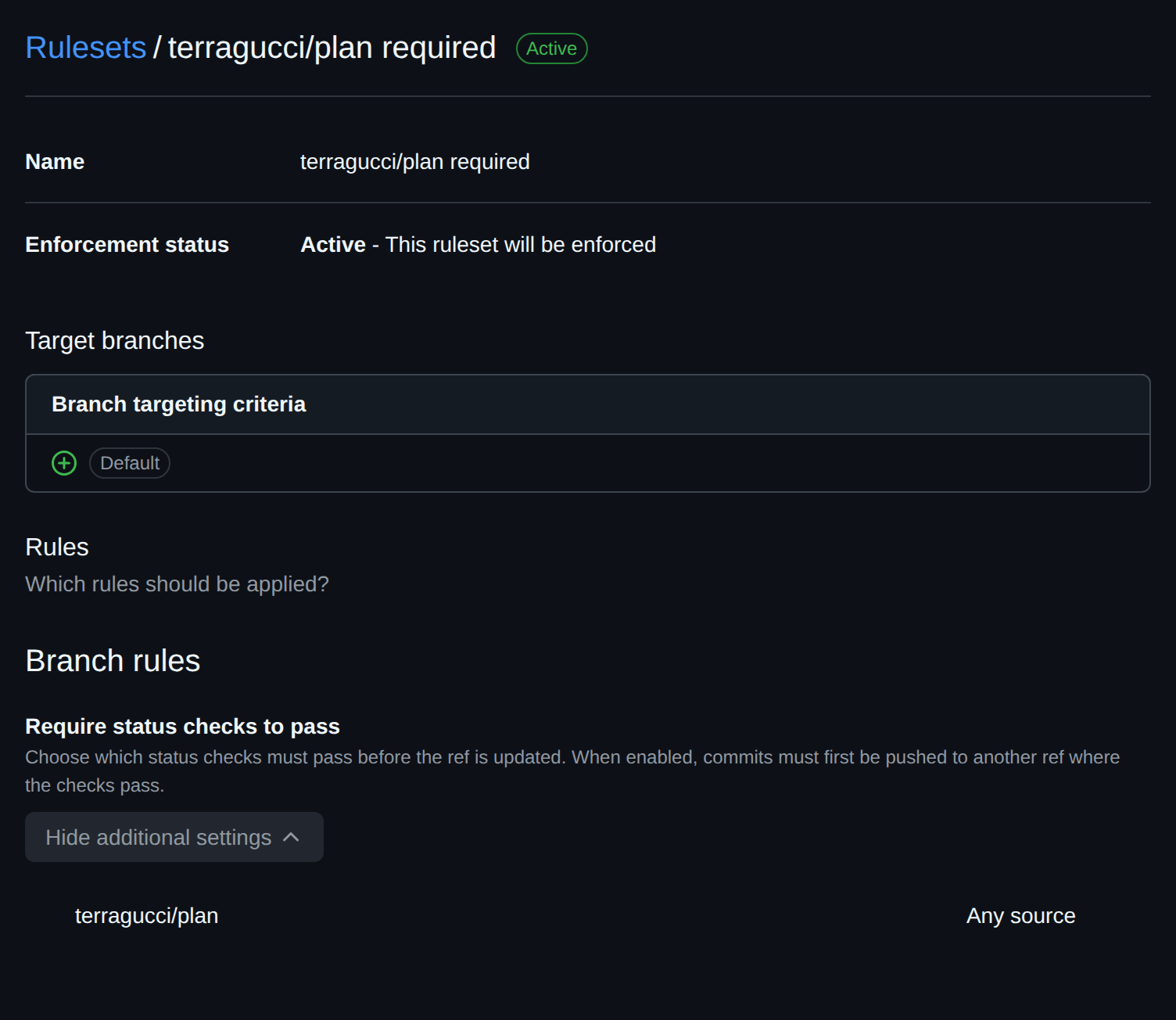
Require the status so that a failed plan blocks the merge. With
binary: choudoufu(set it up), the check also runs a live check with no cloud credentials.Add
terragucci/planto the default branch’s protection rule as a required status.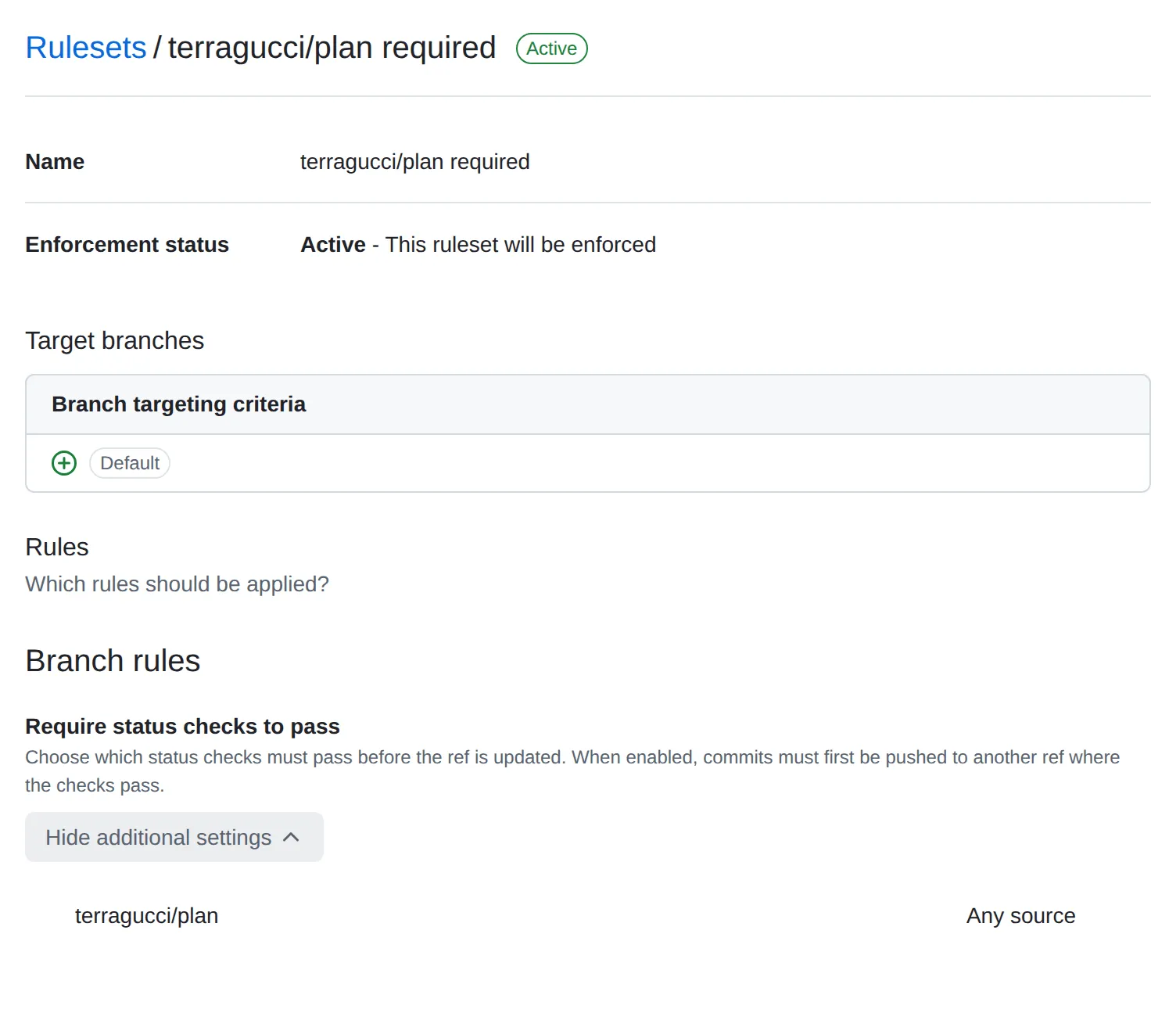
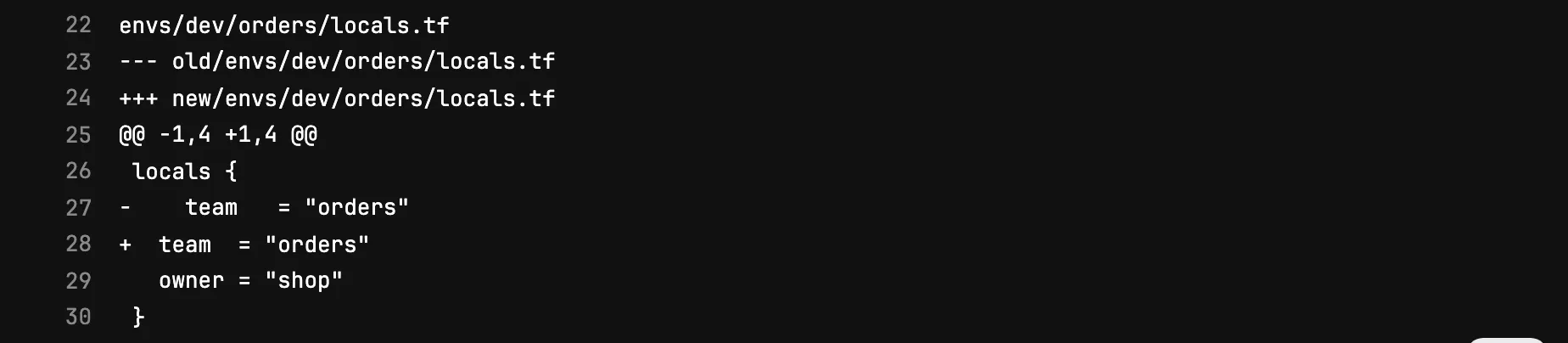
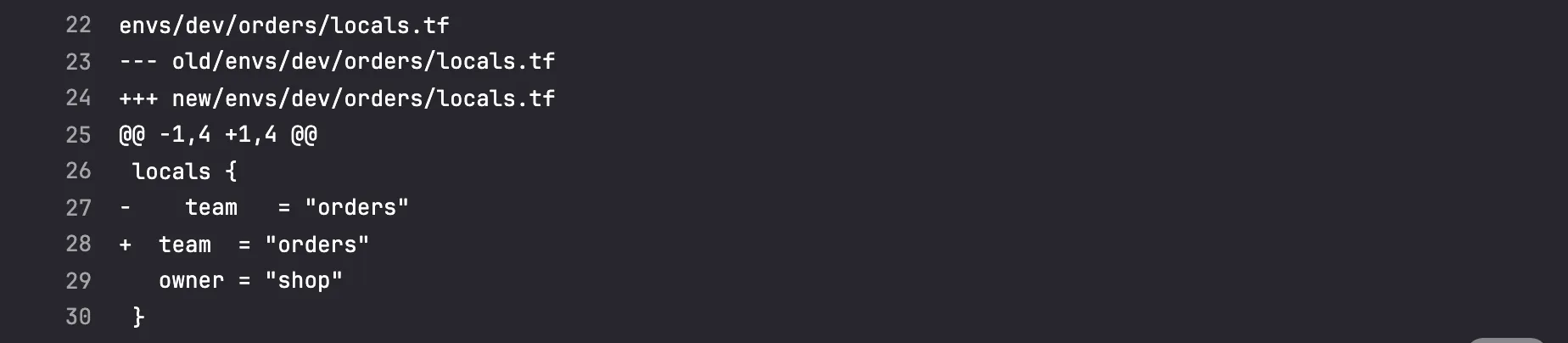
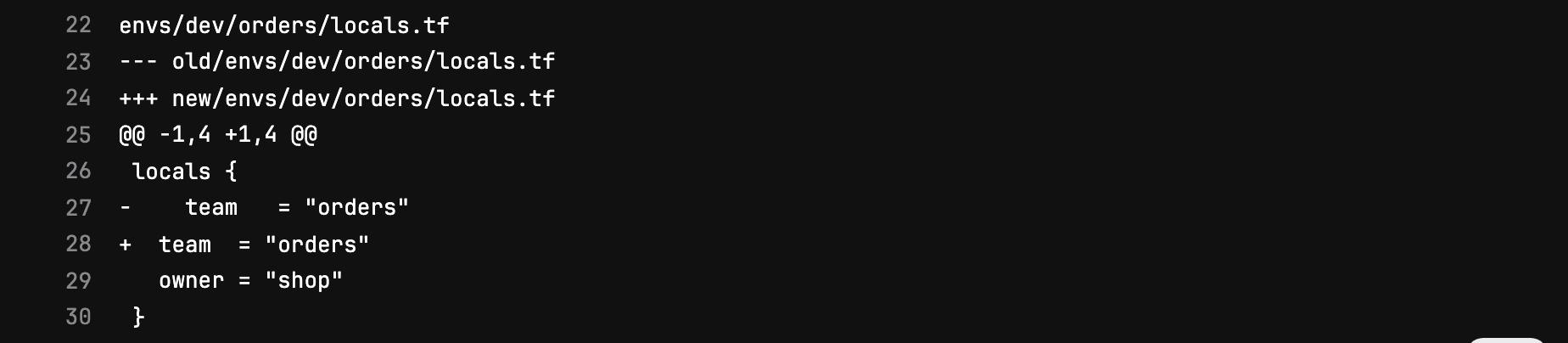
When the check fails, so does the run; its log shows the diff
tofu fmtwould make:$ gh run view --log-failed # the check job of change/unformatted envs/dev/orders/locals.tf --- old/envs/dev/orders/locals.tf +++ new/envs/dev/orders/locals.tf @@ -1,4 +1,4 @@ locals { - team = "orders" + team = "orders" owner = "shop" } Process completed with exit code 3.Turn on “Pipelines must succeed” under Settings, Merge requests.


The pipeline fails with the check:
In the default branch’s protection rule, enable status checks with
terragucci/planas the pattern.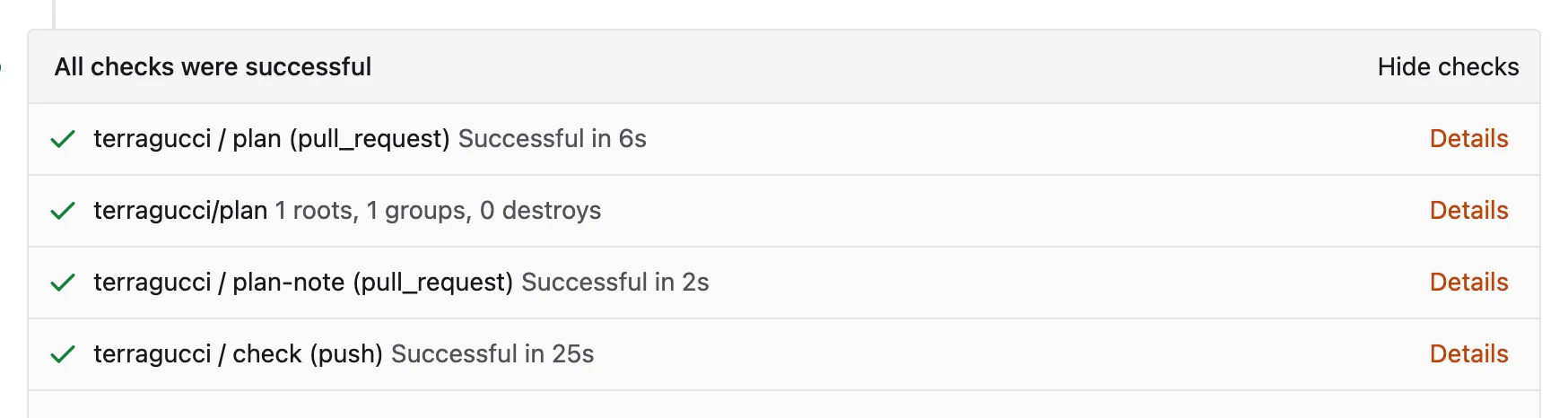
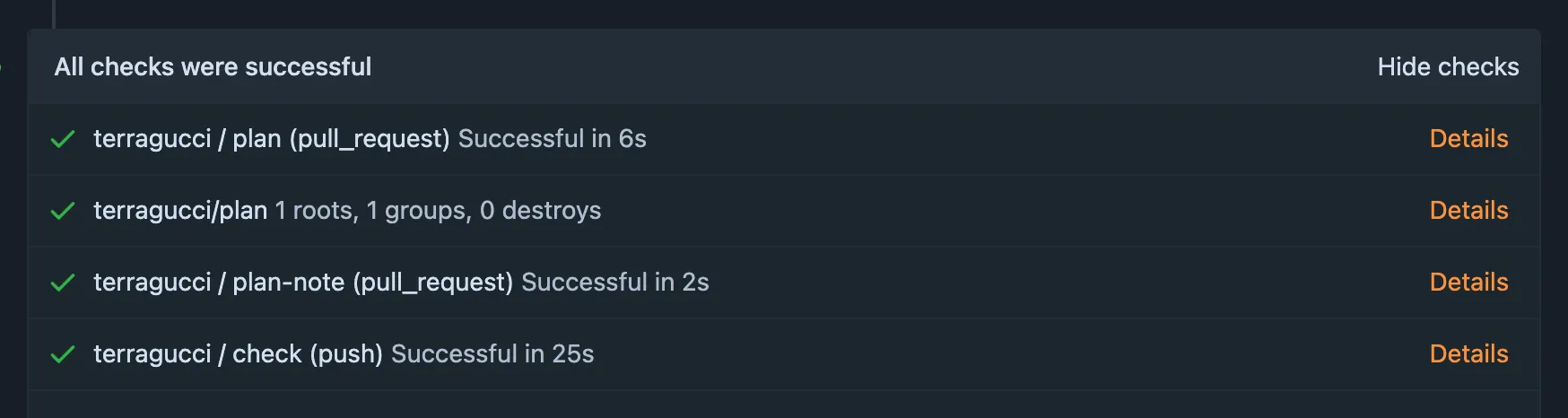
The failed check is a red cross on the commit, and the fmt job pushes the formatting after it:


-
Make approval possible. A wave that destroys something waits until a person runs
npx terragucci approvefrom a checkout or, underapproval: pr-review, reviews the pull request. Signing is optional; onlyapproval: sealedneeds a signers file (before your first approval).




- Approve a waiting wave
- Keep reports in a bucket
- The tutorial runs all of this on a local Forgejo with a 15-root example.

These docs count page views and clicks with PostHog. They set no cookies, store nothing in your browser, and send nothing when your browser asks not to be tracked.