
Roll out a new module version
 Optional: hand this page to your coding agentThe steps work by hand too.
Show the whole prompt
Read https://intentius.io/terragucci/guides/roll-out-a-module-version/.
Run `npx terragucci rollout <module>` (the preview only), fix any pin it refuses
in a pull request, and print the `--mode apply` command for me to run.
Never apply, approve (a pull request review or `terragucci approve`), override a policy denial (`terragucci override`), use `--mode apply`, or merge; never touch `.chant/allowed_signers` or `chant/lifecycle`.Result
Section titled “Result”Every root that pins the module moved to the new version through one pull request per wave.
Prerequisites
Section titled “Prerequisites”| You need | Why |
|---|---|
Roots that pin the module exactly by oci:// tag or digest, registry version or git tag |
a range cannot move (Stages lists the cases) |
| The new version published (Publish your modules) | the rollout pins roots to it |
The HCL parser beside terragucci: npm i -D @cdktn/hcl2json |
the rollout edits each root’s pin with it |
A forge token that can open pull requests, in the variable token_env names |
the apply run and the rollout job open the rollout’s pull requests with it |
Optional: waves.canary in terragucci.yml |
it picks the roots that move first |
Optional: rollouts in terragucci.yml |
a scheduled job opens each next wave, so nobody runs step 5 |
-
Preview the rollout.
Terminal window npx terragucci rollout modules/networkName the module by path or by source without the pin, and leave out the version to get the newest published. The dry run changes nothing. When pins disagree,
--frompicks which moves.For a module that
modules.registrypublishes,modules/networkalso names the calls whosesourceis its registry address, such asmodules.example.com/acme/network/generic, and theirversionmoves. With no version named, the newest the registry lists counts too. -
Fix any pin it refuses. The preview lists each pin it cannot move, with a tip:
The pin Tip a range such as ~> 1.4rollout-floating-pin: pin one versionset from a variable or a local rollout-literal-pin: write a literal, since a variable’s value is not in the diffabsent from the source rollout-pin: add a?ref=,?tag=orversiontwo versions of the module in one directory rollout-one-pin: pin every call at one versionDo that in its own pull request, then run the preview again.
-
Open the first wave.
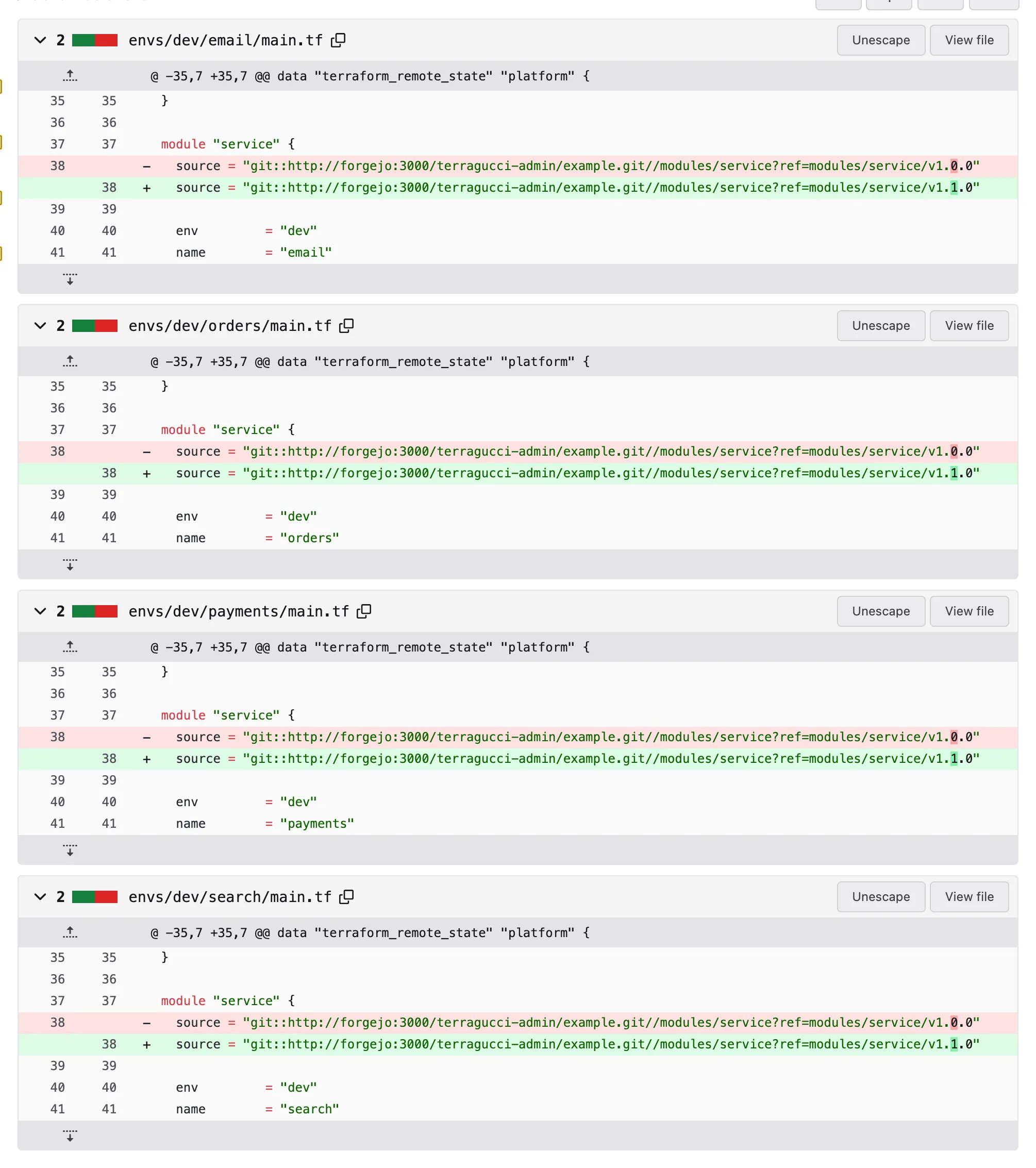
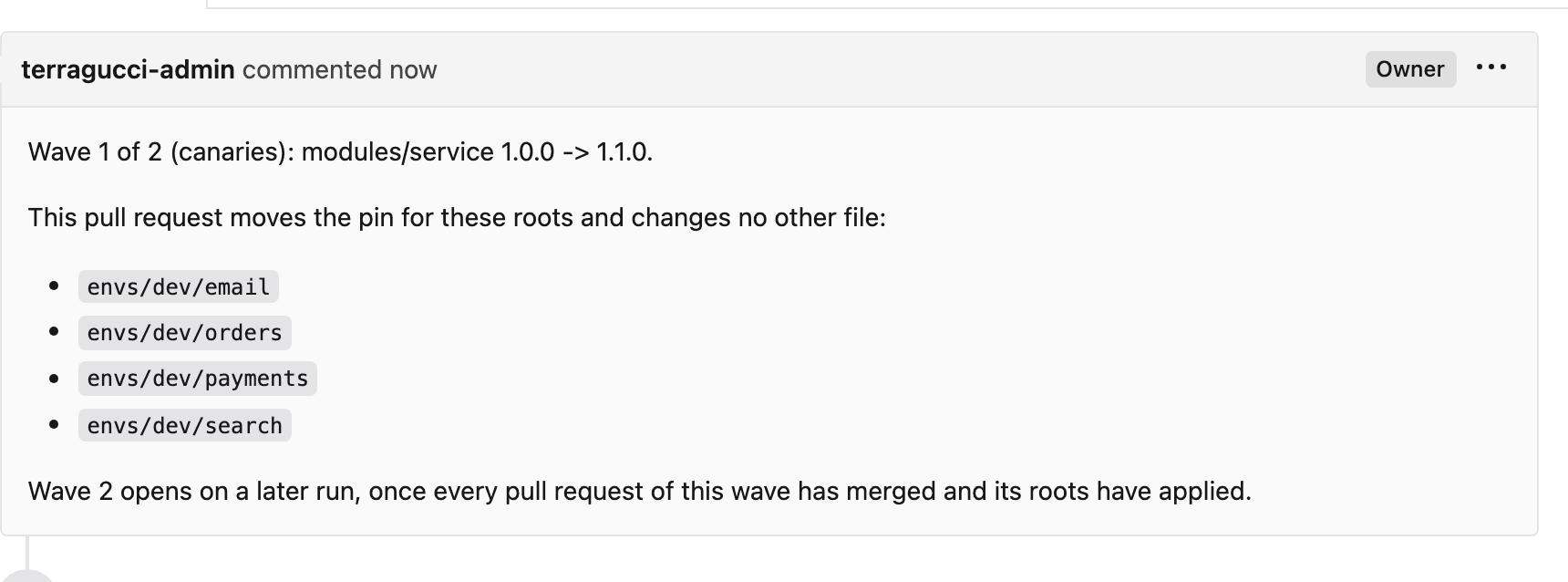
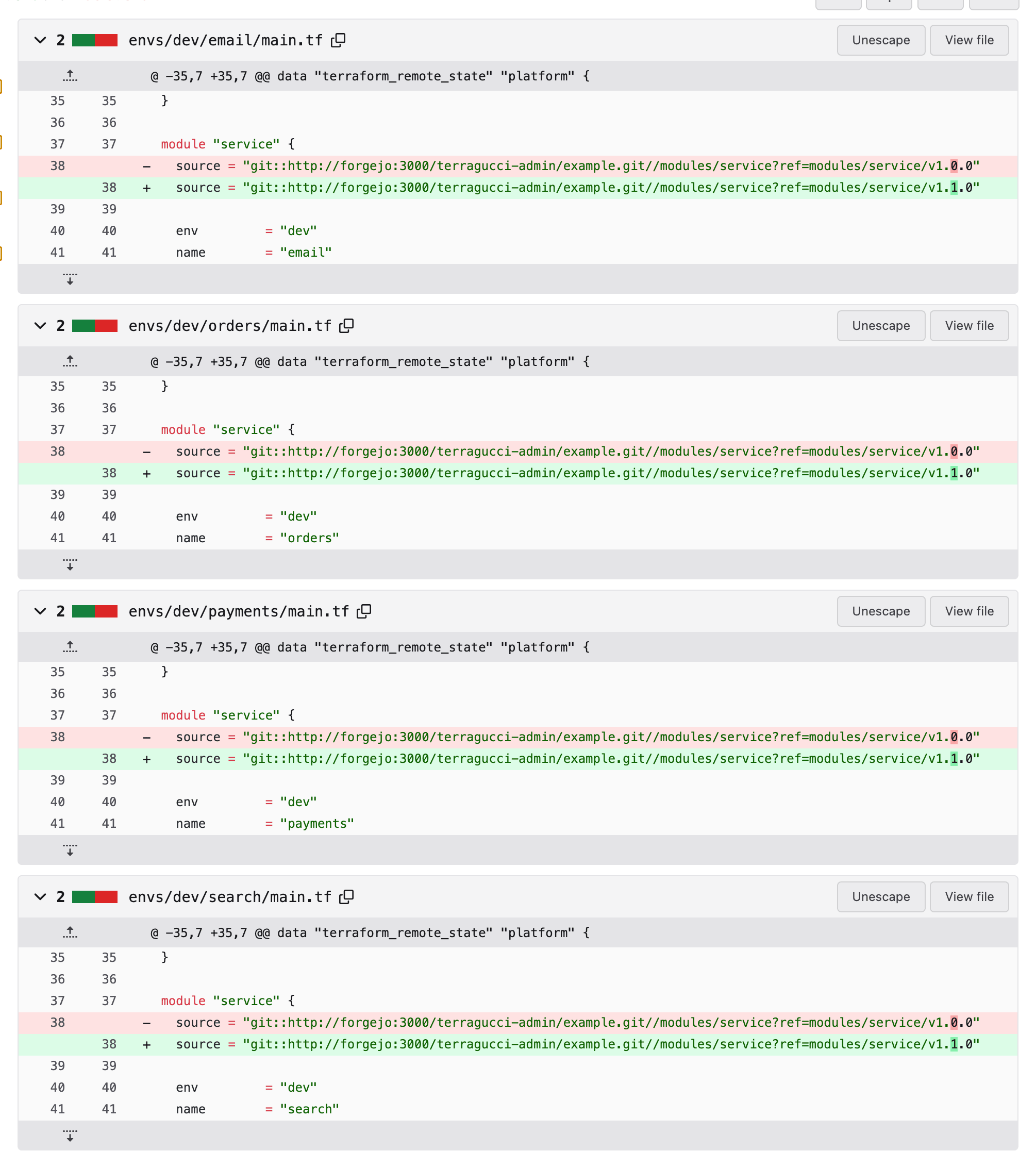
Terminal window npx terragucci rollout modules/network 1.4.0 --mode apply--mode applywrites to the forge and runs noterraform apply; roots apply after the merge. It opens one pull request for the canary wave, or the first in dependency order. Only that wave’s files change, and each pin keeps its shape.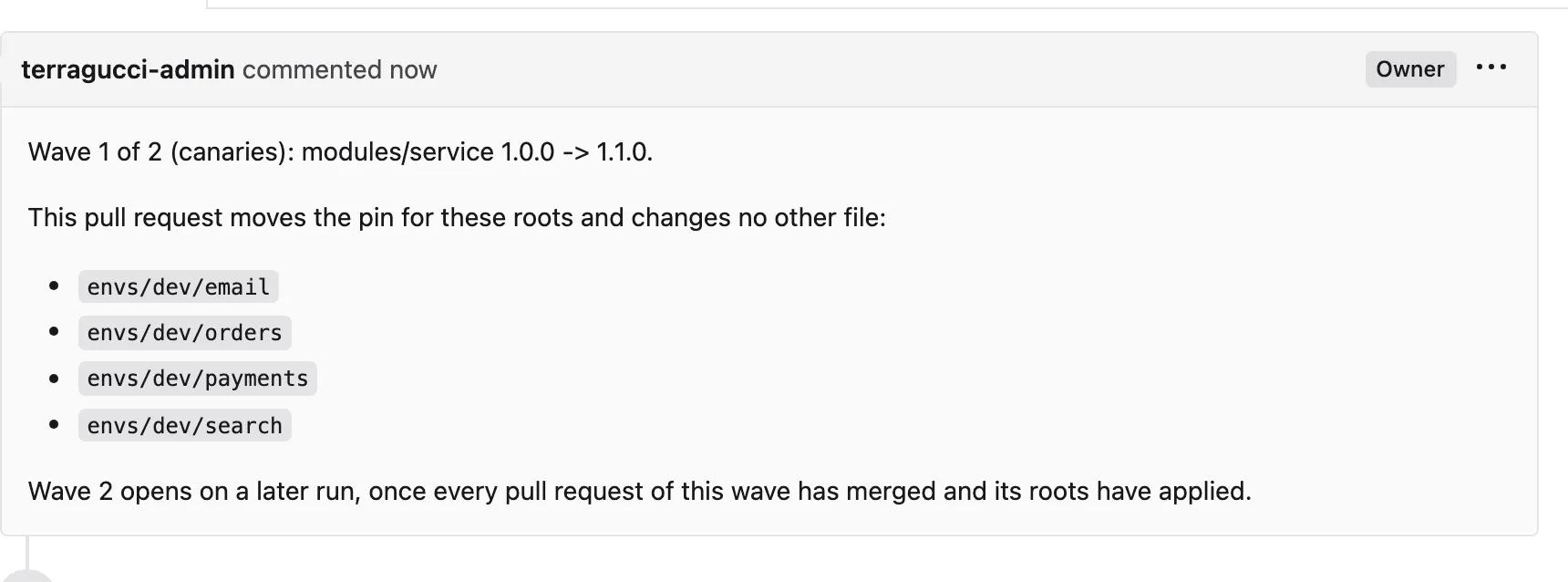
-
Review and merge it. The apply stage runs on the merge commit.
-
Let the next wave open. With
rolloutsset,initwrites a job that runsterragucci respond rollout --mode applyon that schedule:rollouts: "*/15 * * * *"token_env: ROLLOUT_TOKENEach run opens the next wave of every rollout whose last wave merged and applied, so a wave opens within one interval. A rollout with a pull request still open, or one closed unmerged, is left alone.
Forge Job Token Schedule GitHub its own workflow, terragucci-rollout.yml, which you can also start by handthe secret token_envnames, else the job’s own; GitHub runs no workflow for a pull request the job’s own token opens, so name a secret holding a token that can push branches and open pull requeststhe rolloutscronForgejo the same the secret token_envnames, else the job’s ownthe rolloutscronGitLab the rolloutjob in the pipelinethe token_envvariablea pipeline schedule with that cron and the variable TERRAGUCCI_SCHEDULEset torollouts;initprints the stepstoken_envis the project’s forge token variable, shared beyond the rollout: on GitLab every job that pushes or opens a merge request reads it, and on GitHub and Forgejo the fmt, tips, version-bump and drift jobs export their own token under that name.respond.rollout: offleaves the rollout job out.Without
rollouts, run the rollout again after each merge. Each run takes at most one step:Terminal window npx terragucci rollout modules/network 1.4.0 --mode applyEither way, the next wave waits for the last to merge and apply. The apply status it checks is
apply/<path>per directory, elseterragucci/apply. A pull request closed unmerged or a failed apply stops the rollout. It never merges or writes a default branch.Exit code Meaning 0 a step was taken, or the rollout is complete 3 a pull request waits for a merge or an apply 1 the rollout stopped From a control repo, wave 1 holds every project’s canaries and later waves follow in config order. Each project gets its own pull request per wave.
rolloutsis a single repo’s key, since a project’s pipeline sees only its own roots; in a control repo, runterragucci respond rollout --mode applyon a schedule of your own.
Provider upgrades
Section titled “Provider upgrades”The same flow moves a provider in the lock file:
npx terragucci rollout --provider hashicorp/aws 6.68.0 --mode applyEach lock file is rewritten for that provider alone, and an exact version constraint moves too. The wave stops unless every other provider stays where it was.
- Tips names setups that make rollouts hard.
- The JSON output of rollout lists each wave’s state for scripts.

These docs count page views and clicks with PostHog. They set no cookies, store nothing in your browser, and send nothing when your browser asks not to be tracked.