
Boot the example
 Optional: hand this page to your coding agentThe steps work by hand too.
Show the whole prompt
Read https://intentius.io/terragucci/tutorial/.
Clone https://github.com/INTENTIUS/terragucci, run `npm ci` and `just example up` as the page says, and report the Forgejo URL and the boot time. If it fails, match the error to "Troubleshooting" and tell me the fix.
`just example up` applies the example to floci, its local AWS stand-in. That is the one exception to the line below, and only against floci.
Never apply, approve (a pull request review or `terragucci approve`), override a policy denial (`terragucci override`), use `--mode apply`, or merge; never touch `.chant/allowed_signers` or `chant/lifecycle`.You need no cloud account to run terragucci against a small shop’s estate on your machine.
| Page | You see | Time |
|---|---|---|
| Boot the example (this page) | 15 roots applied by a local pipeline | about 10 min the first time |
| Your first pull request | the check stage passing, then failing on formatting | 5 min |
| One note for fifteen plans | twelve plans grouped in one note | 5 min |
| Waves and approvals | a change applied a wave at a time | 10 min |
| A wave that changed | an approved wave refusing to apply after one of its roots changed | 5 min |
| Drift | a drift report naming the root | 5 min |
| Publishing and pinning modules | a module version rolled out one pull request per wave | 10 min |
| Tips | a tip on a floating provider version | 5 min |
| See your runs | runs on terragucci’s Grafana dashboards | 10 min |
| The same shop on Terragrunt | the estate as 15 Terragrunt units | 15 min |
| Clean up, then your own repo | terragucci on a repository of your own | 10 min |
Prerequisites
Section titled “Prerequisites”| You need | Why |
|---|---|
| Docker, with 4 GB of memory free | the forge, its runner and the AWS stand-in run as containers |
just, git and jq |
the commands below are just recipes |
| Node.js 22 or later | just example up runs npx tsx and builds terragucci from the clone |
| about ten minutes | the first boot pulls the images and builds the CI images |
Clone terragucci and install its dependencies.
git clone https://github.com/INTENTIUS/terragucci && cd terragucci
npm ci
Boot it
Section titled “Boot it”just example upIt starts Forgejo (a local forge) with its runner, and floci (an AWS stand-in). Then it pushes the example and the pipeline applies every root:
$ just example up
[example] building the CI images (a few minutes the first time)…
[example] starting Forgejo, its runner and floci (a minute or two the first time)…
[example] pushed to main at 844910e2; the pipeline applies every root…
[example] run 1 for 844910e2: success (http://localhost:3300/terragucci-admin/example/actions/runs/1/jobs/0/attempt/1)
[example] all 40 resources are in floci
[example] ready in 90s

  The example is running.

  Forgejo     http://localhost:3300/terragucci-admin/example
  Pipeline    http://localhost:3300/terragucci-admin/example/actions/runs/1/jobs/0/attempt/1
  Sign in as  terragucci-admin / Terragucci-local-pw-1234 (only needed to merge or comment)
  floci       http://localhost:4580 (the AWS stand-in)

  Next: just example change one-root
The last line is the boot time. Later boots skip the image pulls and builds.
Result
Section titled “Result”Open the Forgejo link, at localhost:3300 unless you changed the port. The repo is the shop’s whole estate:
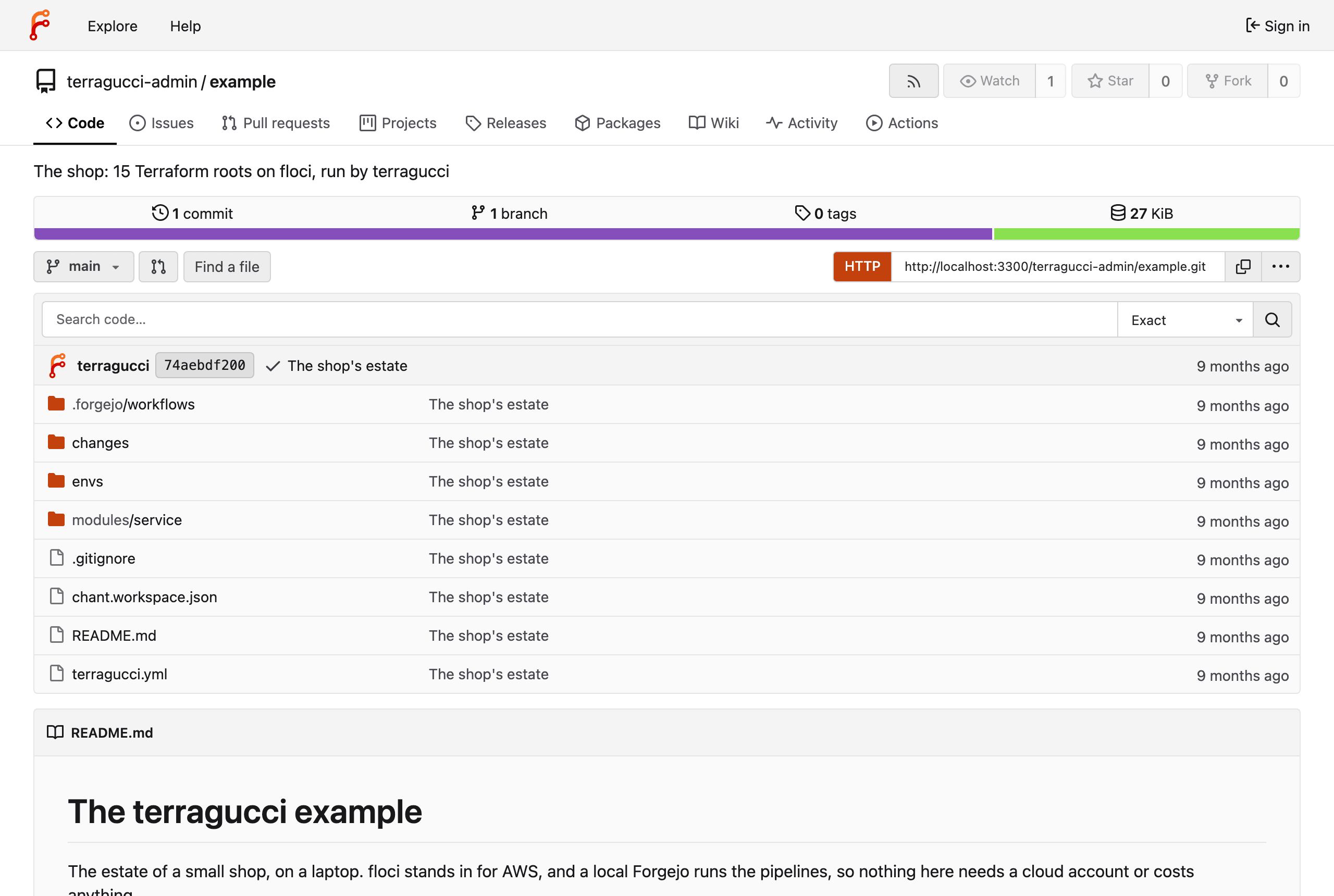
| Path | What |
|---|---|
modules/service/ |
one service: a bucket, a jobs queue, a records table |
envs/dev/platform |
each environment’s logs bucket |
envs/dev/orders |
orders, payments, search and email, each calling modules/service |
envs/staging/..., envs/prod/... |
the same five roots each |
terragucci.yml |
the whole terragucci config |
Three environments of five roots make fifteen. A change to modules/service reaches twelve roots. Prod payments differs because its jobs queue has a dead-letter queue.
The platform roots hold the logs bucket, so terragucci applies them before the services.
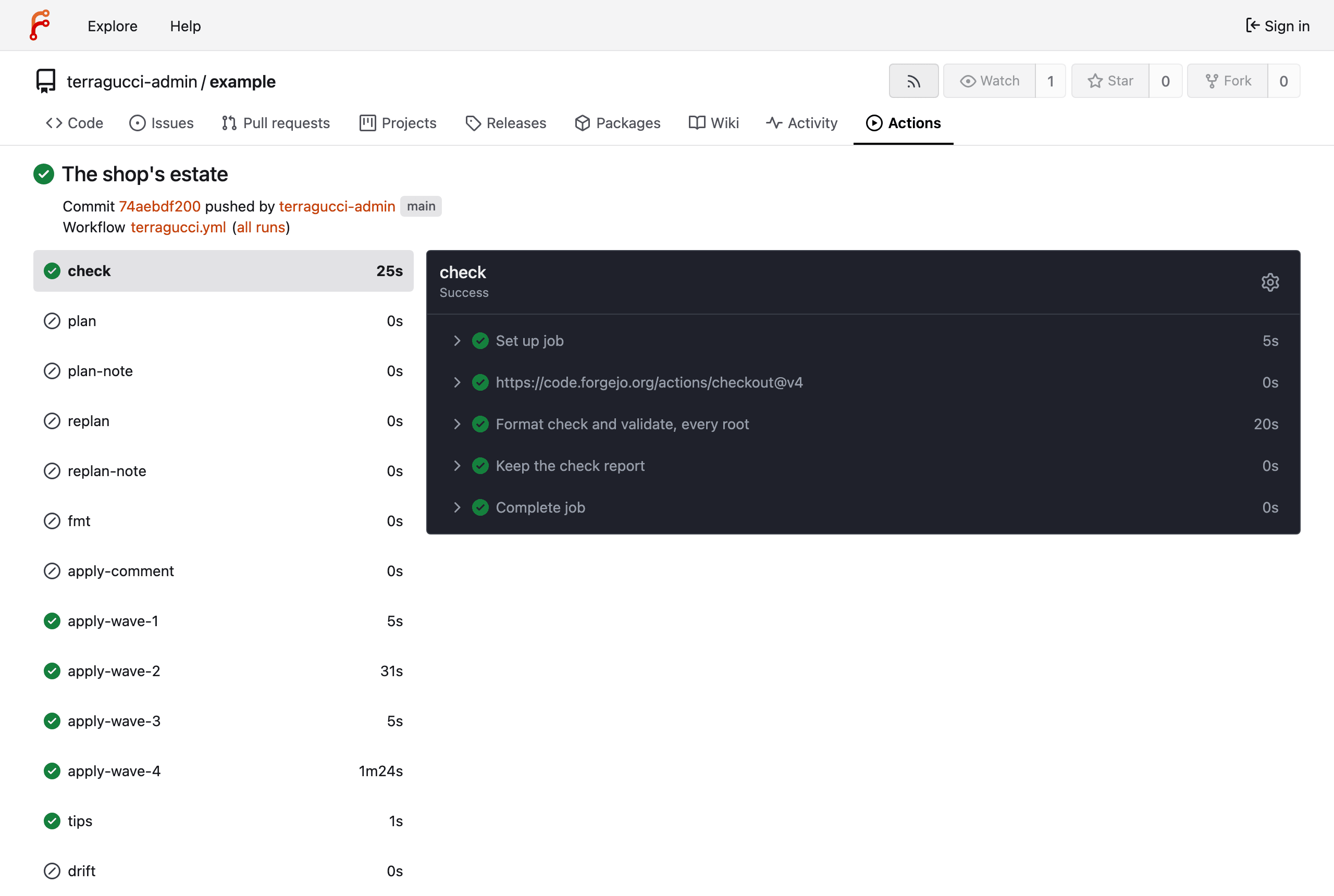
The pipeline run shows every root applied:
terragucci.yml is four lines. Dev is the canary wave, and drift is checked every morning at six:
binary: tofu
waves:
  canary: ["envs/dev/*"]
drift: "0 6 * * *"
With Terraform, binary: terraform runs the same pipeline (Choose your binary). Terragrunt users get the same shop as units on its own page.
Troubleshooting
Section titled “Troubleshooting”| You see | Try |
|---|---|
port is already allocated |
port 3300 or 4580 is taken. Set TERRAGUCCI_FORGEJO_PORT or TERRAGUCCI_FLOCI_PORT to a free one and run just example up again. |
| the pipeline waits and never starts | the runner has not registered. docker logs terragucci-forgejo-runner shows why; just example up re-registers it. |
| containers restart or Docker stops answering | Docker is short of memory. Give it 4 GB. |
a link to http://forgejo:3000/... does not open |
that is Forgejo’s address inside the stack. On your laptop the page is at http://localhost:3300/...: change the start of the link. |
Reset and restart
Section titled “Reset and restart”just example reset closes every pull request and puts the estate back the way it booted. just example down removes everything, and just example up brings it back from nothing.
Go on to your first pull request.
Tutorial step 1 of 11.

These docs count page views and clicks with PostHog. They set no cookies, store nothing in your browser, and send nothing when your browser asks not to be tracked.